Background Remover App
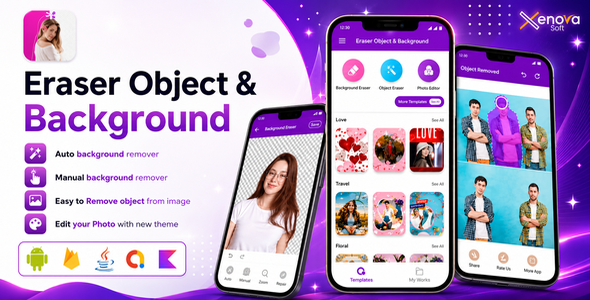

Erase Objects & Background App
In the world of photography, perfection is key. A single unwanted object or distracting background can make all the difference between a good photo and a great one. That’s where the Erase Objects & Background app comes in – a revolutionary tool that empowers you to take control of your images and unlock their full potential.
This game-changing app is specifically designed to tackle the challenges of object and background removal. With its cutting-edge AI technology and user-friendly interface, Erase Objects & Background makes it easy to erase unwanted elements and create professional-looking images in seconds.
Technology & Costs — What You Need to Know
Erase Objects & Background performs all AI processing on-device, using Google’s ML Kit Selfie Segmentation model. There is no third-party API (such as Remove.bg or ClipDrop) involved, no API key to obtain, and no per-use or subscription cost tied to the removal features — everything runs locally on the user’s phone, with no internet connection required for the AI processing itself.
- Auto Background Remover: Uses ML Kit’s Selfie Segmentation model, which is trained specifically for people/selfies. It works best on photos where a person is the main subject and is not intended for arbitrary objects.
- Manual Object Remover / Eraser: Uses built-in manual selection and erasing tools rather than AI segmentation, so it works on any object or background, not just people.
- No ongoing costs: Because there’s no external API call, there are no usage fees, rate limits, or billing accounts to set up for these core features.
The only external service used elsewhere in the app is Google AdMob, for displaying ads (see the included documentation for AdMob setup and configuration).
How it Works
- Upload your photo to the app
- Select the object or background you want to remove
- Use the auto-detection feature or manual editing tools to refine the selection
- Tap “Erase” to remove the object or background
- Adjust and refine the result as needed
- Save and share your edited photo
The result is a seamless, distraction-free image that showcases your subject in its best light.
Background Remover
- Instantly change the mood of your photo with a new background.
- Remove distractions and make your subject stand out.
- Create a transparent background for logos, icons, and graphics.
- Replace backgrounds for product photography, real estate, and interior design.
- Use AI-powered technology for precise background removal.
Object Remover
- Delete unwanted people, objects, or text from your photos.
- Remove blemishes, scars, and imperfections from portraits.
- Take out distractions and enhance visual appeal.
- Use the “Object Remover” tool for precise editing.
- Create a clean and minimalist look in your photos.
Photo Editor
- Enhance and adjust colors, brightness, and contrast.
- Apply filters, effects, and textures to transform your photos.
- Use the “Healing” tool to remove imperfections and blemishes.
- Adjust the composition with crop, rotate, and straighten tools.
- Add text, stickers, and emojis to make your photos more engaging.
Wallpaper Templates
- Choose from a vast library of high-resolution wallpaper templates.
- Customize templates with your favorite photos and colors.
- Create unique and personalized wallpapers for your devices.
- Use templates for lock screens, home screens, and social media.
- Get inspired by new templates added regularly.
Wishes Templates
- Send personalized greetings for special occasions.
- Choose from a variety of templates for birthdays, holidays, and more.
- Add photos, text, and emojis to make your wishes unique.
- Create custom invitations, cards, and social media posts.
- Share your wishes instantly via email, SMS, or social media.
Erase Objects & Background is more than just an app – it’s a creative liberator. By empowering you to remove unwanted objects and backgrounds, it unlocks a world of photographic possibilities. Whether you’re a seasoned pro or an aspiring photographer, this revolutionary tool is the perfect addition to your editing arsenal.
Support
- Contact us via email or in-app support for assistance
- Follow our social media channels for tutorials, updates, and tips
By providing more detailed information, users can better understand the app’s capabilities, features, and benefits, making them more likely to download and use it.


