AutoTask - Unlimited Automation workflow For Your Business & Seo work
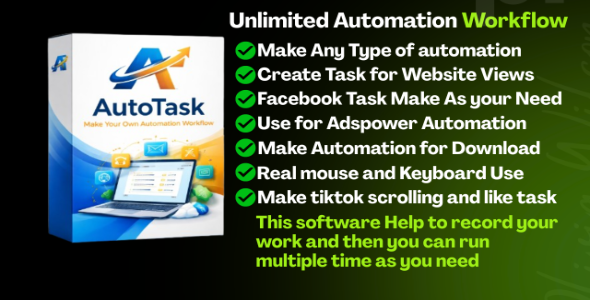

AutoTask RPA Studio – Windows Automation Software (RPA Tool)
AutoTask RPA Studio is a powerful and easy-to-use Windows automation software that helps you automate daily repetitive tasks without coding. It works like a smart assistant that records your actions (mouse & keyboard) and plays them back automatically.
This tool is perfect for digital marketers, freelancers, developers, and business owners who want to save time and increase productivity.

Main Purpose
AutoTask RPA Studio helps you:
- Record your computer actions
- Replay them automatically
- Schedule tasks to run anytime
- Automate websites, software, and browsers & make your day with your work
In simple words: Do a task once, and let the software repeat it forever.
Key Features
- Record mouse clicks & keyboard typing
- Auto replay tasks with perfect timing
- Task scheduler (run 24/7 automatically)
- Loop & repeat automation
- Works on websites & desktop apps
- No coding required
- Fast, lightweight & user-friendly UI

Popular Use Cases
Facebook Automation
- You can use for Facebook work like make pattern for Daily scrolling, watch real like and share
- Auto like, comment & engage
- Send messages automatically
Website Automation
- Auto form filling
- You can make views pattern for webesite and make workflow for website scrolling ads clicking
- Click and views scrolling
- Submit forms automatically

AdsPower Automation
- In adspower make your work real time pattern for Website YouTube work Flow to make any automation unlimited without issue
- Open & control multiple browser profiles
- Rotate proxies & user agents
- Manage multi-account workflows

Download Automation
- You can set work for Monetage, adsense, adx Adsterra and other paltform to make automation to get good earn
- You can make download pattern work to do auto
- Resume downloads
Computer Automation
- File management (copy, move, delete)
- Excel & Office automation
- Software task automation
- Daily routine automation
Why Choose AutoTask RPA Studio?
- Save hours of manual work
- Reduce human errors
- Run tasks 24/7 automatically
- Increase business efficiency
- No technical skills needed
Technical Features
- Mouse & keyboard recorder
- Adjustable speed (0.1x – 10x)
- Loop & repeat system
- Task scheduler (daily / weekly)
- Error handling system
- Progress tracking
System Requirements
- Minimum: Windows 7 / 10 / 11, 4GB RAM, 2GB Storage
- Recommended: Windows 10/11 (64-bit), 8GB RAM, Fast internet
What You Get
- Full software (EXE)
- License key system
- Setup guide
- Video tutorials
- Email support
License Info
- One license = One PC
- Internet required for activation
- Commercial use allowed
- 6 months free updates
SEO Keywords
RPA software, Windows automation tool, task automation software, macro recorder, workflow automation, Facebook automation tool, web automation software, AdsPower automation, bot automation software, no coding automation, desktop automation tool, business automation software
Thanks for Using Me
If you want to automate your work, save time, and grow faster, AutoTask RPA Studio is the perfect solution.
Start automating today and turn your manual work into smart workflows!
Author: KingCodes
0 average based on 0 ratings.

| Last Update | 2026-03-27 |
| Created | 2026-03-27 |
| Sales | 5 |
| Discussion | Comments |
| Application Runtime | Native |
| High Resolution | No |
| Compatible OS Versions | Windows 11 Windows 10 Windows 7 |
| Video Preview Resolution |


