ASP.NET Core Shopping Cart - Razor Pages and Entity Framework Core

Product Description
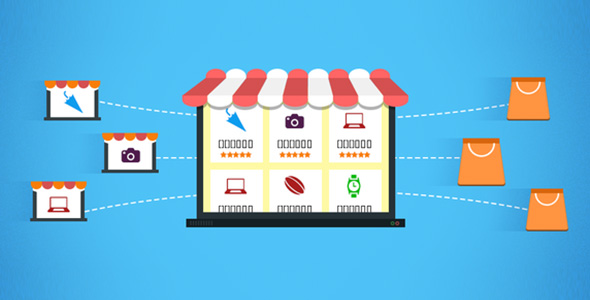
ASP.NET Core Shopping Cart is a simple, easy-to-use, ready-to-use ASP.NET Core Razor Pages and Entity Framework Core and SQL Server database that enables you to create an online marketplace.ASP.NET Core Shopping Cart has an easy Admin Panel page that gives you full control over categories, products, orders, customers list, slideshows and admin profile.
ASP.NET Core Shopping Cart has an easy Customer Panel page that gives you full control over orders and customer profile.
With our responsive e-commerce script, you will have your online store displayed correctly across a wide range of end-user devices and screen resolutions for easy ordering and checking out process.
What you will get is:
- Full Source code.
- Full Database.
- Documetation guide so that you can easily setup code.
- Screenshots.
- Support 24×7 hours.
Front View Features
- Bootstrap Themes
- Responsive Design
- Customers Can Buy the Products from Various Categories
- Show Category of Site
- Show Latest Products, Best Sellers Products and Most Viewed Products
- Manage Shopping Cart: Update the Item Quantity in Cart, Delete Item in Cart
- Checkout Shopping Cart
- Search Product
- Change Customer Profile
Admin Panel Features
- Manage Hierarchy for Categories
- Manage Products
- Manage Orders
- Manage Customers
- Manage SlideShows
- Change Admin Profile
Customer Panel Features
- Manage Orders
- Change Customer Profile
Live Demo
Live DemoDocument Online
Document OnlineRequirements
- .NET Core 3.0 or above
- MS IIS 7/8 or above
- ASP.NET Core Razor Pages 3.0 or above
- MS SQL Server 2008 or above
Browser support
ASP.NET Core Shopping Cart is tested and supported in major modern browsers like Chrome, Safari, Internet Explorer, and Firefox- IE 8+
- Chrome
- FireFox 3+
- Opera 11+
- Safari 5+
Install Application
- Create new database on your hosting and run CompleteEcommerceWithASPNETCoreRazorPages.sql file. Create database user and assign dbo rights to the user.
- Unzip Main.zip file and upload to your hosting.
- Open appsettings.json file and change values of server name, database name,username and password in DefaultConnection tag as below:
- Server: your server name
- Database: your database name
- user id: your username
- password: your password
- Run website and login with default account:
- Admin Panel (Admin Panel access)
URL: http://www.yourdomain.com/Admin/Login
Username: admin
Password: 123
Remember that you can change default admin URL in order to secure admin UI entry point. - Customer Panel (Customer Panel access)
URL: http://www.yourdomain.com/Customer/Login
Username: cus2
Password: 123
- Admin Panel (Admin Panel access)
Product Support
If you have problems, questions, ideal, etc…Contact me via email octopuscodes@gmail.com Please contact us with any questions you may have via the contact form on my author profile page.History
- V1.0 Released – Jun 02, 2020

Search plugins
Browse Categories


