AS3 Talking Avatar lib for Android iOS and desktop
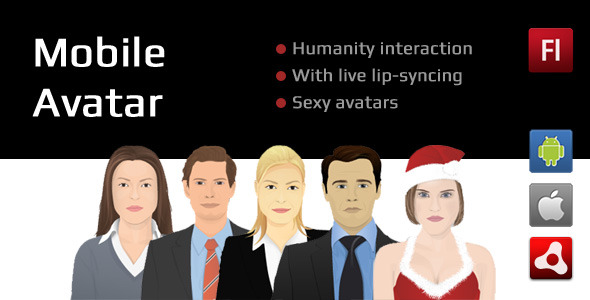

Supported devices:
on any Android or iOS devices that supports Air apps
Files Included:
- .as3proj (FlashDevelop AIR sample project)
- .as (source codes)
- Five sample vector avatars
- asDoc type Documentation
Browser based sample
Sample Android App
with using this little but cool library, you will be able to initialize a talking avatar in your Air mobile projects. You will be able to choose from current available avatars in your “bin” folder and insert your own voice .mp3 file and then addChild the Avatar class anywhere in your project and you’re done.
import com.doitflash.utils.avatar.Avatar; import com.doitflash.utils.avatar.AvatarEvent; // set Class variable var _avatar:Avatar; // initialize a _holder. avatar will be addchilded in _holder. // _holder must have a specific width and height so we create a new Shape() in the _holder var _holder:Sprite = new Sprite(); var rect:Shape = new Shape(); rect.graphics.beginFill(0xf64a5f, 1); rect.graphics.drawRect(0, 0, 400, 600); _holder.addChild(rect); _holder.x = 100; _holder.y = 100; this.addChild(_holder); // initialize the Avatar _avatar = new Avatar(); // add a listener to be notified when the avatar is loaded _avatar.addEventListener(AvatarEvent.LOADED_AVATAR, onLoadedAvatar); // add a listener to be notified when the mp3 file is loaded _avatar.addEventListener(AvatarEvent.LOADED_VOICE, onLoadedVoice); _avatar.holder = _holder; _avatar.avatarUrl = "WomanAvatar.swf"; // set the address to the avatar graphic you'd like to use _avatar.voiceUrl = "test.MP3"; // set the address to the mp3 file which you like to use for lip-syncing // call this method and load the avatar graphic begins _avatar.loadAvatar(); private function onLoadedAvatar(e:AvatarEvent):void { // call this method and load the mp3 file begins _avatar.loadVoice(); } private function onLoadedVoice(e:AvatarEvent):void { trace("sound length: ", e.param); // mp3 length is based on miliseconds // use this listener to be notified when the mp3 playback is finished. _avatar.addEventListener(AvatarEvent.SOUND_PLAY_FINISHED, onPlayComplete); // call this method and the mp3 file starts playing _avatar.play(); } private function onPlayComplete(e:AvatarEvent):void { trace("onPlayComplete"); } // call this method to pause the mp3 file while playing and it returns the millisecond position of the sound. // you can use this position to play the mp3 again and start from where it was paused. // var position:Number = _avatar.pause(); // _avatar.play(position); // // call this method to stop the sound. // _avatar.stop(); // When you're done with this class, call this method to clean up the memory. // _avatar.dispose();
0 average based on 0 ratings.

| Last Update | 2014-03-16 |
| Created | 2014-02-19 |
| Sales | 7 |
| Discussion | Comments |
| Software Version | iOS 7.0.x iOS 6.1.x iOS 6.0 iOS 5.1 iOS 5.0 iOS 4.2 Android 4.4.x Android 4.2.x Android 4.0 Android 2.3.3 |
| Files Included | HTML JavaScript JSON .apk |
| Video Preview Resolution |
Search plugins
Browse Categories


