AppLock - Android App with Secure Vault & Fingerprint




AppLock – Kotlin Android App Source Code
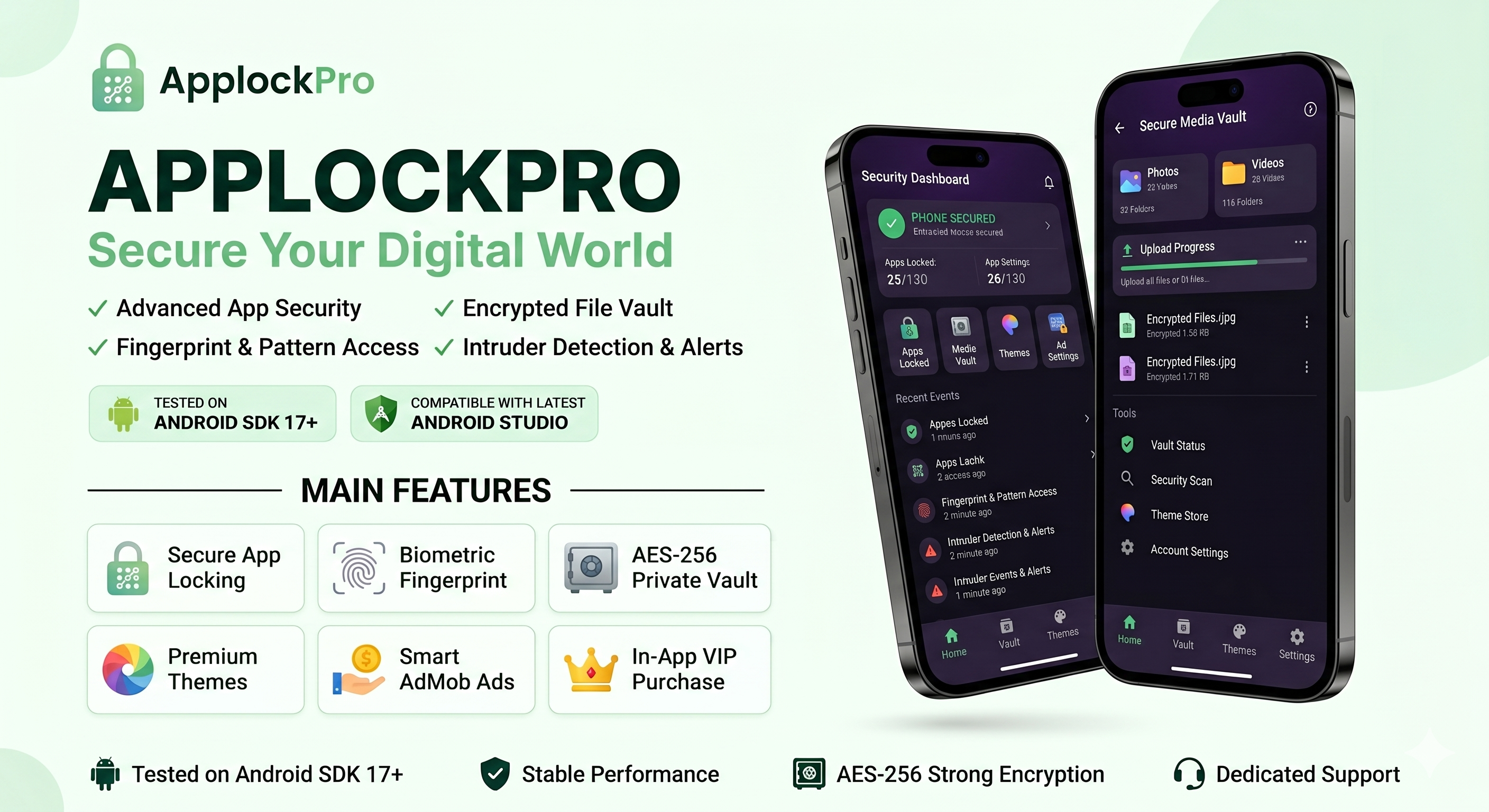
AppLock is a premium Android App Source Code built with Kotlin and Jetpack Compose, designed for developers who want to create and publish their own privacy and security application.
The project provides a complete App Lock solution with PIN, Pattern, Fingerprint authentication, Secure Photo and Video Vault, Google AdMob integration, Google Play Billing integration, dynamic themes, and a modern Material Design interface.
Built using a clean MVVM architecture, the source code is well organized, scalable, easy to customize, and includes detailed documentation to help developers quickly launch their own branded application.
Main Features
App Lock Protection
Protect installed applications using PIN, Pattern, or Fingerprint authentication to prevent unauthorized access.
Fingerprint Authentication
Supports biometric authentication for fast and secure unlocking using the device fingerprint sensor.
PIN & Pattern Lock
Secure applications with a PIN code or Pattern Lock for enhanced privacy and protection.
Secure Photo Vault
Hide and protect private photos inside a secure encrypted vault accessible only after authentication.
Secure Video Vault
Store sensitive videos safely inside a protected private vault.
Google AdMob Integration
Includes Banner Ads, Native Ads, and Interstitial Ads integration. Buyers must configure their own Google AdMob account and use their own Ad Unit IDs.
Google Play Billing Integration
Includes Google Play Billing integration, allowing buyers to implement premium features and in-app purchases after configuring their own Google Play Console account.
Dynamic Themes
Includes multiple beautiful themes with a modern Material Design interface and easy customization.
Clean MVVM Architecture
Developed using a modern MVVM architecture with clean, scalable, and maintainable source code.
Technical Requirements
- Kotlin Programming Language
- Jetpack Compose
- Android Studio Ladybug or newer
- Minimum Android Version: Android 6.0 (API 23)
- Target SDK: Android 15 (API 35)
- MVVM Architecture
- Google AdMob SDK Integrated
- Google Play Billing Library Integrated
- AndroidX Libraries
Required Permissions
- Usage Access Permission – Required to detect foreground applications and enable App Lock protection.
- Display Over Other Apps Permission – Required to display the lock screen over protected applications.
- Biometric Permission – Required to enable fingerprint authentication.
- Boot Completed Permission – Required to restart protection services automatically after device reboot.
- Notification Permission – Required to display security notifications on Android 13 and above.
Compatibility
- Supports Android 6.0 (API 23) up to Android 15 (API 35)
- Compatible with smartphones and tablets
- Optimized for modern Android devices
Google AdMob Notice
This item includes Google AdMob integration. Buyers are responsible for creating and configuring their own Google AdMob account and replacing the demo Ad Unit IDs with their own. Advertising revenue, monetization eligibility, and payments are subject to Google’s Terms of Service, AdMob policies, and applicable revenue sharing rules.
Google Play Billing Notice
This item includes Google Play Billing integration. Buyers must configure their own Google Play Console account and create their own in-app products before publishing. All purchases, payments, and revenue sharing are managed according to Google’s policies and applicable service fees.
Documentation Included
Comprehensive documentation is included to help buyers configure the project, change the package name, application name, app icon, colors, AdMob IDs, Google Play Billing settings, and publish their own branded application quickly and easily.
$59 |
Download |
0 average based on 1 ratings.

| Last Update | 2026-06-12 |
| Created | 2021-07-16 |
| Sales | 4 |
| Discussion | Comments |
| Software Version | Kotlin 1.x Android 15.0 Android 12.0 Android 11.0 Android 10.0 |
| Files Included | .apk .xml |
| Video Preview Resolution |


