Appify – AI-Powered No-Code Mobile App Builder SaaS Platform



Appify is a complete, self-hosted, white-label mobile app builder SaaS platform. One purchase includes the full source code for both the Customer App and API and the Admin Dashboard with integrated Landing Page. Deploy the two connected Next.js applications in accounts you control, connect one shared Supabase project, add your own build infrastructure, apply your branding, and launch your mobile app builder business.
Your customers can create custom Flutter applications, connect WordPress and WooCommerce, or turn an existing website or web app into Android and iOS applications. You control the plans, billing, AI provider, branding, domains, customer data, and build capacity. Appify takes no monthly platform fee and no share of your customer revenue.

One Product — Complete App + Admin Source Code
Appify is now delivered as one connected CodeCanyon product. There is no second listing to purchase and no vendor-hosted business API shared with other buyers. Each buyer deploys and owns one complete Appify installation.
| Included project | What it provides |
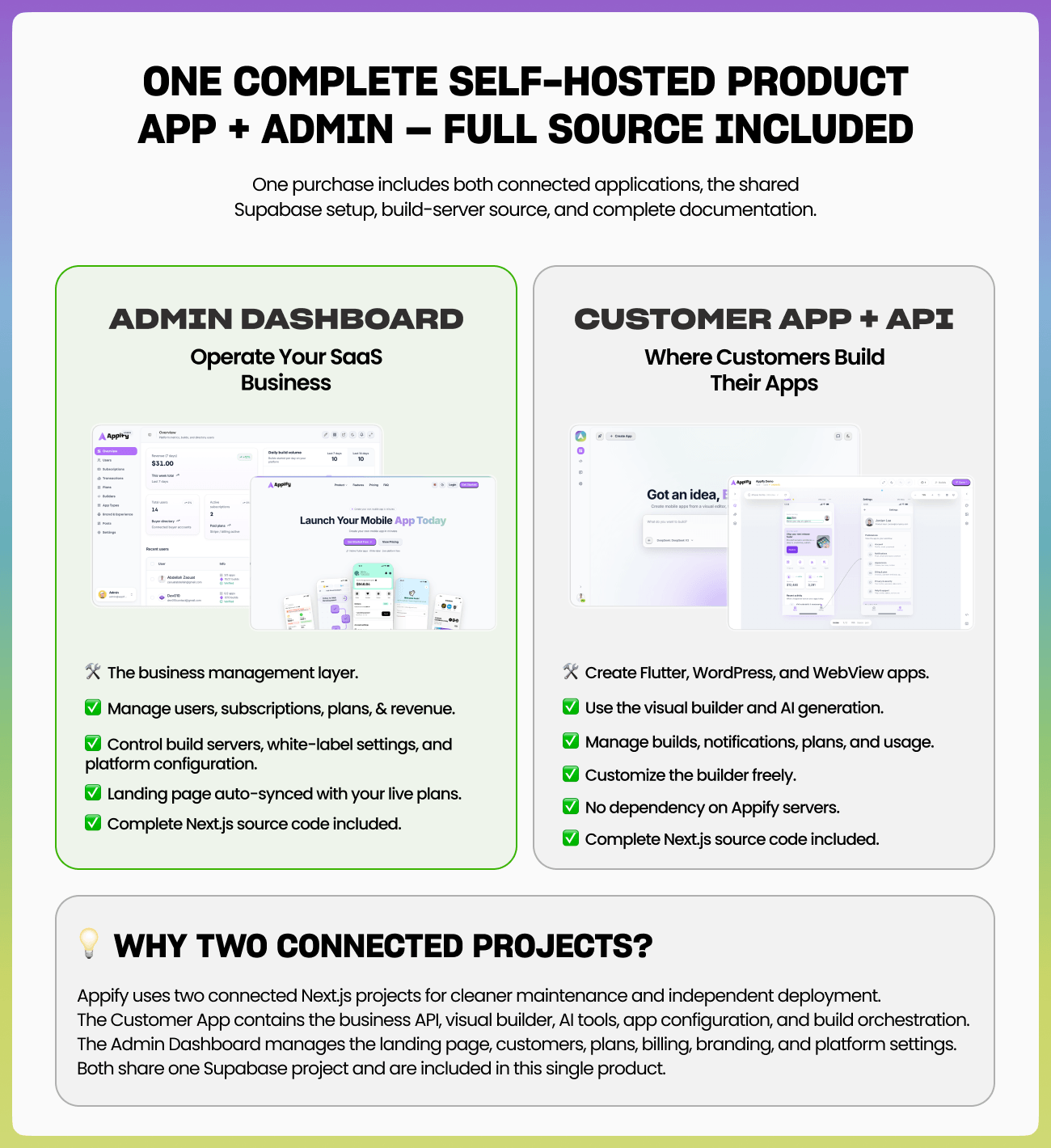
| App | Customer dashboard, business API, visual builder, apps, AI generation, billing, uploads, notifications, and build orchestration |
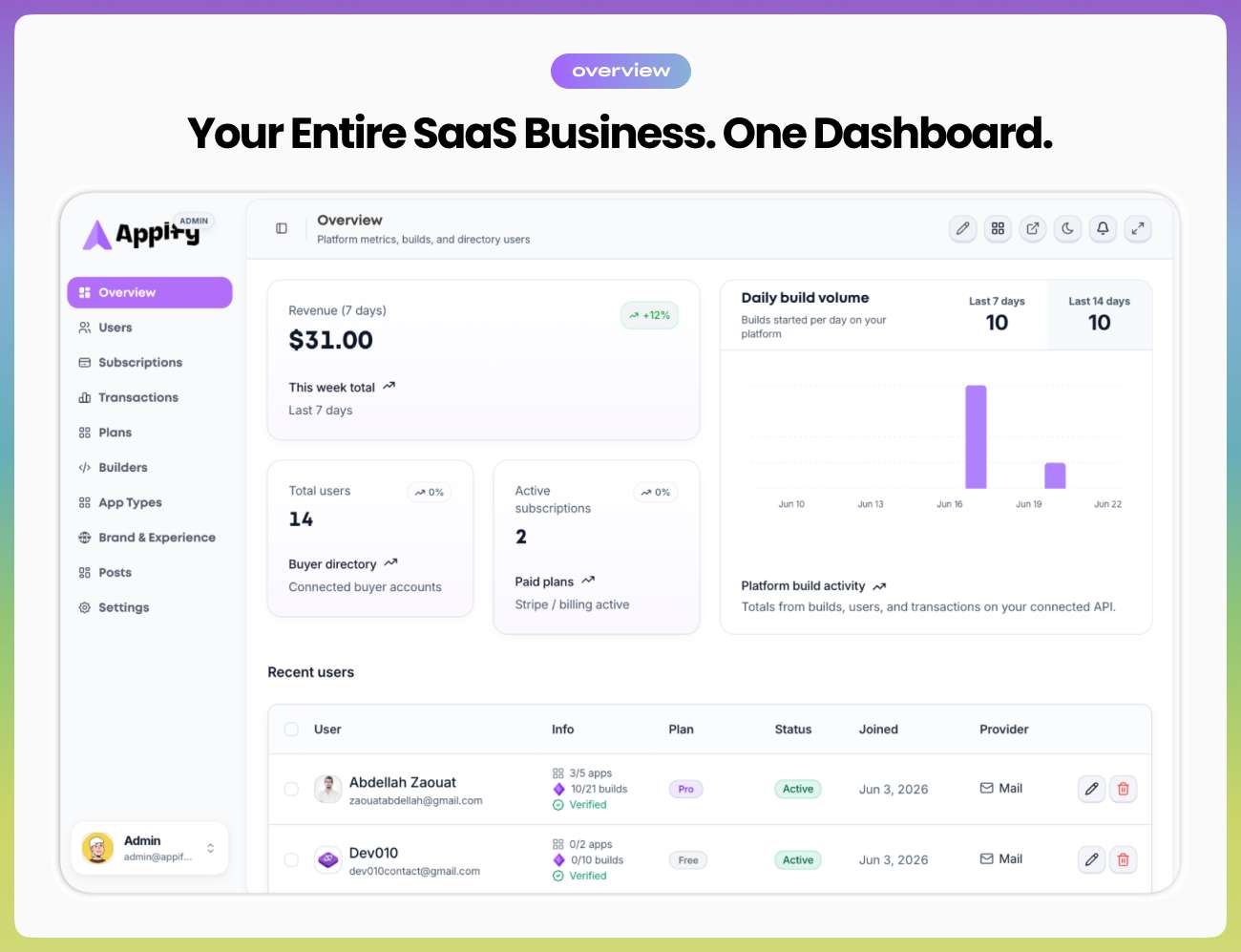
| Admin | Operator dashboard, public landing page, users, subscriptions, transactions, plans, branding, languages, builders, and platform settings |
| Supabase schema | Ordered SQL migrations for one shared buyer-owned database, authentication, and storage project |
| Build infrastructure | Docker builder source for Android APK/AAB builds plus optional macOS/iOS build support |
| Documentation | Installation, Cloudflare and Node deployment, Supabase, AI, Stripe, builders, domains, security, updates, and troubleshooting |
Simple Self-Hosted Architecture
The two applications have different responsibilities but work as one installation. Admin connects only to the buyer’s paired App API. App and Admin use the same Supabase project. Your customer and business traffic stays on infrastructure you control; Appify’s small license service is used only to verify the CodeCanyon purchase code.
| Installation boundary | Supported model |
| CodeCanyon owner | One buyer/operator per installation and purchase code |
| Customer capacity | Many SaaS customers, apps, plans, subscriptions, and builds |
| Database | One shared Supabase project for App and Admin |
| Business API | Runs inside the buyer’s own App deployment |
| License verification | Purchase-code validation only; the author’s Envato token is never shipped to buyers |
How Appify Works — From Download to Launch
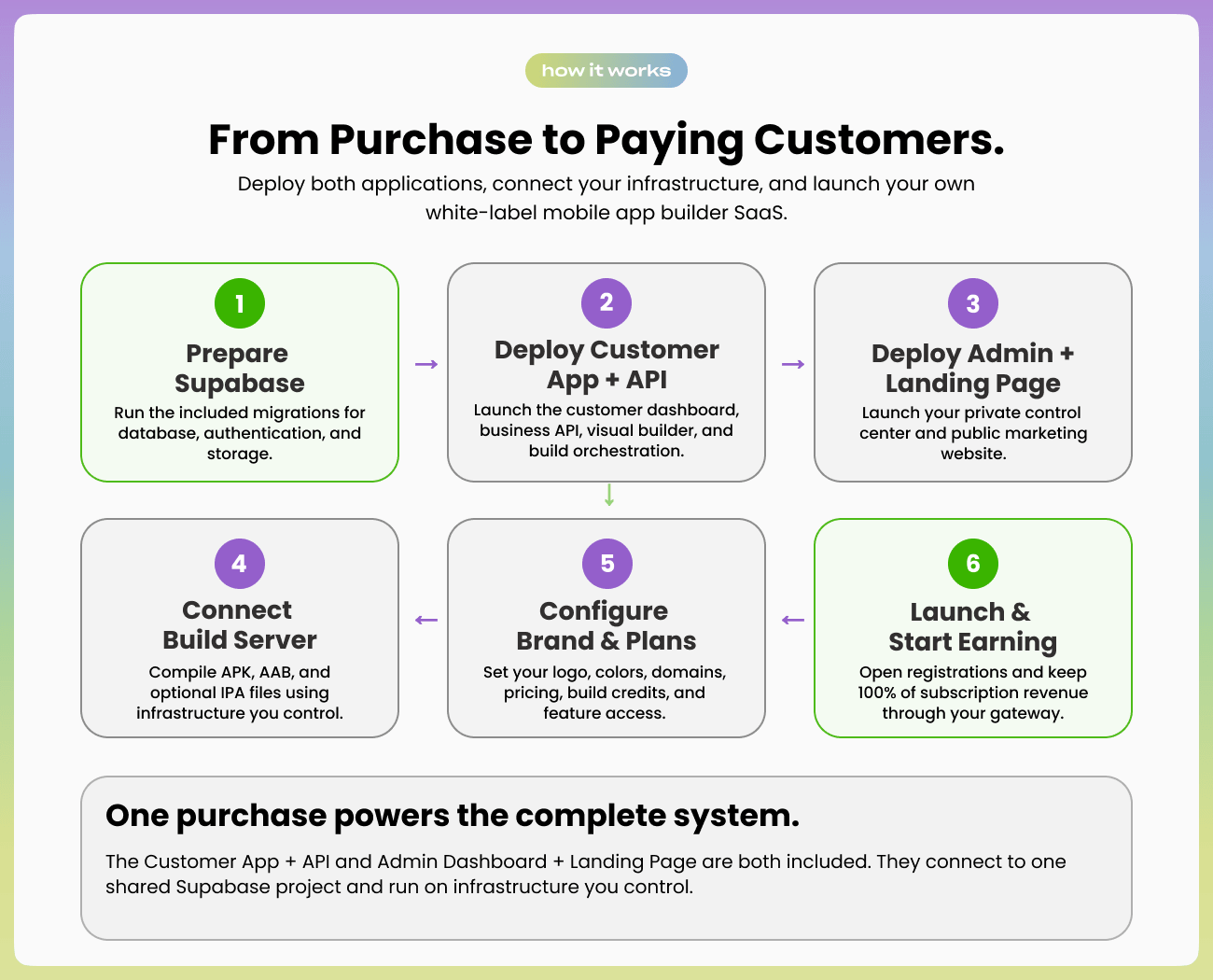
Step 1 — Create One Supabase Project
Create a Supabase project and apply the included migrations in order. App and Admin use this same project for authentication, database records, and storage.
Step 2 — Deploy App
Deploy the Customer App and API first. It supports Cloudflare Workers through OpenNext and Wrangler, or a compatible Node.js host. Configure Supabase, AI, Stripe, builder, OAuth, and optional domain values for the features you use.
Step 3 — Deploy Admin
Deploy Admin separately and point it to your App URL. Admin includes your operator dashboard and public landing page. It does not silently fall back to an Appify-hosted business API.
Step 4 — Activate One Purchase
Open Admin, enter your CodeCanyon purchase code and buyer email, and activate the connected installation. One purchase code binds the App and Admin pair to one buyer installation.
Step 5 — Connect Your Builder and Services
Register the included Docker builder for Android, optionally add a macOS builder for iOS, connect OpenRouter for AI features, and connect Stripe if you sell subscriptions.
Step 6 — Brand, Price, and Launch
Set your logo, colors, landing content, subscription plans, build credits, and domains. Open customer registration and sell under your own brand. Payments go directly to your payment provider.
Two Connected Applications, One Business
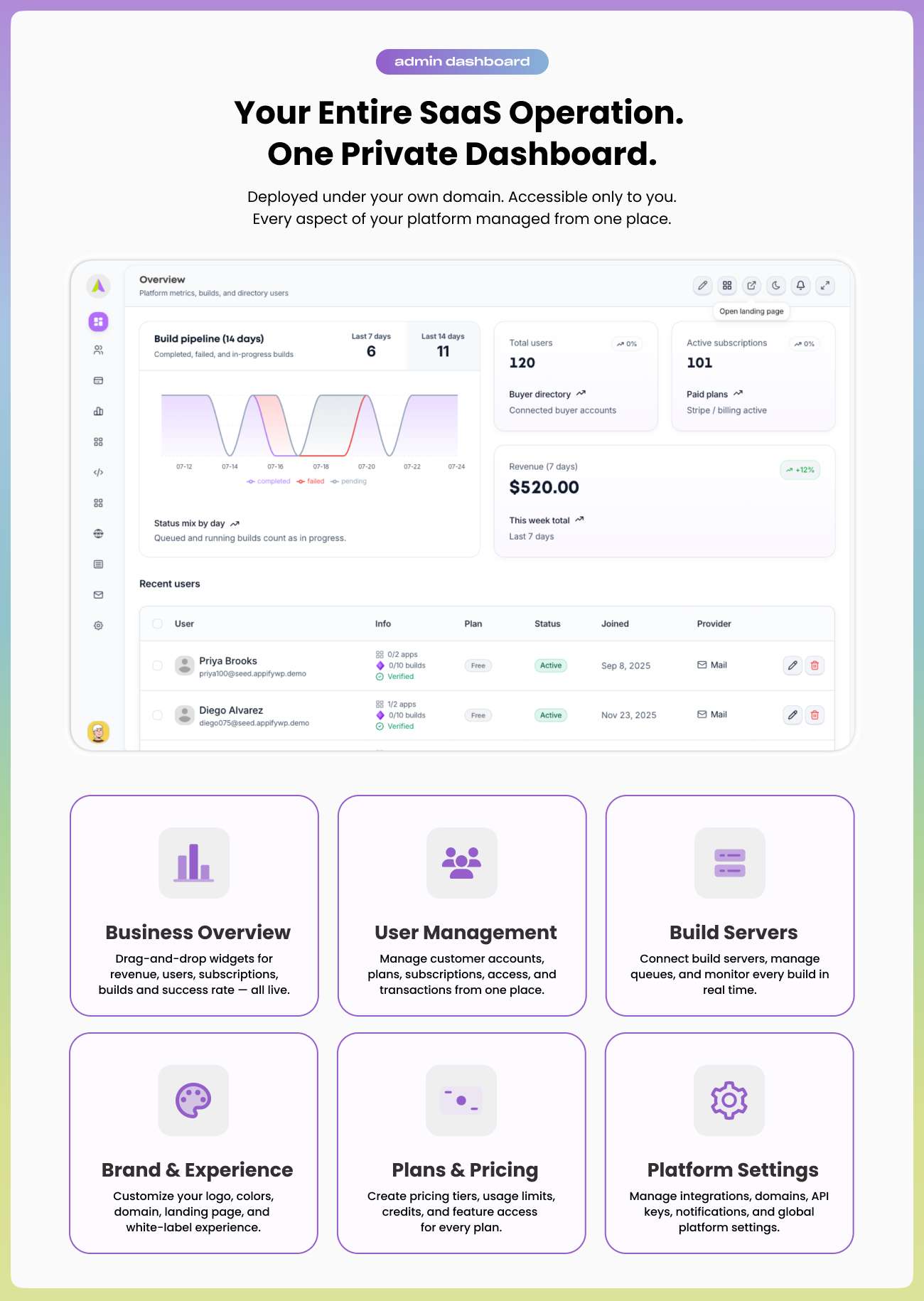
Admin Dashboard and Landing Page
- Business overview with customer, subscription, revenue, app, and build metrics
- User, subscription, transaction, plan, and pricing management
- Builder registration, status, queue, and capacity management
- Brand, logo, colors, languages, landing content, blog, and legal-page management
- Stripe, AI, Supabase, domains, app types, and platform settings
- Integrated public landing page using the same branding and live plan configuration
Customer App and Business API
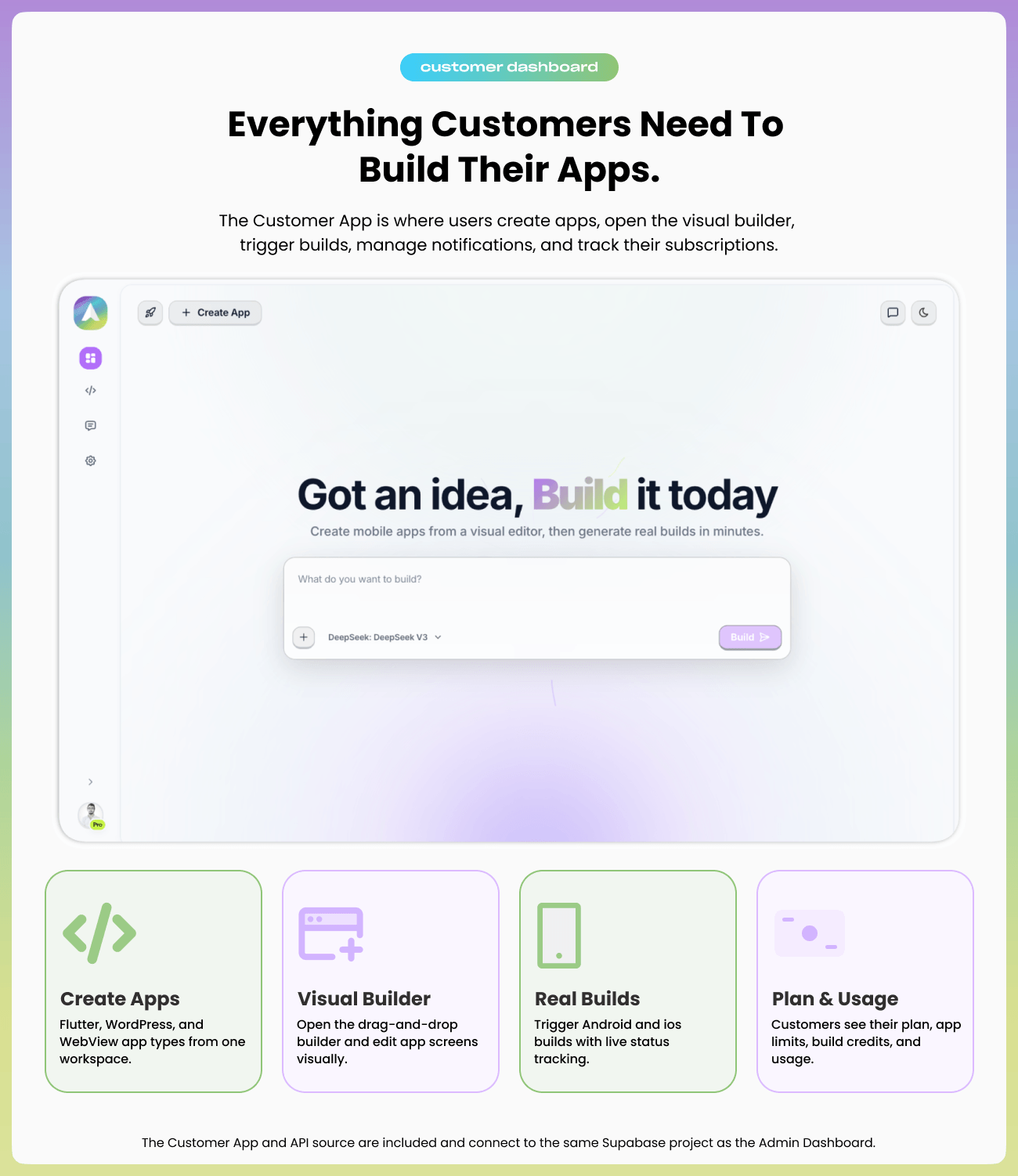
- Customer registration, login, profiles, teams, apps, and subscription access
- Visual app editor and AI-assisted app generation
- Flutter, WordPress/WooCommerce, and WebView workflows
- App branding, navigation, permissions, signing, notifications, and build configuration
- Android and optional iOS build requests with status and output tracking
- REST API used by the paired Admin and customer platform
White-Label Mobile App Builder — 3 App Types
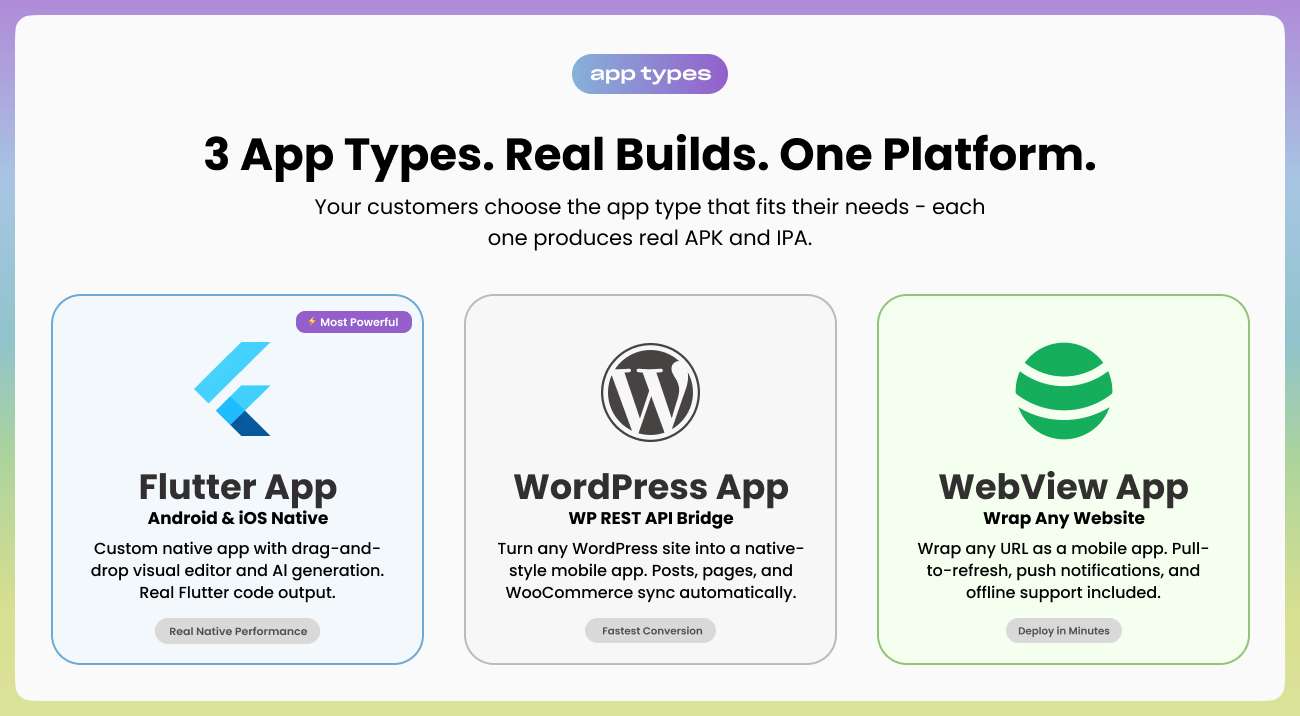
⚡ Flutter App Builder
Create custom Flutter applications from an editable visual structure. Customers can start from a prompt, refine screens and components, configure navigation and branding, and prepare Android and iOS projects from one workspace.
WordPress and WooCommerce App Builder
Connect WordPress through its REST API and turn posts, pages, products, and store content into a branded mobile experience without replacing the existing website.
Website-to-App WebView Builder
Package an existing website, store, dashboard, or web app as a mobile application. Configure icons, splash screens, navigation behavior, permissions, pull-to-refresh, and mobile presentation.
Visual Builder and AI-Assisted Generation
Customers can build visually or describe an idea in natural language. Appify generates an initial app structure that remains editable in the visual builder. You choose the OpenRouter model and use your own API key, so AI usage and cost stay under your control.
- Prompt-based app and screen generation
- Editable layouts, components, menus, themes, and navigation
- Image and PDF context support for compatible AI workflows
- Configurable models and usage limits
- Customer project history stored in your Supabase project

Push Notification Management
Customers can configure and manage mobile push notifications from the same App workspace used for their projects and builds. Delivery credentials and external provider requirements remain under the buyer or customer’s control.

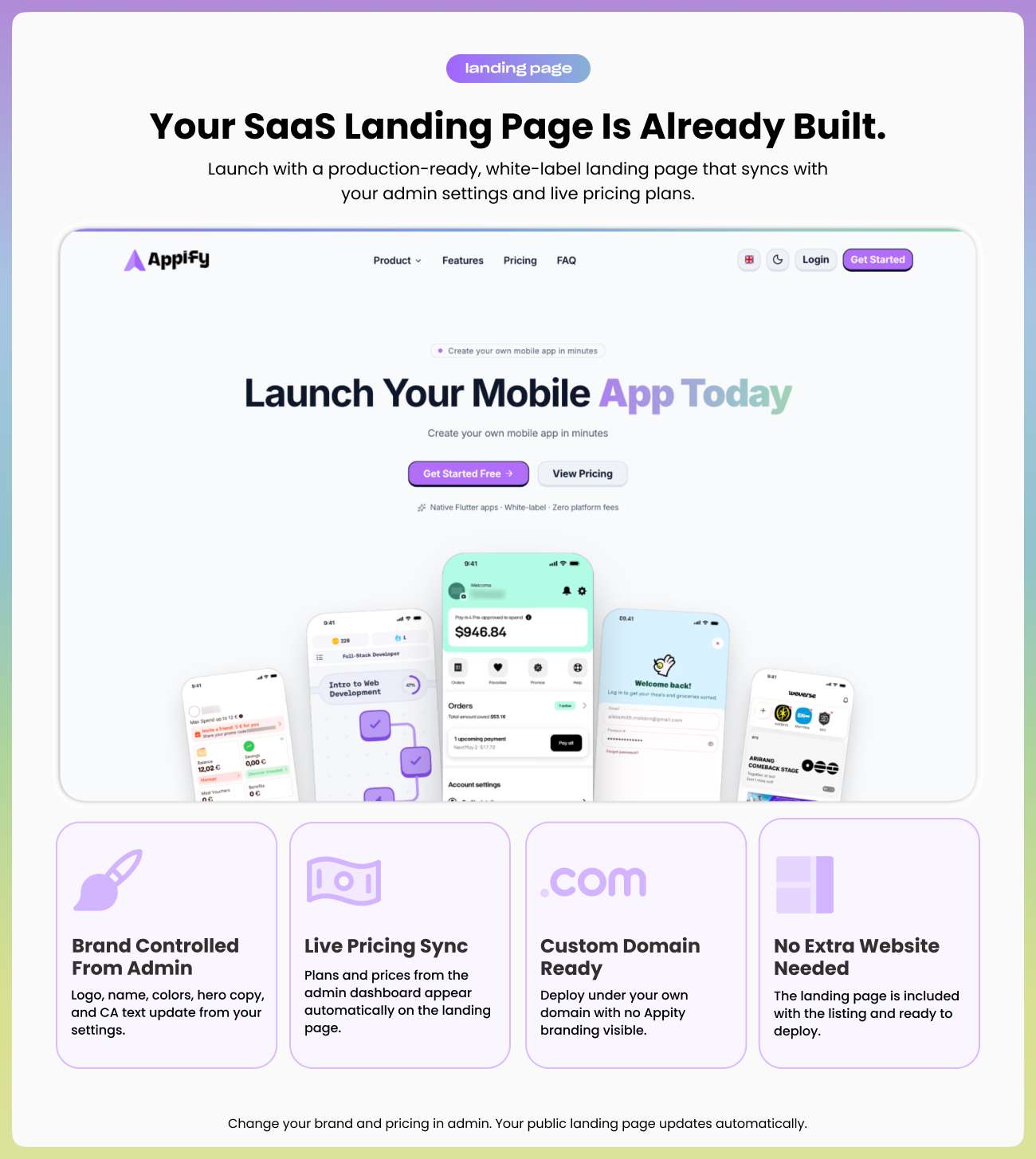
Ready-Made Landing Page — Controlled from Admin
The Admin project includes a production-ready public landing page. Configure your brand name, logo, colors, hero, features, calls to action, plans, posts, and legal content without building a separate marketing site.
- White-label logo, name, colors, navigation, and footer
- Pricing cards synchronized with plans configured in Admin
- Editable hero, features, content sections, blog, and calls to action
- Responsive layout and dark/light presentation
- Your own public domain and metadata
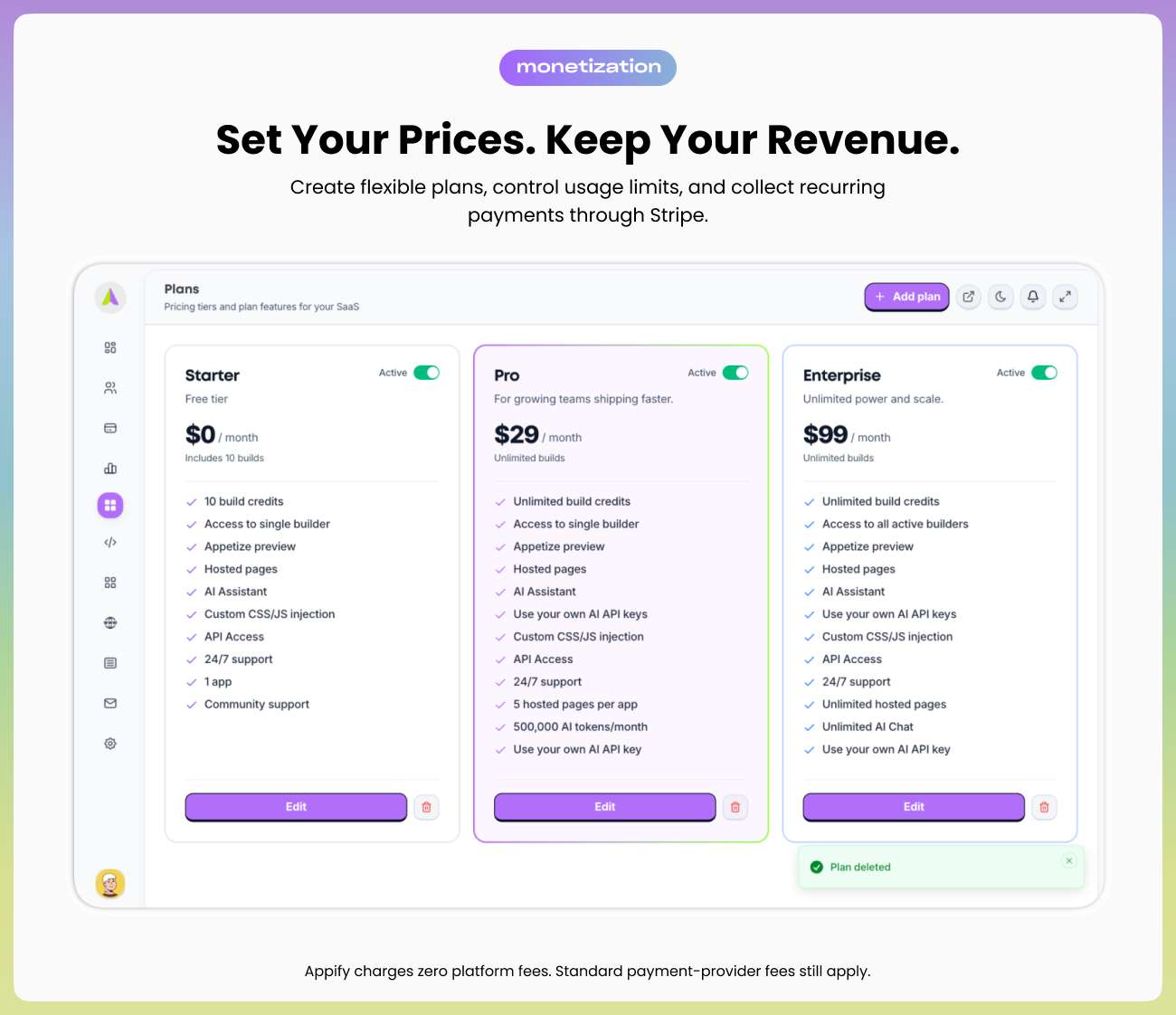
Plans, Billing, and Revenue Control
Create the SaaS plans that match your market. Configure prices, app limits, build credits, AI access, and feature availability. Stripe connects directly to your account, and Appify takes no transaction fee or revenue share.
- Free and paid plan configuration
- Customer subscriptions and transaction history
- Configurable app, feature, AI, and build-credit limits
- Stripe checkout and webhook support
- Revenue and subscription metrics in Admin
Bring Your Own Build Infrastructure
The source includes the Docker builder used for Android compilation. Host it on a Docker-capable Linux VPS, register it from Admin, and scale build capacity by adding servers. Optional iOS builds require macOS, Xcode, and your own Apple signing credentials.
- Android APK and AAB build workflow
- Included Docker builder source and setup guide
- Build queue, logs, statuses, outputs, and credit tracking
- Multiple registered builders for additional capacity
- Optional macOS/iOS build workflow

One Shared Supabase Project — Full Data Ownership
App and Admin use one Supabase project owned by the buyer. Customer accounts, apps, plans, subscriptions, settings, uploads, and build records remain in that project. There is no required second BYOS project and no vendor database storing your SaaS business data.
- One Supabase project for App and Admin
- Supabase Auth, Postgres, and Storage
- Ordered migrations included with the source
- Stable single-installation identity for safe updates
- Buyer-controlled backups, regions, usage plans, and access policies

White-Label Domains and Brand Control
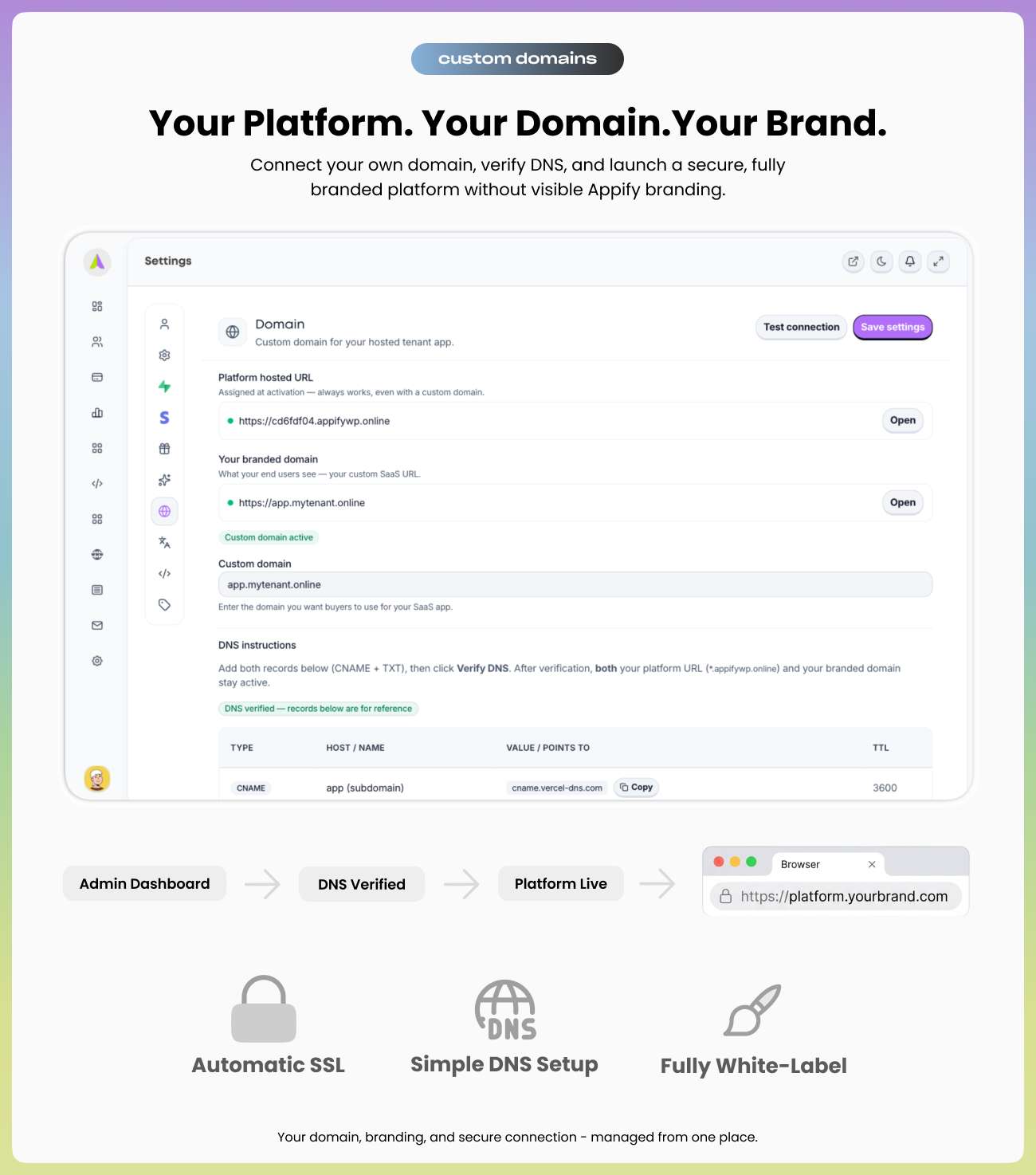
Run the landing page, Admin, and Customer App under domains you control—for example yourbrand.com, admin.yourbrand.com, and app.yourbrand.com. Normal App and Admin domains work with your hosting provider. Optional per-customer vanity domains can be enabled separately with a supported custom-hostname provider such as Cloudflare for SaaS.
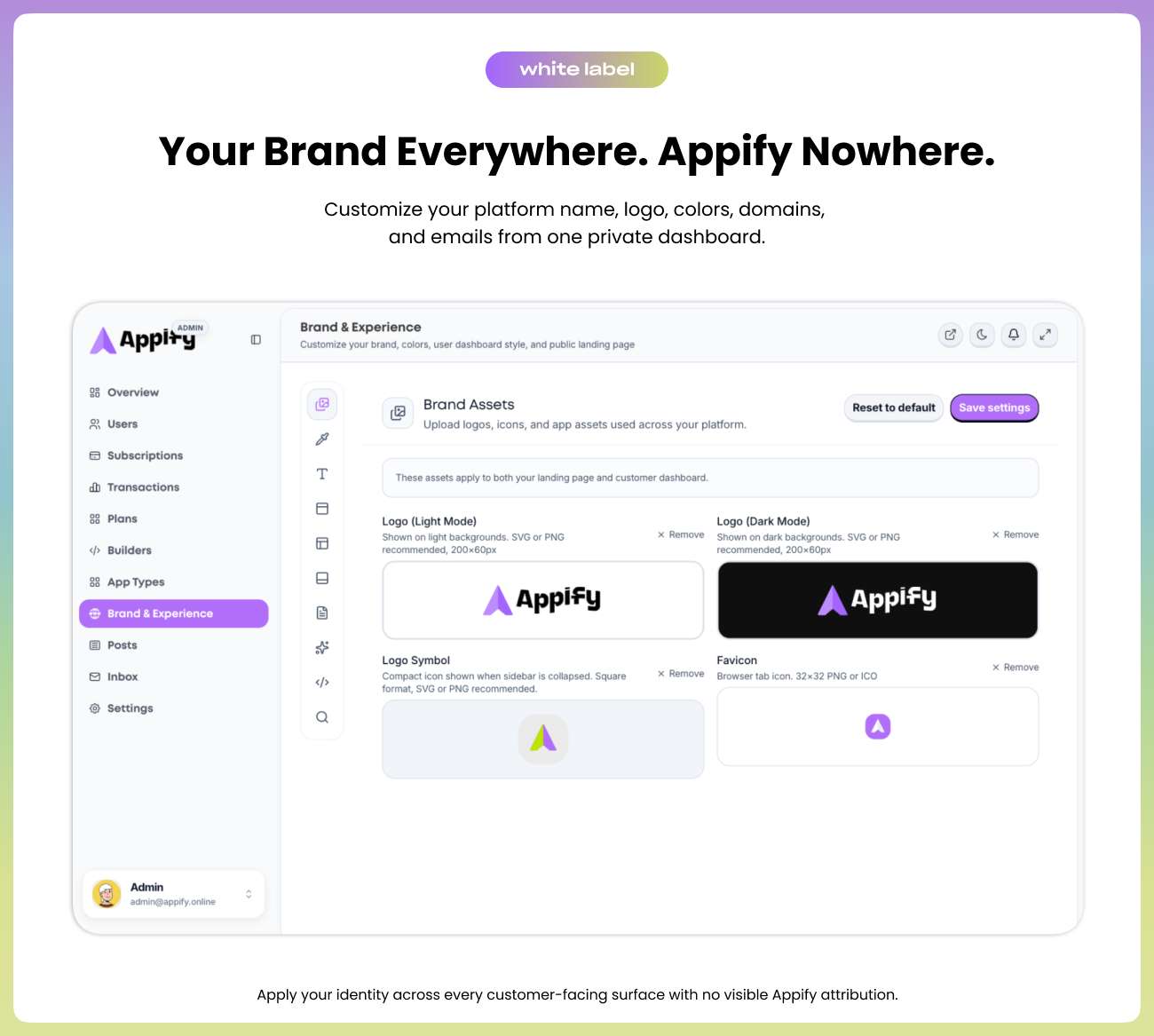
- Custom platform name, logos, colors, and content
- Buyer-owned App, Admin, and landing-page domains
- No required “Powered by Appify” customer-facing attribution
- Optional customer vanity-domain automation
Deployment Options
Both Next.js projects include conventional Node.js deployment support and Cloudflare Workers support through OpenNext and Wrangler. Deploy App and Admin separately, connect them with the App URL, and keep the Docker builder on a long-running server.
Who Is Appify For?
SaaS Founders
Launch a branded app-building business without spending months creating the dashboard, API, visual editor, billing, and build pipeline from zero.
Digital Agencies
Offer website-to-app, WordPress, WooCommerce, and custom Flutter applications under your agency brand with recurring plans or managed client services.
Freelance Developers
Start from a modern Next.js, TypeScript, Supabase, and Tailwind codebase that you can extend for a client or your own product.
️ Technical Operators
Own the source, data, deployment, API keys, billing relationship, domains, and build infrastructure instead of depending on a shared hosted business API.
What’s Included
| App — Customer Dashboard + API ✅ Full Next.js and TypeScript source ✅ Customer authentication and workspace ✅ Visual Flutter builder source ✅ WordPress/WooCommerce workflow ✅ WebView website-to-app workflow ✅ AI-assisted generation ✅ Apps, builds, subscriptions, and uploads ✅ Push-notification management ✅ Stripe billing integration ✅ Cloudflare and Node deployment support | ️ Admin + Landing Page ✅ Full Next.js and TypeScript source ✅ Business overview and analytics ✅ Users, plans, subscriptions, and transactions ✅ Builder and app-type management ✅ Branding, languages, posts, and settings ✅ Integrated white-label landing page ✅ Shared Supabase configuration ✅ Cloudflare and Node deployment support Infrastructure and Docs ✅ Supabase migrations ✅ Docker Android builder source ✅ Deployment and update documentation |
License Pricing
| License | Price | Use |
| Regular License | $99 | One end product where end users are not charged to use the end product, subject to Envato’s current license terms |
| Extended License | $499 | One end product where end users may be charged, including a paid SaaS platform, subject to Envato’s current license terms |
Important: Confirm the license shown by CodeCanyon at checkout. Third-party hosting, Supabase, AI, Stripe, VPS, Apple, Google Play, and domain charges are not included in the item price.
Frequently Asked Questions
Do App and Admin require two purchases?
No. One Appify purchase includes both source projects. They are deployed separately because they serve different roles, but they operate as one connected product.
Is the Customer App source included?
Yes. The complete Customer App, visual builder, and business API source are included together with the Admin Dashboard and Landing Page source.
Does my installation use Appify’s hosted business API?
No. Your Admin connects to your own App deployment. Your business and customer API traffic does not depend on a shared vendor-hosted Appify API. Only purchase-code verification contacts the Appify license service.
How many buyers can one installation host?
One installation belongs to one CodeCanyon buyer/operator. That buyer can operate a SaaS for many customers and support many apps, plans, subscriptions, and builds.
Do I need two Supabase projects?
No. New installations use one Supabase project shared by App and Admin.
Can I modify and rebrand the source?
Yes. The Next.js, TypeScript, Supabase, Tailwind, visual builder, and Docker builder source are included for modification within the selected CodeCanyon license terms.
Do I need WordPress?
No. Appify itself is a Next.js platform. WordPress/WooCommerce is one supported app-building workflow for customers who already operate WordPress sites.
Which license do I need for a paid SaaS?
Use the Extended License when end users pay for subscriptions, plans, credits, or access to the end product, according to Envato’s current terms. The Regular License applies when end users are not charged to use the end product.
How are updates installed?
Back up Supabase and both environment configurations, apply only new migrations, deploy App first, then deploy Admin. The in-dashboard release screen records which already-deployed Customer Dashboard release you approved; it does not download or install source code automatically.
Does Appify take a percentage of revenue?
No. Customer payments go directly to your configured payment provider. Appify charges no recurring platform fee and takes no revenue share.
Is support included?
Yes. CodeCanyon item support is included according to the support period shown on the item page. Support covers included features, installation guidance, configuration questions, and reproducible item bugs under Envato’s support policy.
Requirements and External Services
- App hosting — Cloudflare Workers through the included OpenNext/Wrangler setup, or a compatible Node.js 20+ host
- Admin hosting — a separate Cloudflare Workers or compatible Node.js 20+ deployment
- Supabase — one project for database, authentication, and storage
- Android builder — Docker-capable Linux VPS or compatible Flutter/Android environment
- iOS builder — optional macOS host with Xcode and your own Apple credentials
- OpenRouter — required only when AI features are enabled
- Stripe — required only when paid subscription billing is enabled
- Technical knowledge — ability to configure environment variables, DNS, Supabase, and a Next.js deployment
Third-party accounts and usage are billed directly by their providers. The Appify purchase does not include hosting, database overages, AI credits, payment-processing fees, VPS fees, domains, Apple Developer membership, or Google Play registration.
Current Release — Complete Self-Hosted Product
- Combined App and Admin into one CodeCanyon product and one purchase activation
- Included complete Customer App, visual builder, business API, Admin, and Landing Page source
- Changed distributed installations to one buyer/operator and one persistent primary workspace
- Changed new installations to one Supabase project shared by App and Admin
- Removed the production dependency on a vendor-hosted shared business API
- Added secure purchase verification without shipping the author’s Envato token
- Included Cloudflare Workers deployment support for App and Admin
- Included Docker builder source and complete deployment/update documentation
Launch Your Own Mobile App Builder SaaS
Own the Customer App, business API, Admin Dashboard, Landing Page, Supabase data, billing relationship, brand, domains, and build infrastructure. Configure the platform for your market and launch one connected mobile app builder business from the complete Appify source.