GrowStack - The Complete CRM for Sales, Customer Relationships & Business Growth


Growstack CRM — The CRM Your Sales Team Actually Wants
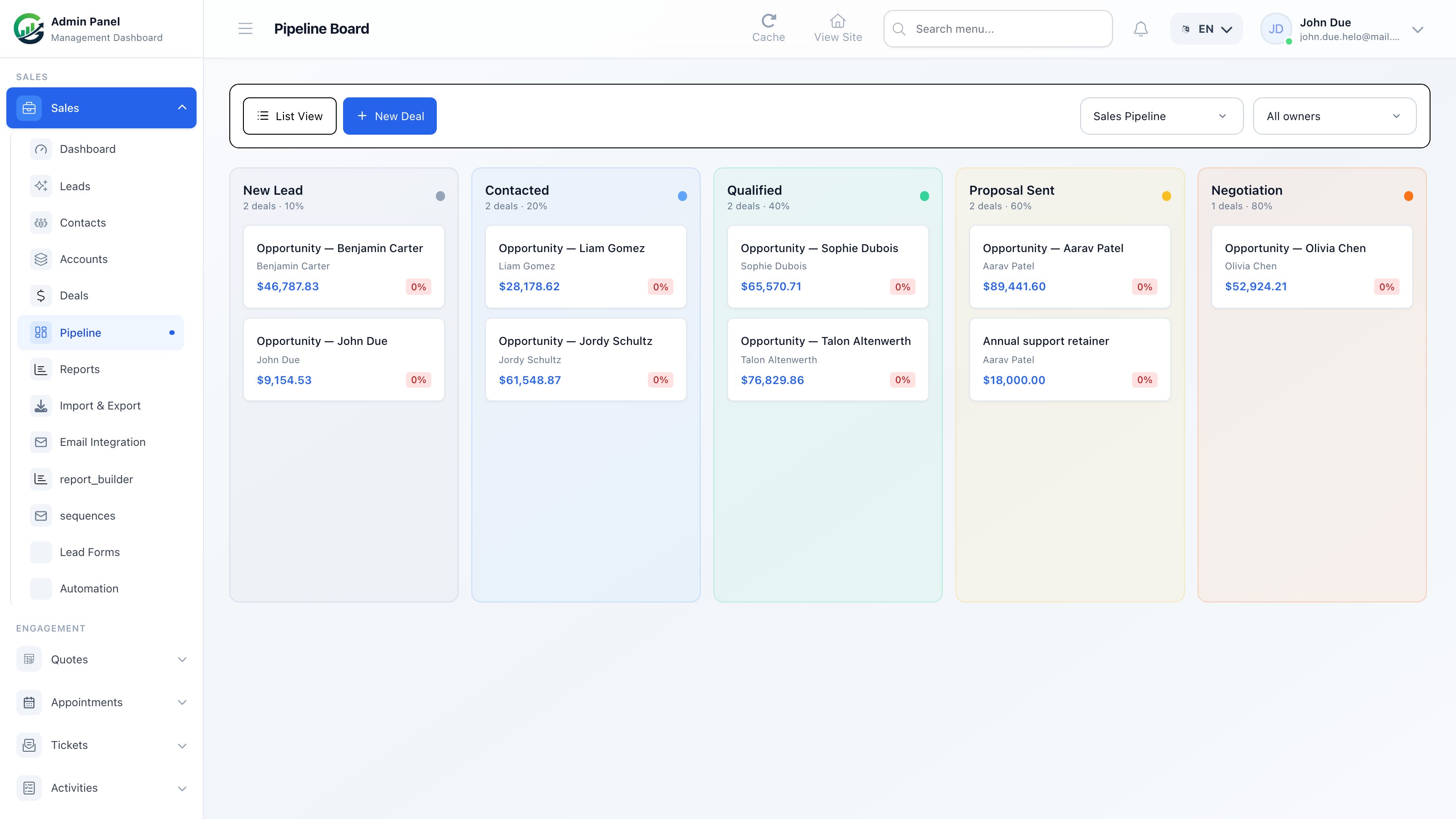
Growstack CRM is a full-featured, self-hosted customer relationship management platform built on Laravel and Vue 3. Manage contacts and accounts, capture and qualify leads, track deals through a drag-and-drop Kanban pipeline, automate follow-ups, send contracts for e-signature, and keep support tickets, quotes, and appointments linked to every contact record. Full source code. No monthly fees. Your data, your server.
Quick Facts
- Self-hosted — install on your own server, own your data outright
- Built with Laravel, Vue 3, Inertia.js, and Tailwind CSS
- 29+ connected modules across CRM, communication, and operations
- Full REST API and real-time webhooks for custom integrations
- One-time purchase — no recurring SaaS subscription fees
Table of Contents
- Top Selling Points
- 29+ Modules at a Glance
- Core CRM — Contacts, Leads & Deals
- Sales Pipeline (Kanban Board)
- Sales Tools & Automation
- Activity Timeline
- Contracts & E-Signature
- Automation Workflows
- Lead Capture Forms
- Tags & Bulk Actions
- Support, Quotes & Appointments
- Reports & Analytics
- Import, Export, API & Integrations
- Complete Feature List
- CRM Dashboard & KPIs
- Who Growstack CRM Is Built For
- Why Choose Growstack CRM
- Technology Stack
- System Requirements
- What You Get When You Purchase
- Frequently Asked Questions
- Credits & Licensing
- Support & Resources
Top Selling Points
Four pillars that make Growstack CRM more than just a contact list.
1. Contacts & Accounts — A True 360° Record
Every deal, quote, ticket, appointment, and email lives on the contact. B2B accounts group multiple contacts under one roof, with a full chronological activity timeline.
2. Leads & Sales Pipeline
Capture leads from forms, the API, or a webhook. Qualify them through a status pipeline, then convert to a contact and deal in one click. Kanban and list views included.
3. Support, Quotes & Scheduling
Give clients a portal for support tickets, quote requests, and appointment booking — all linked to their CRM contact automatically.
4. Automation & Integrations
Event-driven workflows assign, tag, and enroll sequences automatically. Connect anything via REST API, webhooks, and CSV import/export.
29+ Modules at a Glance
Every module links to the others. A signed contract links to the deal. A support ticket links to the contact. Activities appear on every timeline.
Core CRM
- Contacts
- Accounts
- Leads
- Deals
- Pipeline Board
Communication
- Email Composer
- Email Sequences
- Email Accounts
- Activities
- Tasks
Sales Tools
- Contracts
- E-Signature
- Automation Workflows
- Lead Forms
- Tags & Segments
Client Services
- Support Tickets
- Quotes
- Appointments
Analytics & Data
- CRM Dashboard
- Reports
- Import / CSV
- REST API
- Webhooks
Administration
- Users
- Roles & Permissions
- Settings
Core CRM — Contacts, Leads & Deals
Three deeply connected modules that take a prospect from first touch to closed deal.
Contacts & Accounts
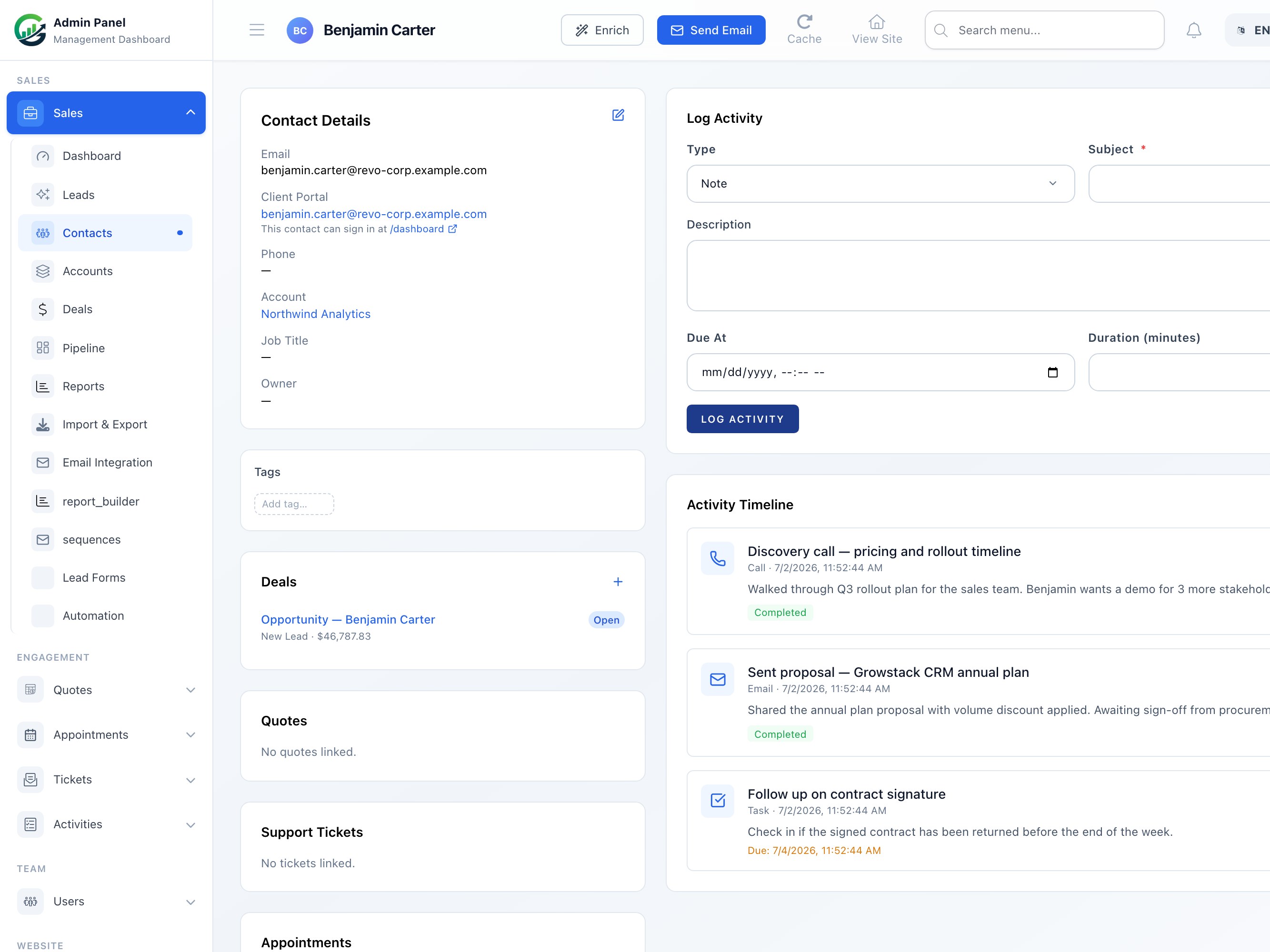
A true 360° view of every customer. Link contacts to B2B accounts, browse the full activity timeline, and access deals, quotes, support tickets, and appointments — all from one profile.
- Custom fields on contacts and accounts
- Full activity timeline — calls, emails, notes, tasks
- B2B account grouping with multiple contacts
- Linked deals, quotes, tickets, and appointments
- Tag-based segmentation with bulk actions
Lead Management
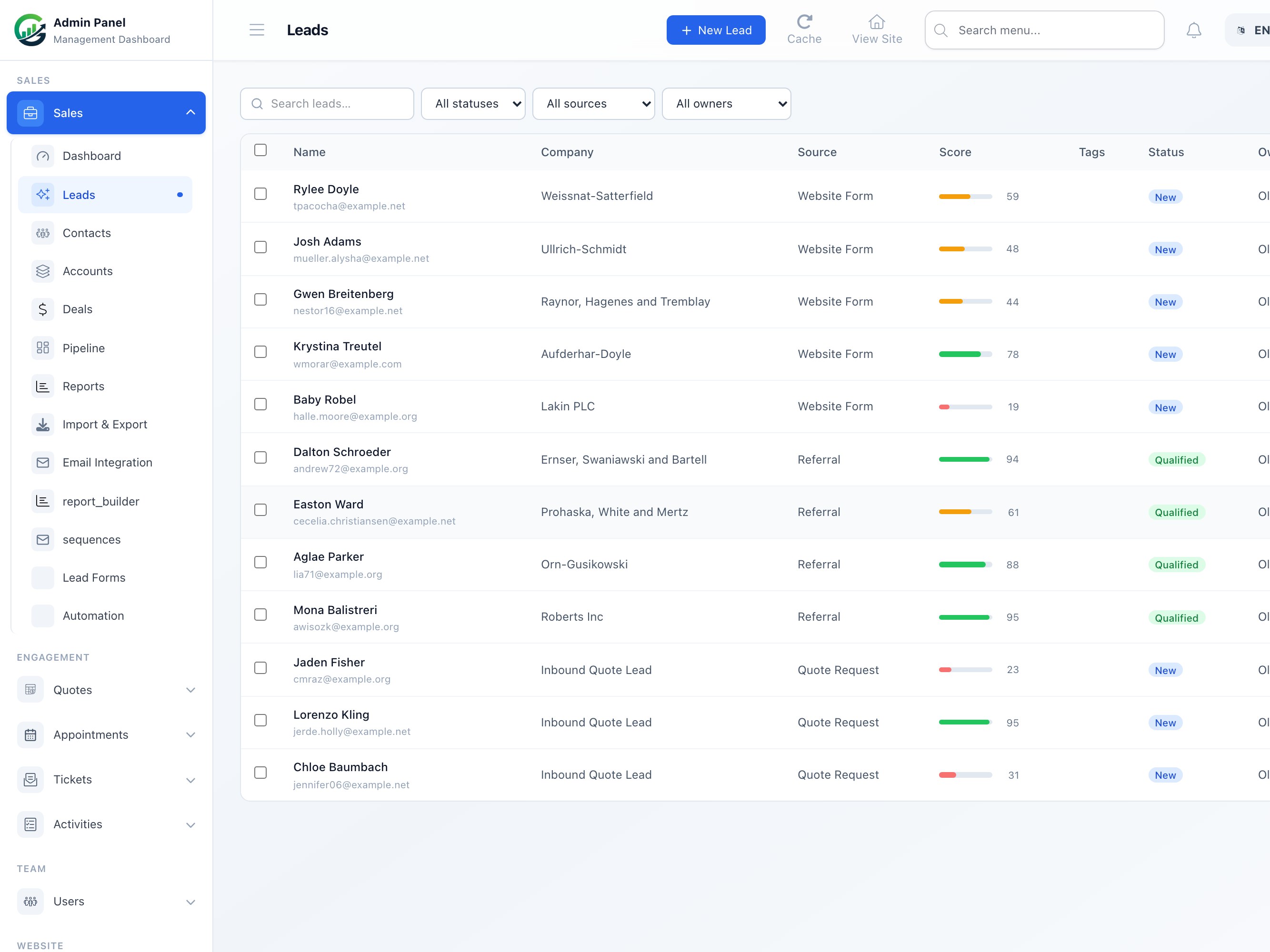
Capture leads from embedded forms, the REST API, or direct entry. Qualify, assign, and convert to contacts and deals in one click — or let automation workflows handle the handoff automatically.
- Lead forms embeddable on any website
- Source tracking — form, API, or manual entry
- Lead status pipeline with assignment rules
- One-click convert to Contact + Deal
- Bulk assign, export, and tag leads
Deals & Sales Pipeline
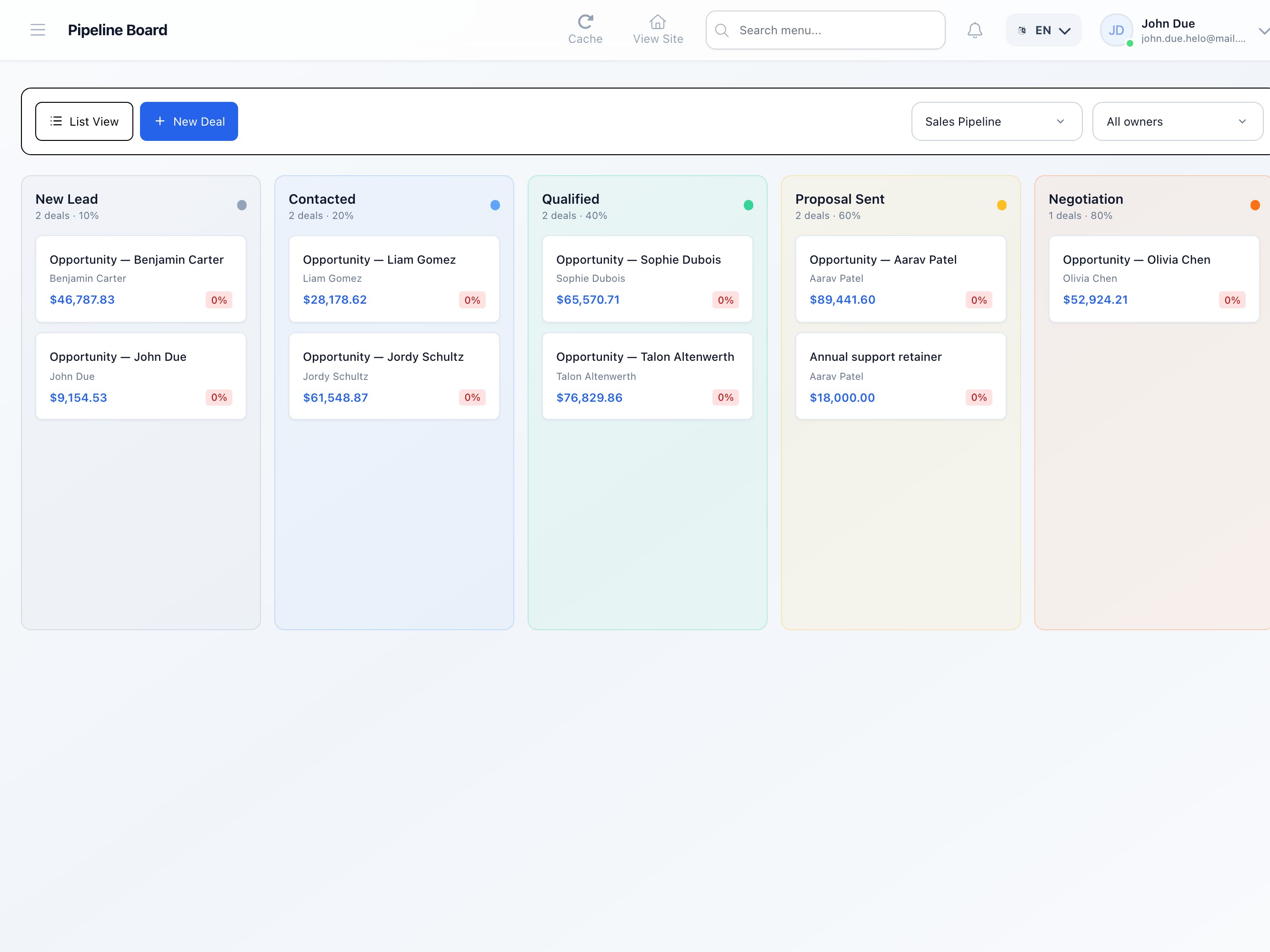
Manage multiple pipelines with drag-and-drop Kanban and list view. Track deal value, close date, and stage probability. Forecast revenue based on weighted pipeline value at a glance.
- Multiple pipelines with custom stages
- Drag-and-drop Kanban board
- Deal value, close date, and probability tracking
- Stage-based automation triggers
- Revenue forecasting by pipeline
Sales Pipeline (Kanban Board)
The Kanban pipeline board gives your team a live view of every deal in flight. Switch to list view for detailed sorting and bulk updates.
- Drag-and-drop deal cards between pipeline stages
- Stage-level deal count and total value at a glance
- Multiple pipelines per team, product, or region
- Stage change fires automation workflows instantly
Sales Tools & Automation
The tools your team uses every day, deeply wired into contacts, leads, and deals.
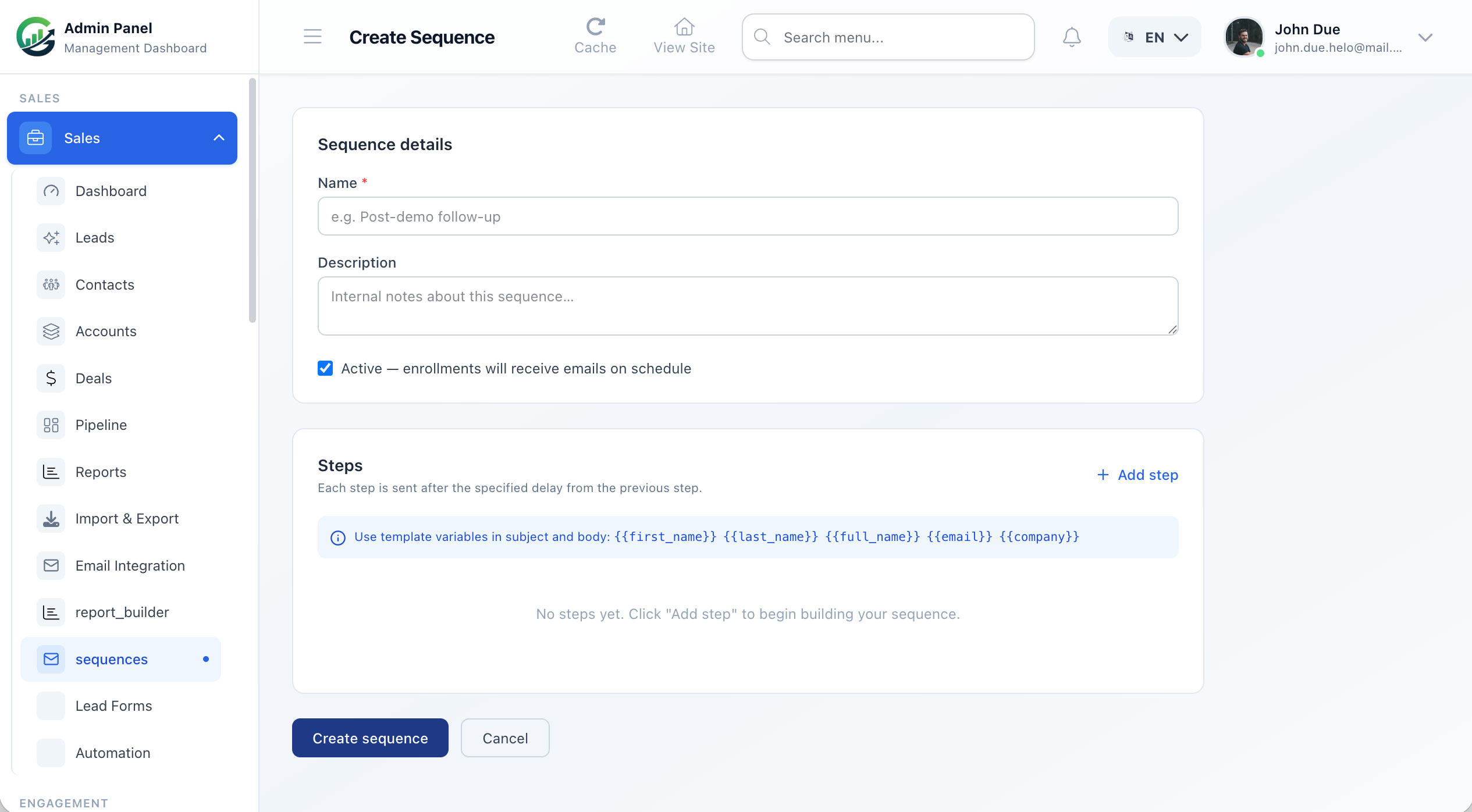
Email Sequences
Multi-step email sequences with day-based delays. Track open and click rates per step. Sequences pause automatically when a reply comes in.
Automation Workflows
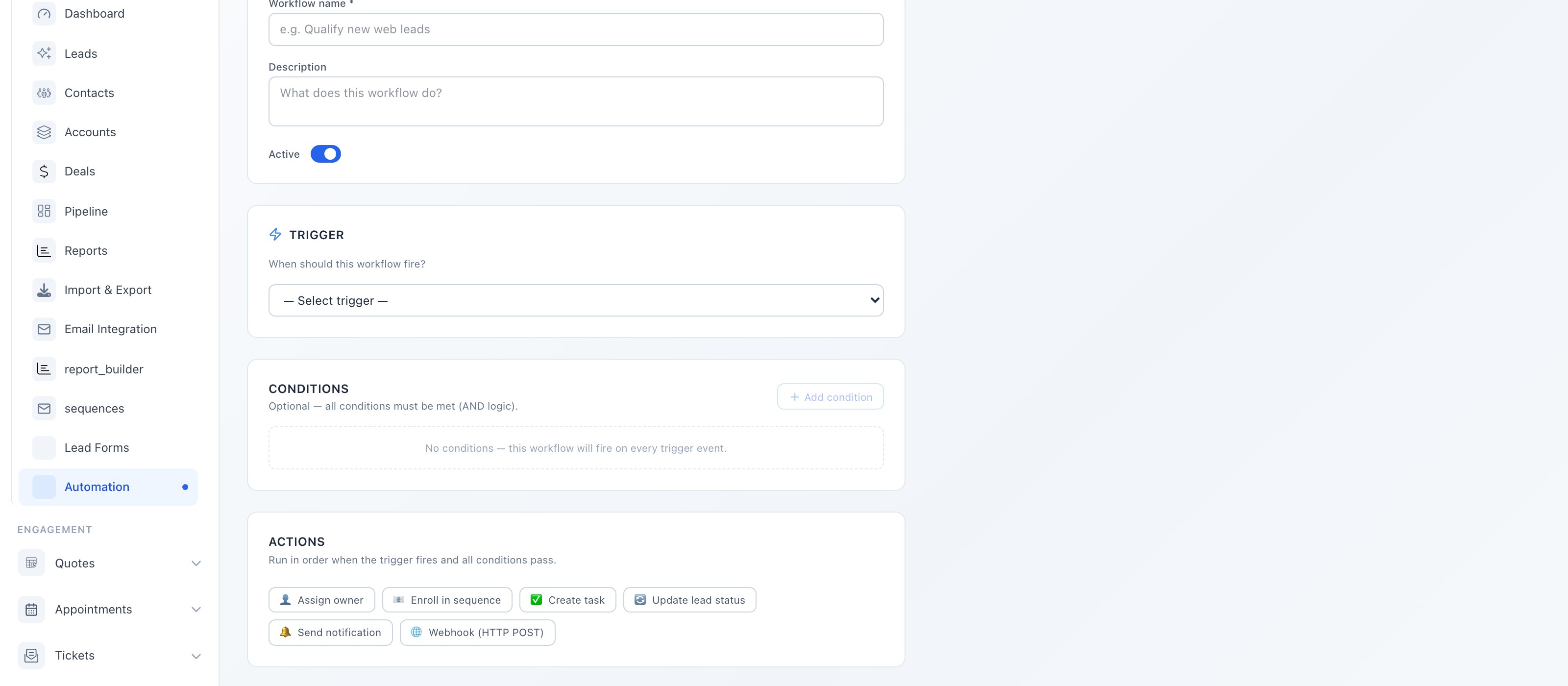
10+ event triggers, 6 action types. Trigger on new leads, stage changes, tags added, form submissions and more. Actions: assign, tag, enroll sequence, create task, send webhook.
Activities & Tasks
Log calls, meetings, notes, follow-ups. Linked to contacts, leads, and deals simultaneously.
Contracts & E-Signature
Send a signing link by email. Clients sign on any device — legal audit trail included.
Lead Forms
Build forms in the CRM, embed anywhere with one script tag. Leads arrive pre-assigned.
Email Composer
Send from Gmail, Outlook, or SMTP. Pick templates, CC, and every email auto-logs to the contact timeline.
Activity Timeline
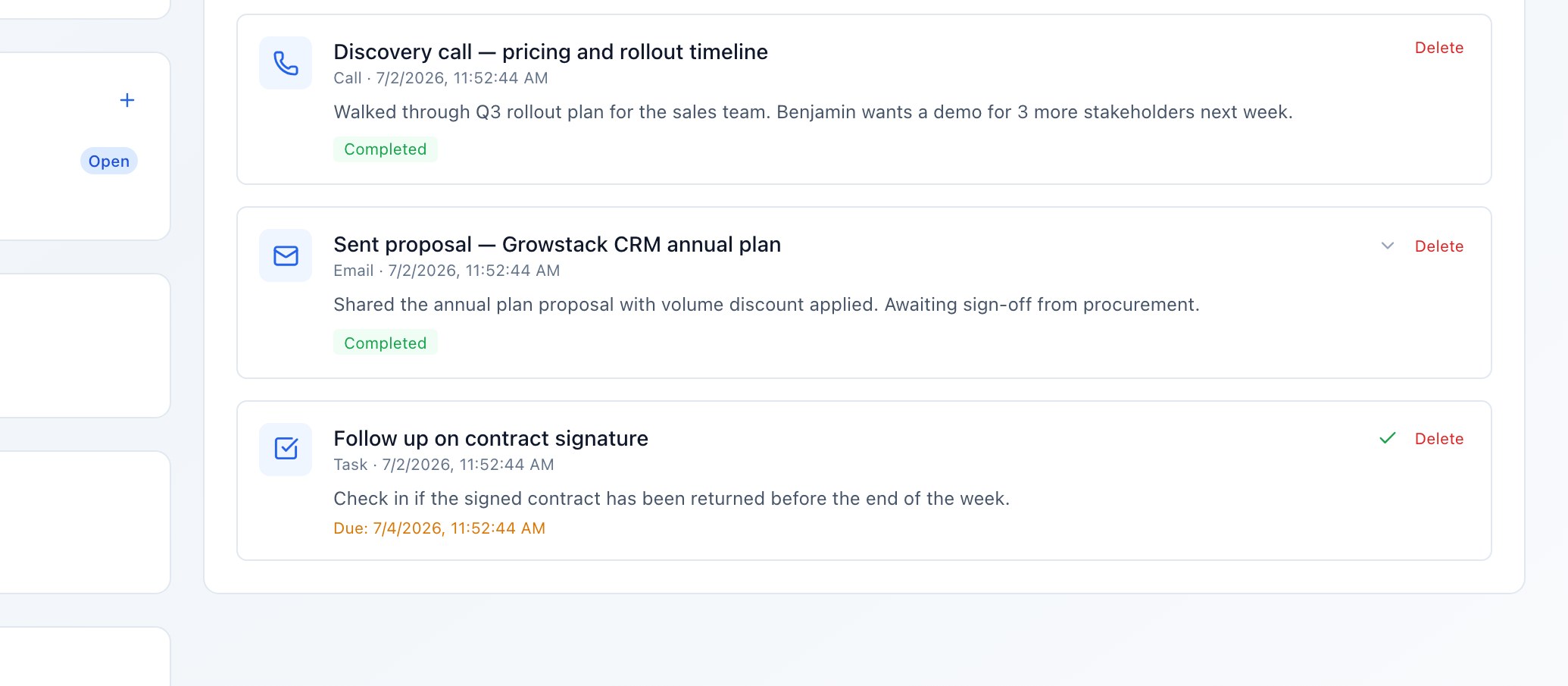
Log calls, send emails, add notes, and create follow-up tasks from anywhere in the CRM. Each activity appears on the contact, lead, and deal timeline — so your whole team stays in sync.
- 6 activity types: call, email, meeting, note, task, follow-up
- Activities linked to contacts, leads, and deals simultaneously
- Task assignment with due dates and reminders
- Sent emails auto-logged to the contact timeline
Contracts & E-Signature
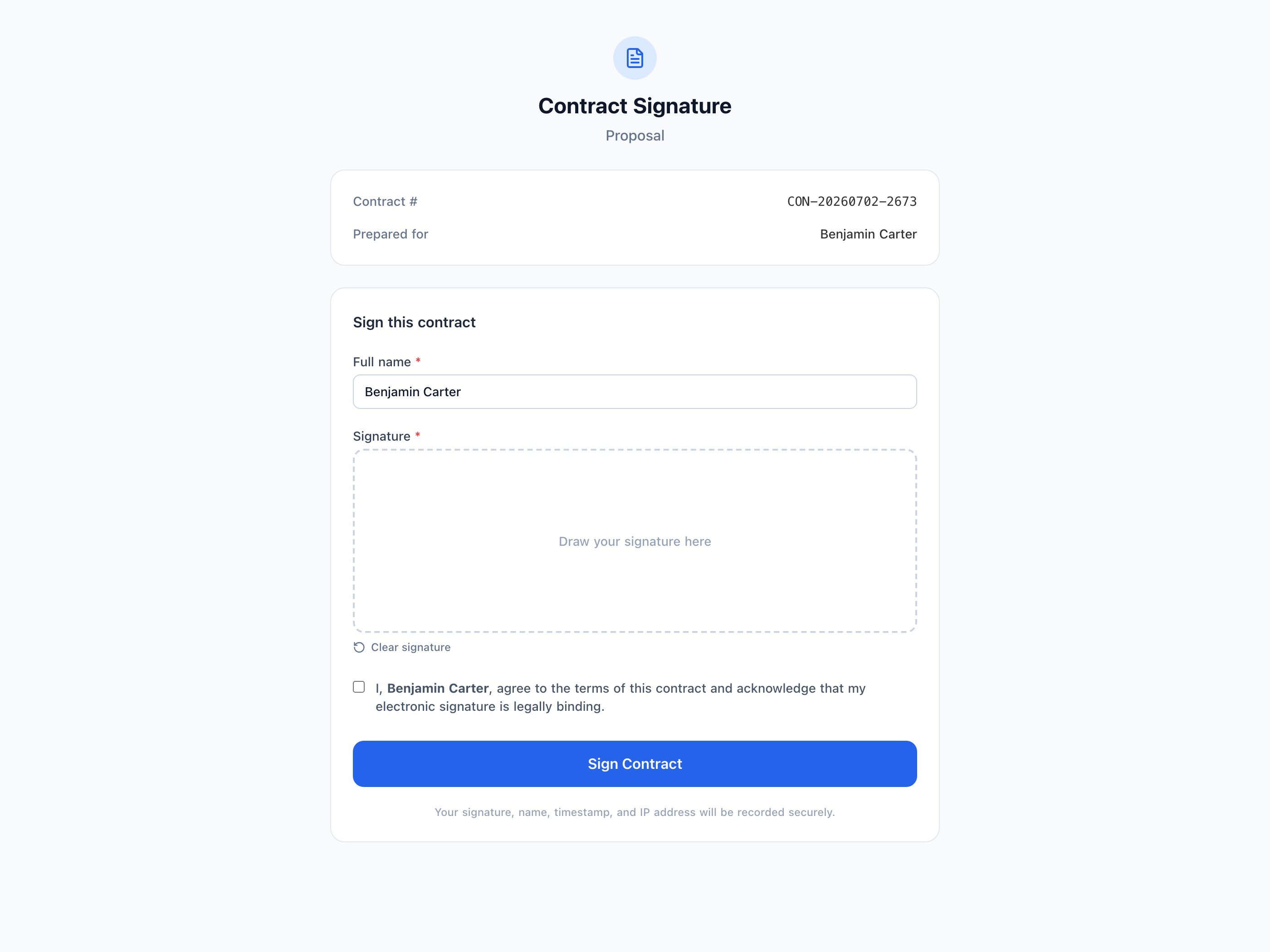
Create contracts, send signature requests by email, and get legally binding signatures from clients on any device. Every signing is recorded with a full audit trail.
How It Works
- Create the contract — Write the contract body in the built-in editor. Add client name, deal value, scope, and any custom clauses. Associate it with a contact or deal.
- Send a signature request — Click “Request Signature” and the client receives a branded email with a unique signing link — no account required on their end.
- Client reviews & signs — The client opens the link on any device, reads the contract, draws or types their signature, and submits — all in the browser.
- Instant owner notification — You receive an email and in-app notification the moment the contract is signed. The contract status updates to “Signed” automatically.
Signing Audit Trail
| Field | Example |
|---|---|
| Signer Name | John Doe |
| Signed At | Jul 1, 2026 — 14:32 UTC |
| IP Address | 203.0.113.45 |
| User Agent | Chrome 126 / macOS |
| Signature Token | Unique secure token |
Automation Workflows
Build event-driven workflows that trigger automatically when something changes in your CRM. No more manual assignment, tagging, or sequence enrollment.
Event Triggers
- New lead created
- Lead status changed
- Deal stage moved
- Tag added to contact
- Contact created
- Deal created
- Lead form submitted
- Deal closed/won
Automated Actions
- Assign owner
- Enroll in email sequence
- Add/remove tag
- Create task
- Move to pipeline stage
- Send webhook
Lead Capture Forms
Build lead forms in the CRM, embed them anywhere with a script tag, and watch submissions land directly in your leads list — already assigned to the right pipeline and owner.
Form Fields Supported
- First Name
- Last Name
- Phone
- Company
- Source
- Message
- Custom Fields
Embed Anywhere
<script src="https://yourcrm.app/lead-form/abc123"></script>Capabilities
- Visual form builder — Add, reorder, and configure fields from the CRM admin. No code required.
- Embed anywhere — One script tag embeds the form on WordPress, Webflow, or any static site.
- REST API ingestion — POST leads programmatically from your own app or third-party system.
- Auto-assignment — Each form pre-assigns the pipeline, stage, source, and owner.
Tags & Bulk Actions
Tag contacts and leads with colour-coded labels, then filter by tag to find exact segments. Use bulk actions to assign, email, export, or update hundreds of records at once.
Colour-Coded Tag System
Tags are auto-assigned a colour from a 10-colour palette and can be created inline while viewing any contact or lead. Filter lists by tag to find and act on segments instantly.
Bulk Actions on Any List
- Assign owner — Reassign selected records to a team member in one click
- Enroll in sequence — Start a drip email campaign for the whole selection
- Add / remove tag — Tag or untag many records at once for segmentation
- Export to CSV — Download the selected records as a CSV file
- Update status — Change lead or deal status across the selection
- Delete — Permanently remove selected records with confirmation
Support, Quotes & Appointments
Give clients a seamless experience. Every interaction automatically appears on their contact record.
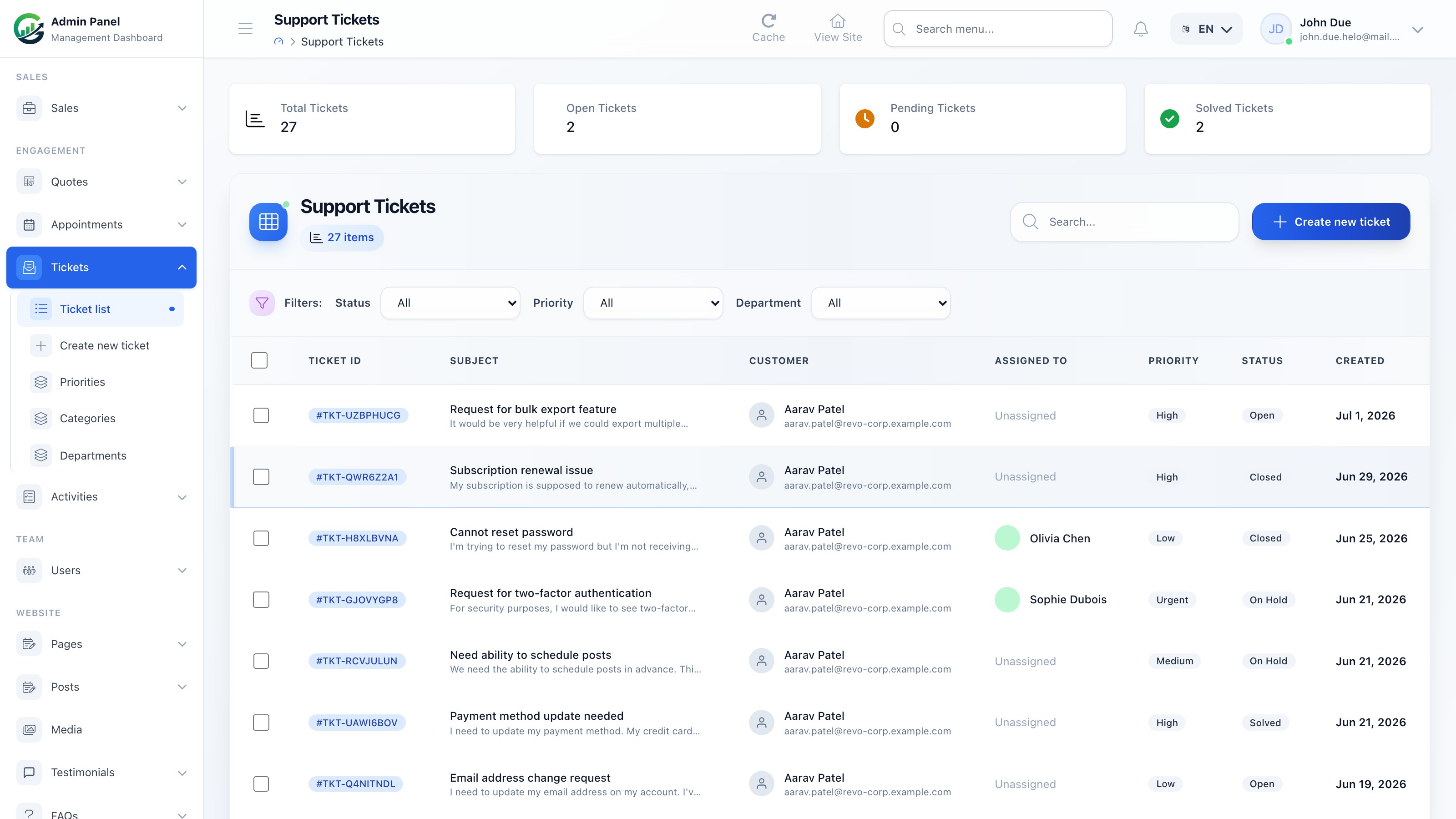
Support Tickets
Clients submit support requests from a public portal or by email. Each ticket is linked to their contact record, assigned to a team member, and tracked through to resolution.
- Public ticket submission portal
- Priority and status management
- Internal notes for your team
- Linked to contact CRM record
Quotes
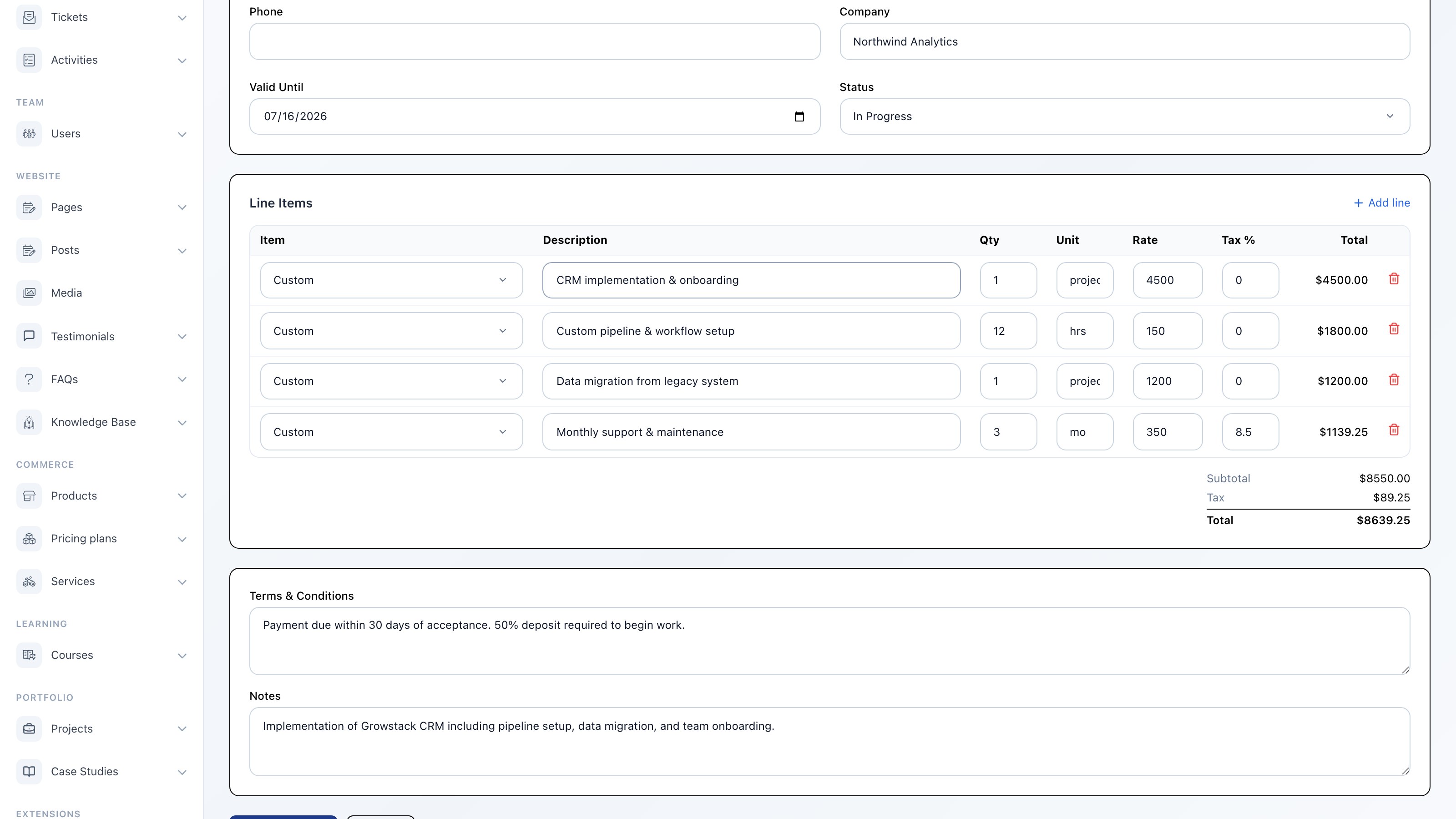
Build itemised quotes with line items, taxes, and discounts. Send to clients as a PDF or shareable link. When approved, convert the quote to a deal or contract in one click.
- Line items with tax and discounts
- PDF generation and shareable links
- Quote status — draft, sent, accepted, declined
- One-click convert to contract or deal
Appointments
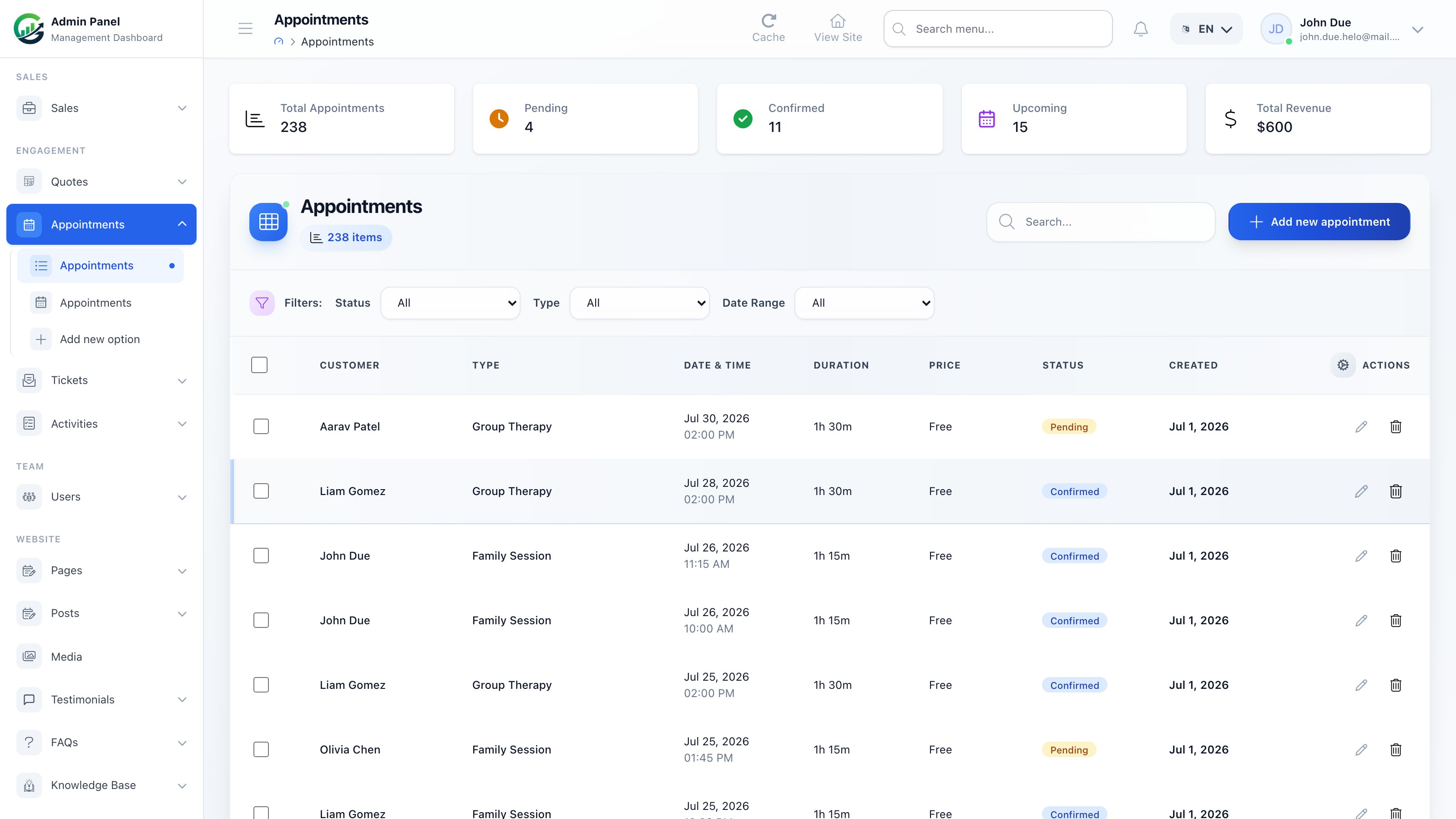
Let clients book appointments by type and available time slot. Confirmed bookings appear in the CRM activity timeline and can trigger automation workflows.
- Public booking page per appointment type
- Time slot management
- Linked to contact timeline
- Automation trigger on booking
Reports & Analytics
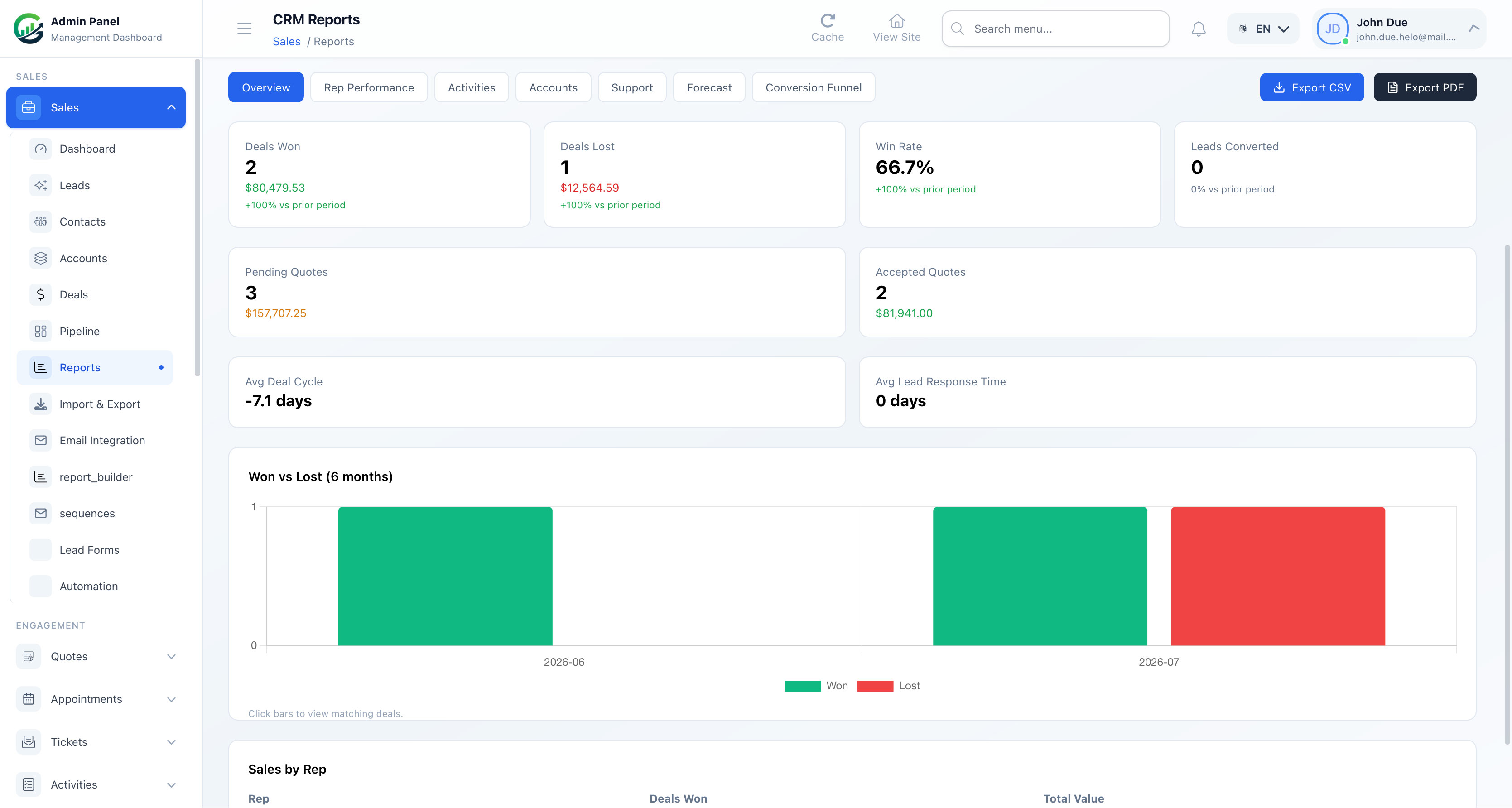
Built-in CRM reports give you funnel visibility, revenue forecasts, and team performance metrics without exporting to a spreadsheet.
Live Metrics
- Leads this month, with month-over-month trend
- Total pipeline value, with trend
- Win rate, with trend
- Average deal size, with trend
Report Types
- Lead Funnel Report — Visualise how leads move through each status — new, contacted, qualified, and beyond.
- Pipeline & Deal Reports — Track deals by stage, owner, and pipeline. Identify bottlenecks and best-performing reps.
- Revenue Forecast — Weighted forecast based on deal probability and close date. Filter by pipeline or time period.
- Win/Loss Analysis — Understand which deals close and which don’t. Filter by source, owner, and product.
- Activity Reports — How many calls, emails, and meetings did your team log? Compare reps side by side.
- CSV Export — Export contacts, leads, deals, and activities to CSV at any time for custom reporting.
Import, Export, API & Integrations
Move data in and out of the CRM freely. Connect external tools with the REST API and webhooks — or use Zapier and Make for no-code automation.
CSV Import
Bulk-import contacts and leads from any CSV file. Map columns to CRM fields and preview before importing. Duplicate detection keeps your data clean.
CSV Export
Export contacts, leads, deals, and activities on demand. Apply filters first to export exactly the segment you need.
Webhooks
Send real-time payloads to any URL when CRM events fire — new lead, deal stage change, contract signed, and more. Power Zapier, Make, or your own integrations.
REST API
Full CRUD API for contacts, leads, deals, activities, and more. Authenticate with an API token. Well-documented endpoints with JSON responses.
Data Enrichment
Automatically pull company data, social profiles, and contact details from third-party enrichment providers when a new contact or lead is created.
Zapier / Make Integration
Connect the CRM to 5,000+ apps without writing code. Use the REST API and webhooks as Zapier triggers and actions — or build a native connector.
Complete Feature List
Every CRM feature, organised by category.
Sales & CRM
- Contacts & Accounts — 360° view with linked deals, tickets, quotes, appointments, and full activity timeline.
- Lead Management — Capture, qualify, assign, and convert leads. Track source and status through the pipeline.
- Deals & Pipeline — Kanban board + list view for multiple pipelines. Track value, probability, and close date.
- Quotes — Itemised quotes with PDF export. One-click convert to deal or contract.
- Contracts — Create, send, and collect legally binding e-signatures with full audit trail.
- Tags & Segments — Colour-coded tags on contacts and leads. Filter lists and run bulk actions by tag.
Communication
- Email Composer — Send from Gmail, Outlook, or SMTP. Template picker, CC, and auto-log to timeline.
- Email Sequences — Multi-step drip campaigns with open/click tracking. Auto-stop on reply.
- Activities — Log calls, meetings, notes, and follow-ups. Link to contacts, leads, and deals.
- Support Tickets — Client ticket portal linked to CRM contact records with priority and status tracking.
- Appointments — Public booking pages per appointment type, linked to contact timeline.
- Activity Timeline — Every email, call, note, and event appears chronologically on each record.
Operations
- Automation Workflows — 10+ event triggers, 6 action types. Assign, tag, enroll in sequence, or update fields automatically.
- Lead Forms — Embeddable forms with one script tag. Auto-assign pipeline, stage, and owner on submission.
- Reports & Analytics — Funnel charts, pipeline reports, win/loss analysis, and weighted revenue forecasting.
- Import / Export — Bulk-import contacts and leads via CSV. Export any filtered list on demand.
- API & Webhooks — Full REST API + real-time webhooks for Zapier, Make, and custom integrations.
- Roles & Permissions — Granular per-module permissions for sales reps, managers, and admins.
CRM Dashboard & KPIs
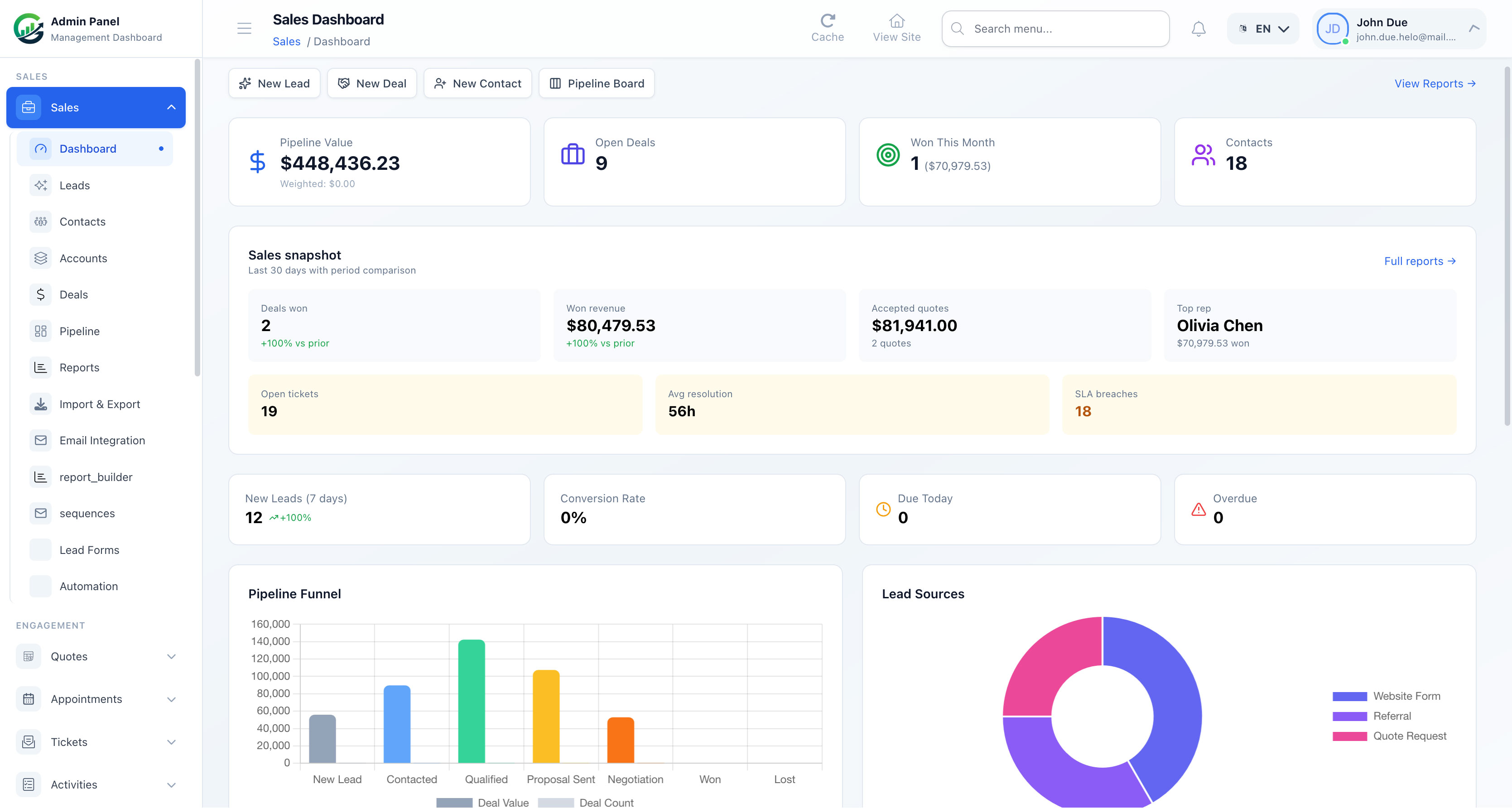
The CRM Dashboard aggregates contacts, leads, deals, and pipeline value into one real-time view. KPIs, funnel charts, recent activity, and upcoming tasks — all on the same screen.
- Total Contacts, with month-over-month trend
- Open Leads, with trend
- Active Deals, with trend
- Pipeline value, with trend
- Deals Won (month to date), with trend
- Quarterly revenue forecast, with trend
Who Growstack CRM Is Built For
Whether you’re a two-person startup or a 50-rep sales team, the CRM adapts to how you work.
Sales Teams — Close More Deals with Less Admin
Give your reps a Kanban pipeline, email sequences, and auto-logged activities. Managers get real-time pipeline reports and forecasting without chasing status updates.
Agencies & Consultancies — Manage Every Client in One Place
Track leads from first enquiry through proposal, contract signature, and post-project support — all linked to the same contact record. Quotes convert to contracts in one click.
SaaS & Tech Companies — Automate the Entire Growth Funnel
Capture leads from your website via the embeddable form or REST API, enroll them in nurture sequences automatically, and trigger deal creation when they hit a qualifying stage.
Small & Medium Businesses — Enterprise CRM Features at SMB Pricing
Get contacts, leads, pipeline, email sequences, automation, contracts, tickets, and reporting without the enterprise price tag. Self-host on your own server for total data ownership.
Why Choose Growstack CRM
- Contacts, leads, deals & pipeline board in one connected system
- Email sequences with open & click tracking
- Automation workflows with 10+ triggers
- Contracts & e-signature flow with audit trail
- Support tickets, quotes, and appointments — all linked to contacts
- Reports, forecasting & CSV import/export
- REST API and webhooks for integrations
- Self-hosted — your data, your server, no monthly SaaS fee
Technology Stack
- Backend: Laravel (PHP)
- Frontend: Vue 3
- Bridge: Inertia.js
- Styling: Tailwind CSS
- Database: MySQL, MariaDB, PostgreSQL, or SQLite
System Requirements
PHP
- PHP 8.2.0 or higher required (PHP 8.3+ recommended)
- Required extensions: OpenSSL, PDO, Mbstring, Tokenizer, XML, Ctype, JSON, cURL, Intl, GD, BCMath, Zip
Database
- MySQL 5.7+ (MySQL 8.0+ or MariaDB 10.3+ recommended)
- PostgreSQL 10.0+ (13.0+ recommended)
- SQLite 3.8.0+ (development only, not recommended for production)
Web Server
- Apache 2.4+ with mod_rewrite and .htaccess support
- Nginx 1.18+ with URL rewriting configured
Build Tools
- Composer 2.0 or higher
- Node.js 18.0+ and NPM 9.0+ for building frontend assets
Server Resources
- PHP memory limit: 256MB recommended (512MB+ for large installations)
- Disk space: 500MB minimum, 2GB+ recommended
- Upload limits: 64MB+ for upload_max_filesize and post_max_size
- max_execution_time: 300 seconds or higher
A guided web installer at /install automatically checks your PHP version, extensions, directory permissions, and database connectivity before setup.
What You Get When You Purchase
- Full application source code (Laravel backend + Vue 3 frontend)
- Guided web installer with automated requirements checker
- Complete installation and setup documentation
- Access to product updates
- Item support via CodeCanyon comments
Frequently Asked Questions
Is this a SaaS product or self-hosted software?
Growstack CRM is fully self-hosted. You install it on your own server or hosting account and own the code and data outright — there is no recurring subscription to use the software itself.
Do I need coding knowledge to install it?
No. The guided web installer walks you through server requirement checks, database configuration, and initial setup. Composer and Node.js are only needed if you choose to build assets manually instead of using a pre-built release.
Can I customize the CRM?
Yes. You receive the full Laravel + Vue 3 source code, so you can modify workflows, fields, permissions, and the UI to match your business.
Does it integrate with other tools?
Yes. Growstack CRM ships with a full REST API and real-time webhooks, which you can connect to Zapier, Make, or any custom integration.
Can multiple team members use it with different permissions?
Yes. Roles and permissions are granular per module, so you can separate access for sales reps, managers, and administrators.
Where can I see it in action before purchasing?
A live demo and full documentation are linked in the Support & Resources section below.
Credits & Licensing
Important notice: All screenshots in this description are placeholder images generated for preview layout purposes only. They are not included with the purchased item and do not represent final application UI. Replace them with your own product screenshots before publishing.
Icons
Lucide Icons: https://lucide.dev/ — Thank you to the Lucide Icons authors.
Support & Resources
- Live Demo: https://growstack.softentra.com/admin
- Documentation: https://docs.w3bd.com/growstack
- Support: Available via CodeCanyon item comments after purchase
History Logs:
Latest Release v1.3.0 : October 4 2026 - Report Builder only accepts the columns shown in the builder, so a saved or shared report cannot inject SQL through a date field or grouping. - Report Builder is limited to people who can view CRM reports, matching the standard reports page. - Creating or editing a contact warns when that email is already on file, with a link to the existing contact and a way to continue on purpose. - Homepage sections that pin services, portfolios, or pricing plans order those items with bound IDs. - The install package uses the app name as the mail sender, and debug stays off until the installer changes it. Latest Release v1.2.1 : September 3 2026 - Lighter, faster build — Removed source map files from the production build, cutting the shipped app size by roughly 24MB with no effect on functionality. - Crash fix on the Portfolio widget — Fixed an issue where adding the Portfolio widget to a homepage could crash the entire page due to a broken link left over from an earlier cleanup. - Cleaner codebase — Removed a handful of unused industry-template widget files that were never actually wired into the page builder, so there's less dead weight to load or maintain. Latest Release v1.2.0 : August 13 2026 - Custom Fields for your entire CRM — Add your own fields to Contacts, Leads, Deals, and Accounts (text, dropdown, checkboxes, dates, and more). Tailor the CRM to exactly how your sales team works, without touching code. - Noticeably faster load times — Trimmed a large amount of unused code and stylesheets across the app, so pages load quicker for you and your team. - Leaner, more focused CRM — Removed unused e-commerce and content modules that most CRM users never needed, keeping the app lighter and easier to navigate. - More reliable dashboard — Fixed an issue where the client portal dashboard could fail to load for some users. - Rock-solid admin panel — Resolved several backend issues across roles, forecasts, lead forms, and settings pages for smoother day-to-day use. Latest Release v1.1.1 : July 22 2026 - Dependency Updates - Worked on the application performances Latest Release v1.1.0 : July 11 2026 - Cleaner, simplified CRM landing page - Streamlined page layouts across the site - General under-the-hood cleanup for better performance and reliability
$29 |
Download |
5 average based on 6 ratings.

| Last Update | 2026-10-05 |
| Created | 2017-01-09 |
| Sales | 54 |
| Discussion | Comments |
| Compatible Browsers | IE11 Firefox Safari Opera Chrome Edge |
| Software Version | PHP 8.x MySQL 8.x MySQL 5.x |
| High Resolution | Yes |
| Software Framework | Laravel |
| Files Included | JavaScript JS JavaScript JSON HTML CSS PHP SQL |
| Video Preview Resolution |


