AI Agent Code Editor - Windows Desktop Application


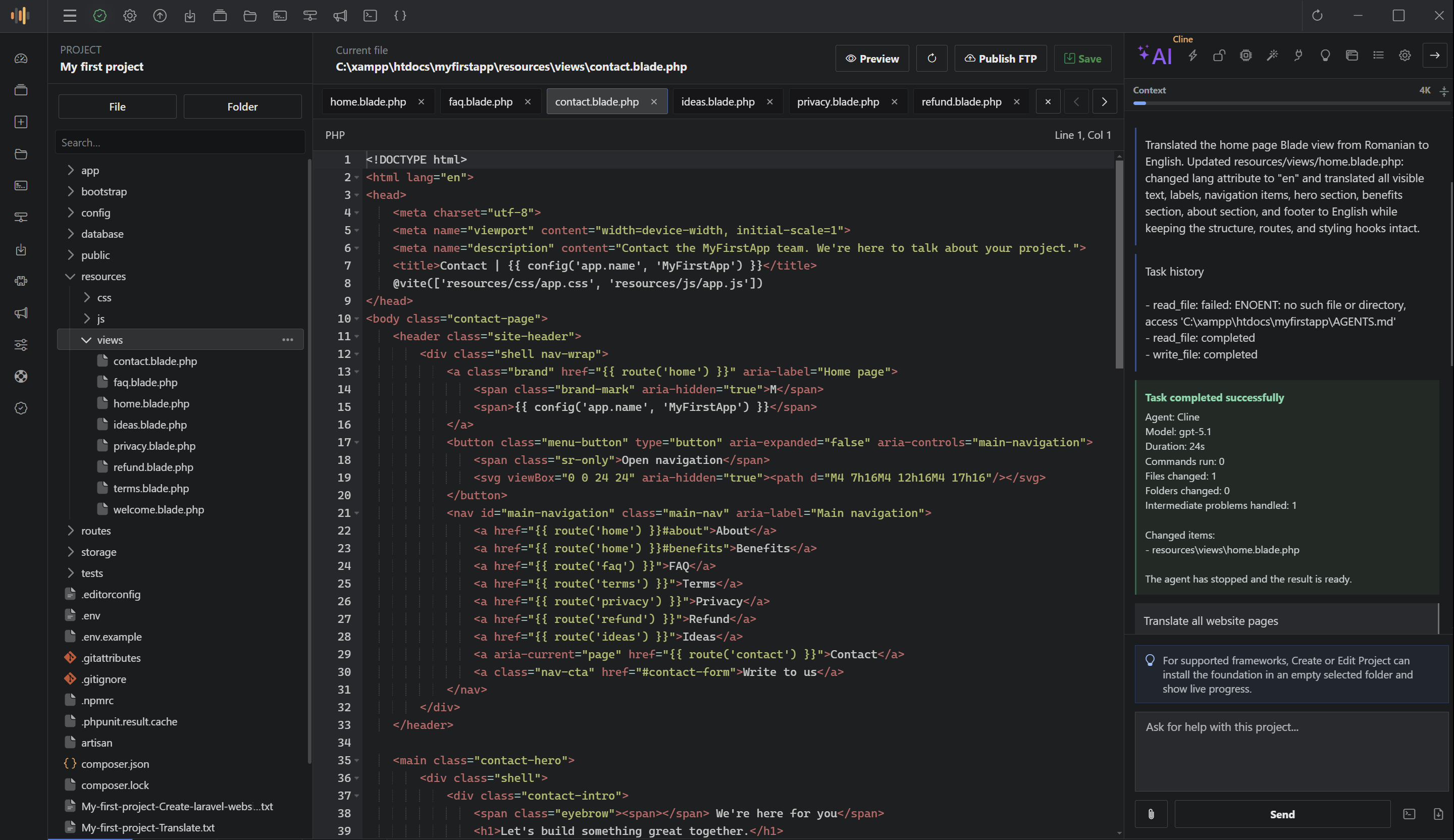
Build, Run and Improve Web Projects in One Windows Workspace
ScriptExpert brings AI development agents, a professional code editor, a fully interactive terminal, browser preview, project intelligence, local development services, file and database tools, FTP publishing and complete backup workflows into one focused desktop application.
Open an existing project or create a new one, let ScriptExpert detect the technology, work with an AI agent under the access level you choose, review every file difference, run the project locally and keep the entire workflow close to the code.
Current release: 0.2.0 | Platform: Windows 10/11, 64-bit
| Professional AI Agents Work with Cline or OpenHands and follow live thinking, tool activity, commands, edits and completion states. | Framework-Aware Workspace Detect project types, routes, document roots, runtime requirements and preview behavior automatically. | Complete Local Workflow Edit, run, preview, manage, back up and publish projects without constantly switching applications. |
AI Development Agents with Visible, Controlled Work
ScriptExpert 0.1.98 introduces professional Cline and OpenHands integration directly inside the project workspace. The agent can inspect the active project, search files, propose or apply edits, run commands and report the result in a persistent task conversation.
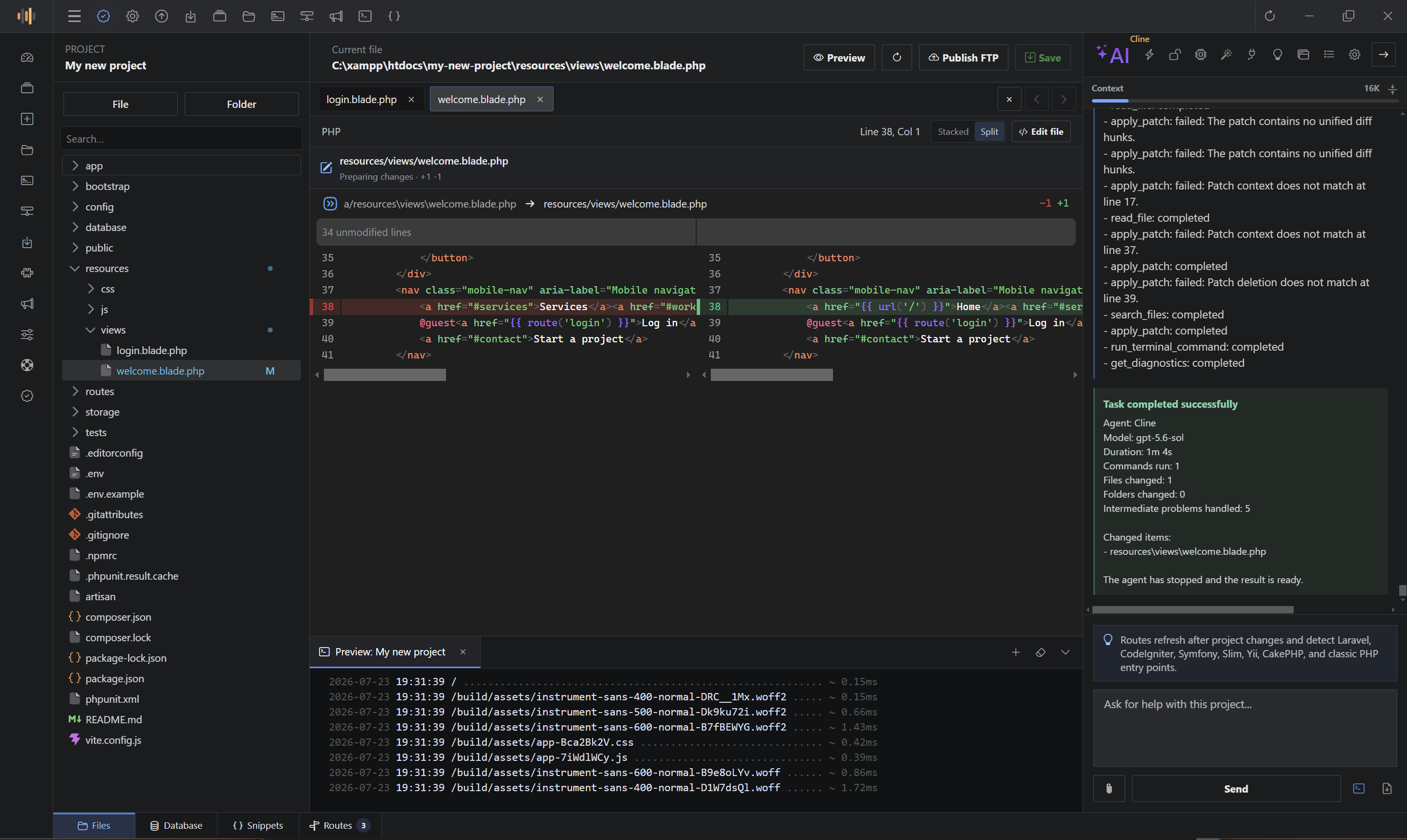
- Three access levels: choose Read only, Ask for changes or Full access for each workflow.
- Live execution status: see Thinking, Working, approval, completion and interruption states as they happen.
- Real-time activity: follow tool calls, searches, command output, file operations and handled intermediate problems.
- Persistent tasks: conversations survive refreshes and application restarts.
- Task-specific workspace: editor tabs, opened files and file-tree expansion state are restored per task.
- Live file differences: inspect additions and removals in split or stacked view, then return to normal editing.
- Task management: create, rename, delete and paginate tasks, then export the complete visible conversation.
- Clear results: review duration, commands, changed files, changed folders and the final task state.
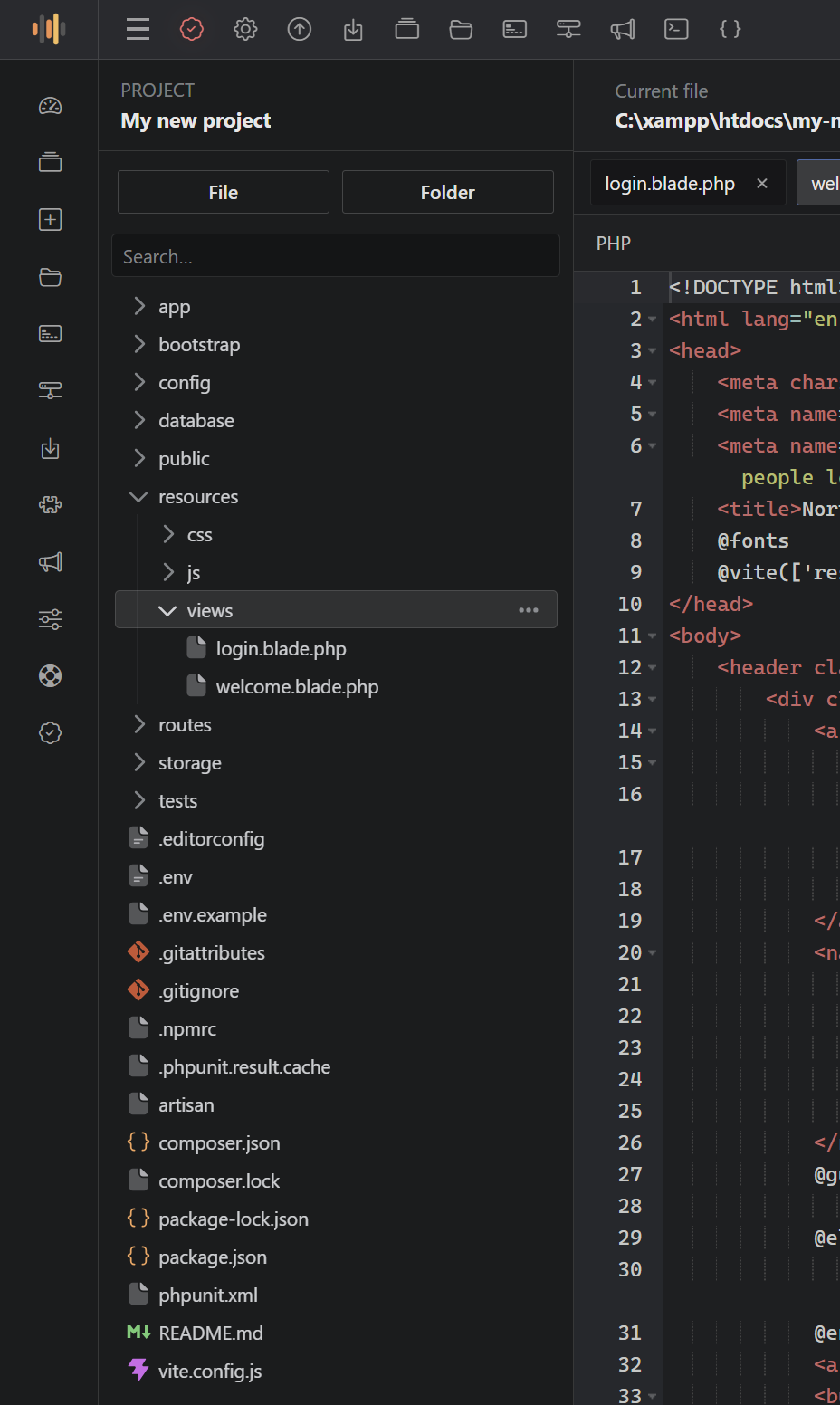 | 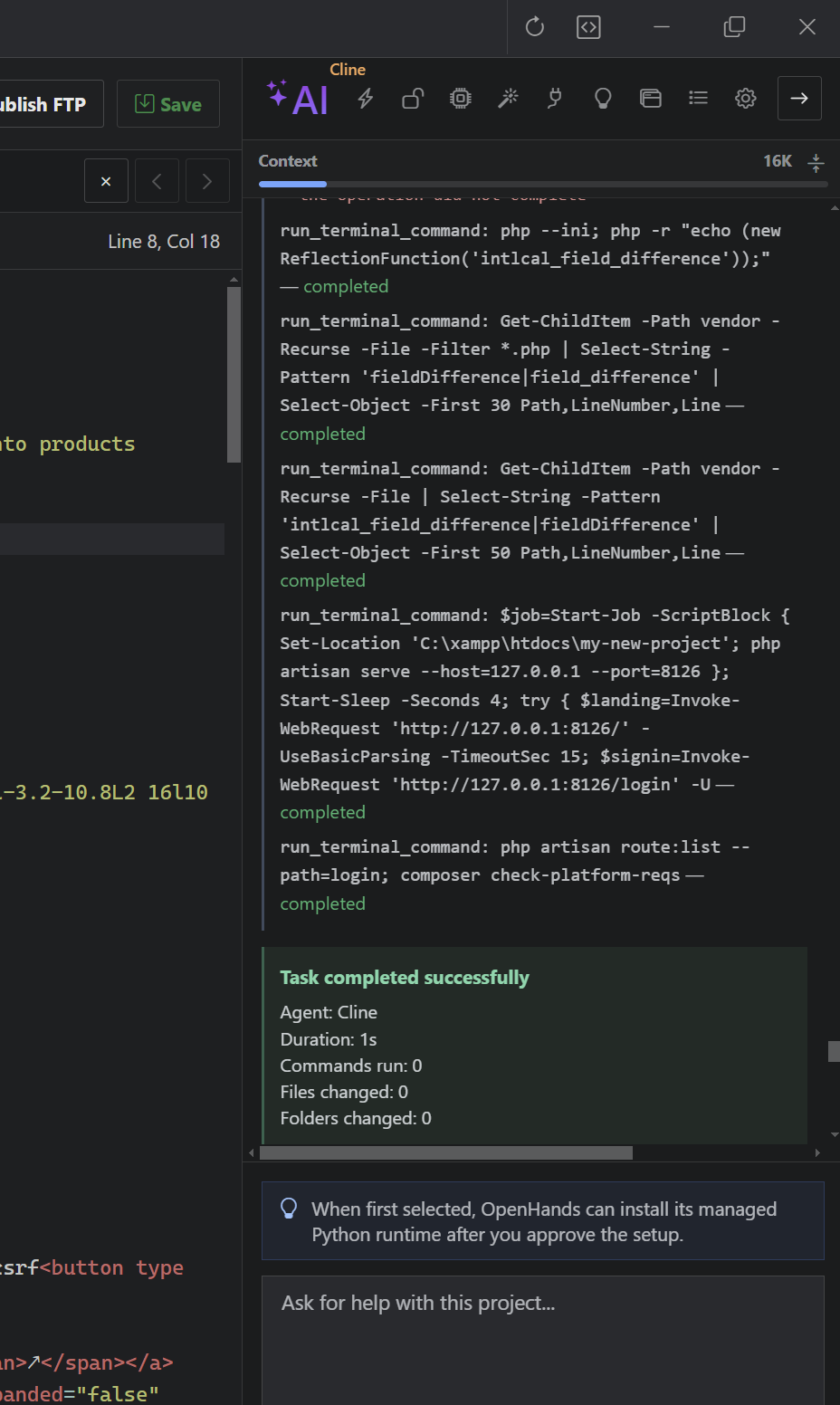 |
| Project-Aware Editor State Keep the relevant files, tabs and project-tree context attached to the task. | Transparent Agent Execution Follow the work in real time and finish with a concise, measurable result. |
Cloud, Custom and Local AI Providers
Connect the workspace to the provider and model that match your project, budget and privacy requirements. ScriptExpert supports OpenAI, OpenAI-compatible endpoints, OpenRouter, Groq, Google Gemini, GitHub Models, Cerebras, Together AI, DeepSeek, Mistral, xAI, LM Studio and Ollama.
Configure provider credentials, base URL, planning model, working model, context length, thinking depth, maximum iterations, timeout, custom skills and MCP server definitions from the same settings area.
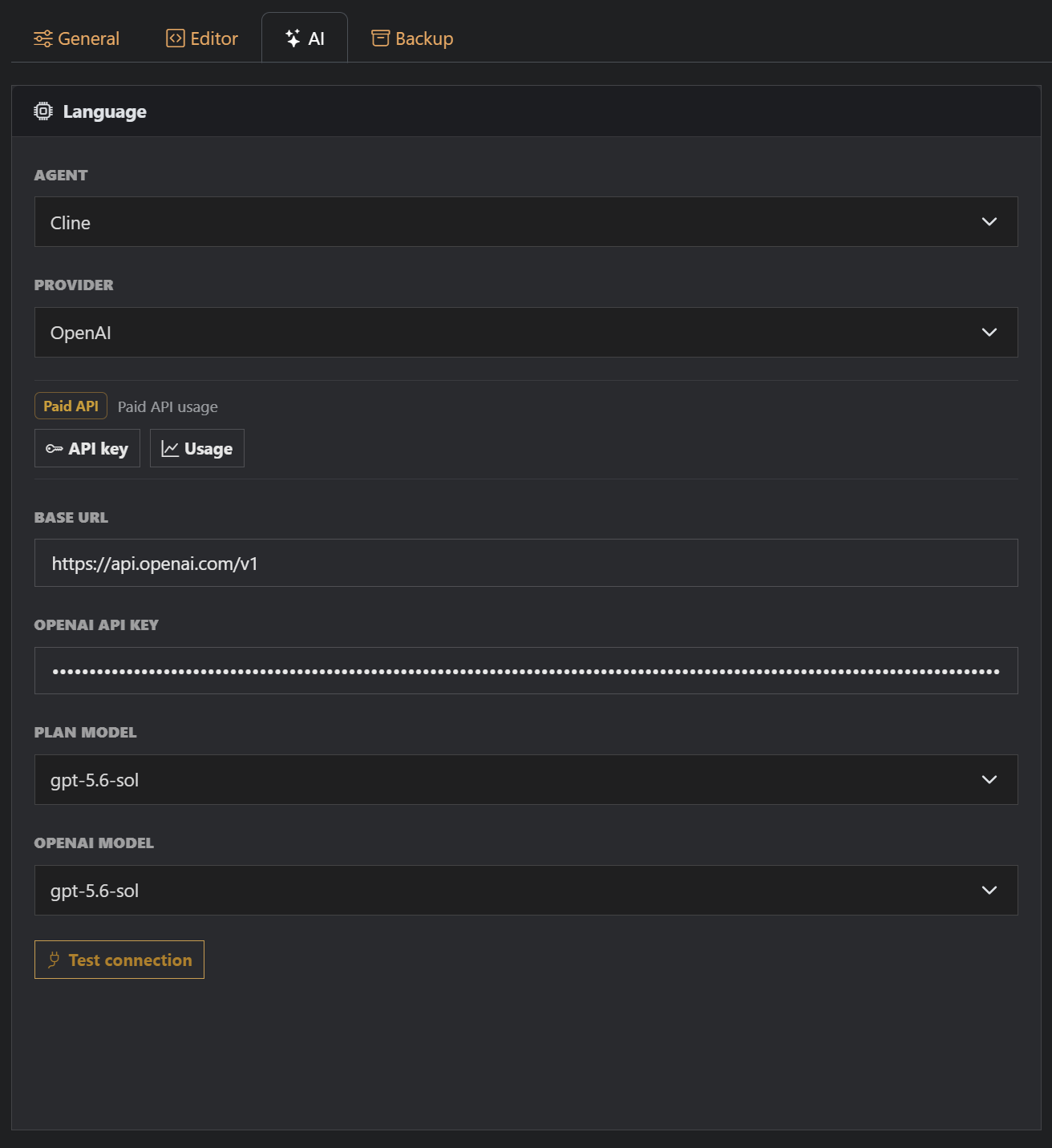 | 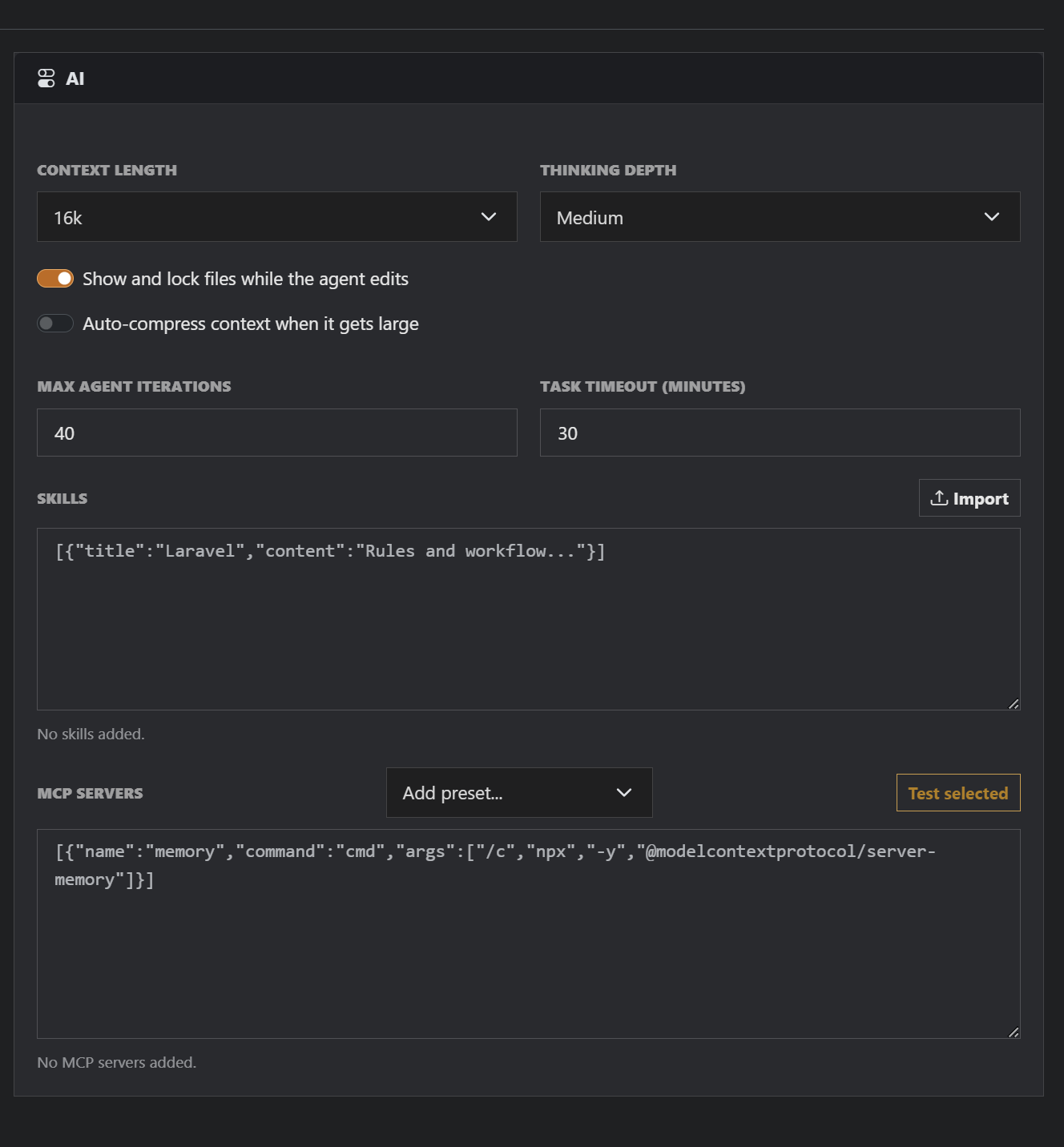 |
| Provider & Model Control Use your own endpoint, credentials and preferred planning and working models. | Advanced Agent Configuration Adjust context and execution limits, then extend workflows with skills and MCP servers. |
AI accounts, API subscriptions, usage credits and local model installations are not included. Model availability, pricing, speed and quotas are determined by the selected provider.
Professional Editor, Terminal and Persistent Workspace
The editor is built for practical project work, with an automatically updating file tree, multiple file tabs, syntax highlighting, normal editing and live difference review. Navigation state persists after refresh, and previews can be minimized to the bottom workspace bar while you continue editing.
- Event-based file-tree updates when files or folders change.
- Persistent file-tree expansion and opened-file state for every AI task.
- Split and stacked difference views with improved editor scrollbars.
- Multiple file tabs, autosave options and save-on-tab-change behavior.
- Bottom workspace tools for files, database, snippets, routes and minimized previews.
- Professional tooltips throughout the header and collapsed navigation.
Fully Interactive PowerShell-Compatible Terminal
Run project commands in an xterm and PTY-based terminal with proper keyboard shortcuts, text selection and clipboard support. ScriptExpert automatically discovers available PHP, Composer, Apache, MariaDB and Node.js tools and opens the terminal in the project context.
Create and Manage Framework-Aware Projects
Add an existing project or create a new one with a professional setup workflow. ScriptExpert can detect Laravel, CodeIgniter, PHP, HTML and other popular project types, or let you select the framework manually.
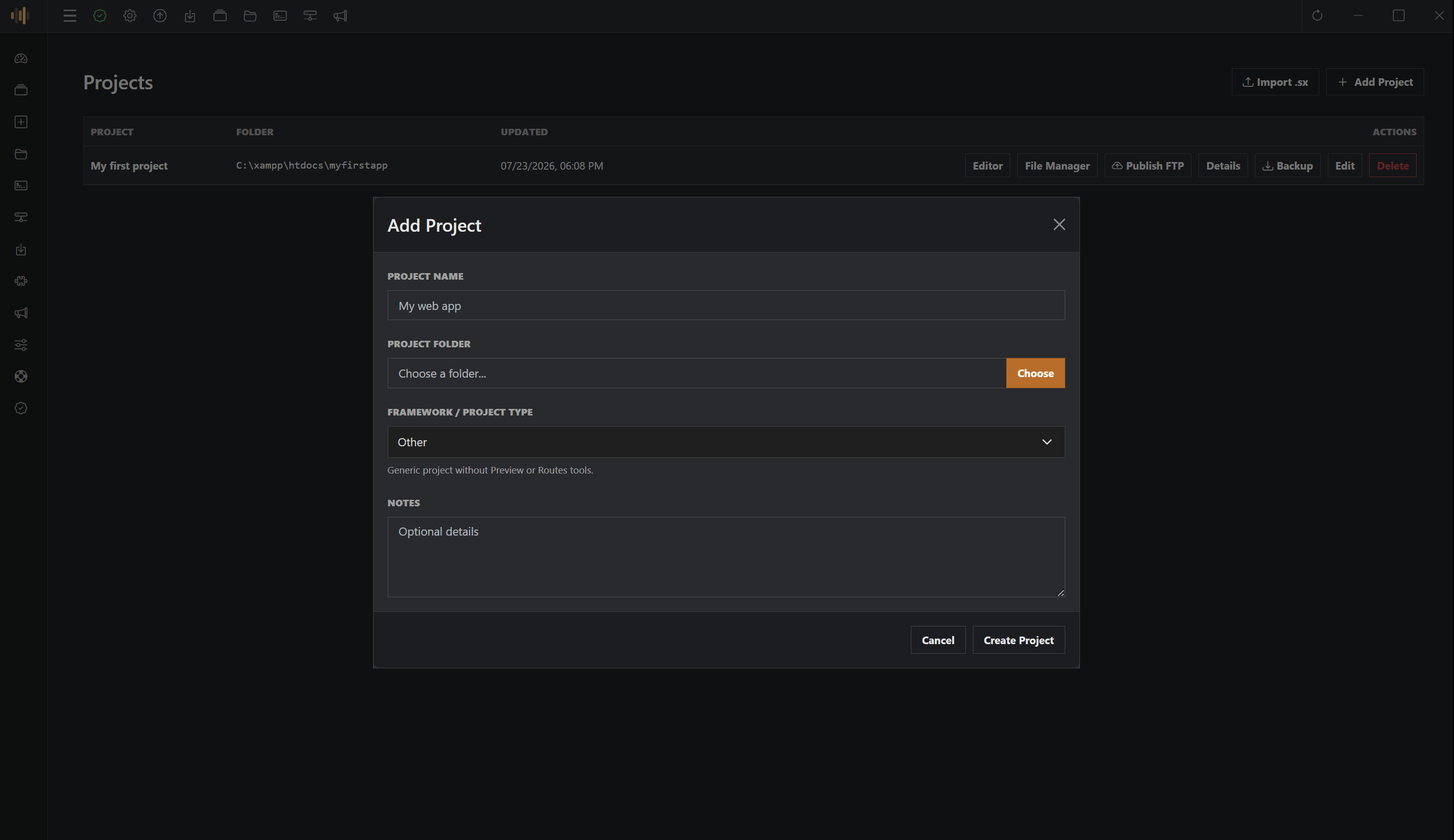
- Choose the framework or allow automatic project-type detection.
- Optionally install a supported framework into an empty selected folder.
- Follow live installation progress and command details.
- Validate required dependencies before the project is opened.
- Keep project-specific settings organized in categorized tabs.
- Create, edit, rename, remove, back up and publish projects from one manager.
Detailed Project Intelligence
Every project receives a detailed dashboard with size, file and folder counts, route totals, AI activity, detected technologies, file composition, project health, runtime information, recent changes, largest source files and local service status.
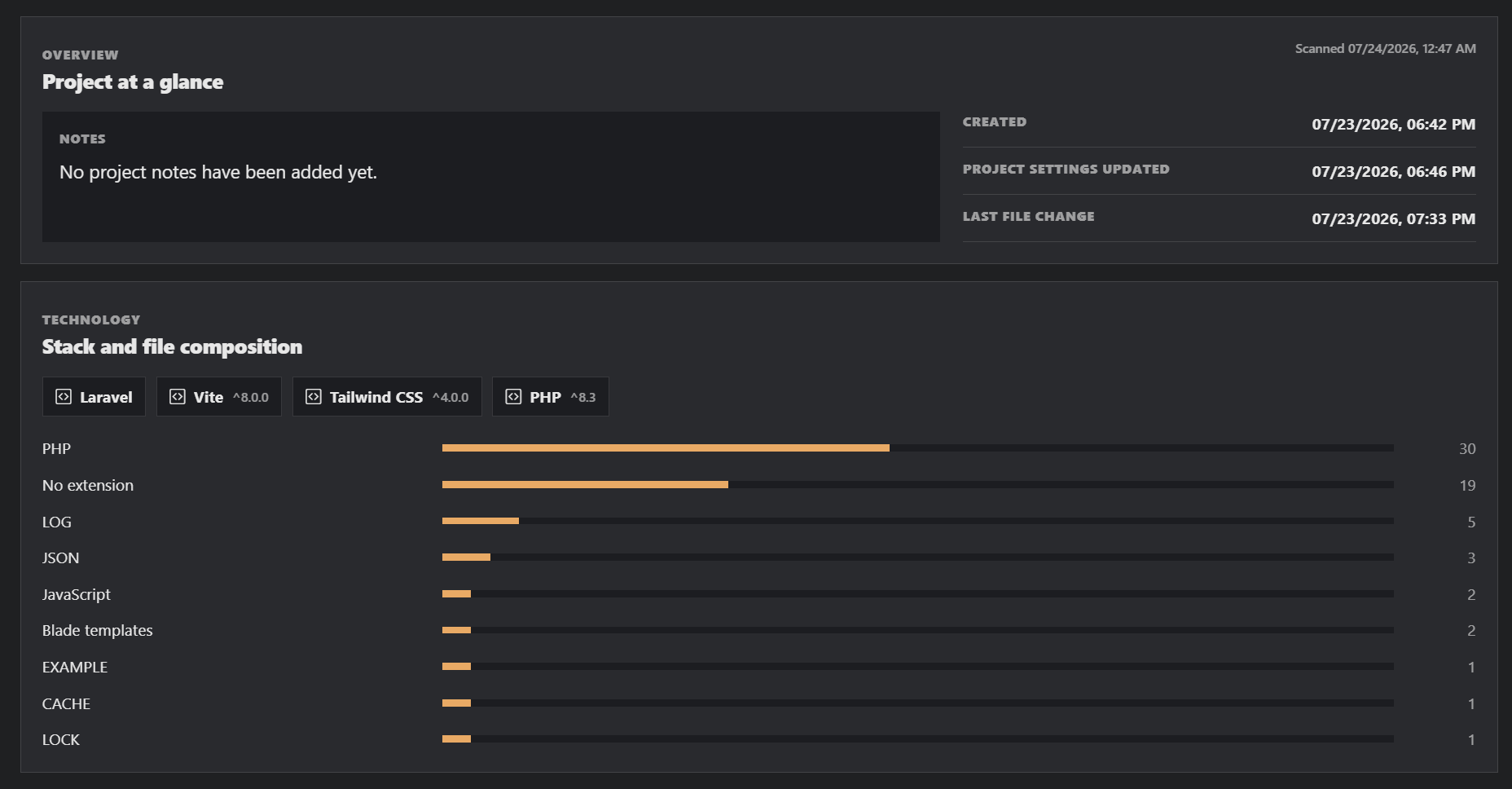 | 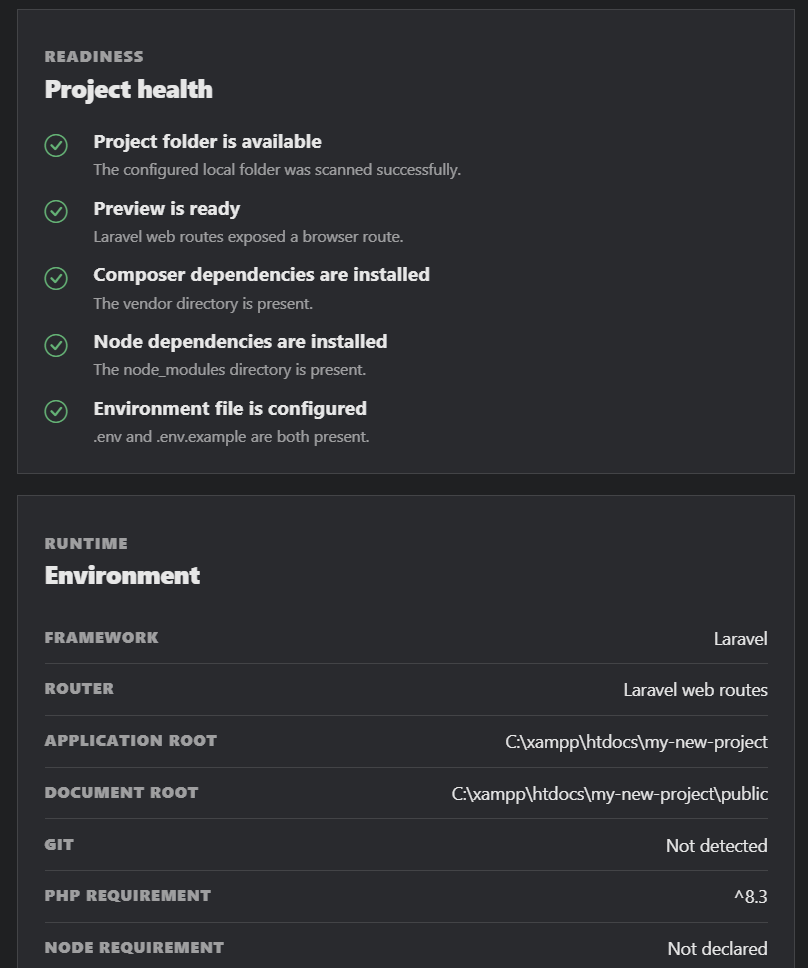 |
| Technology & Composition Understand the detected stack and the files that make up the project. | Readiness & Runtime Check dependencies, preview readiness, roots and environment requirements. |
Automatic Routes and Integrated Preview
ScriptExpert detects Laravel and classic PHP entry points, framework routes and supported .htaccess rewrites. The searchable Routes manager includes pagination, refreshes after relevant project changes and can open compatible routes directly in Preview.
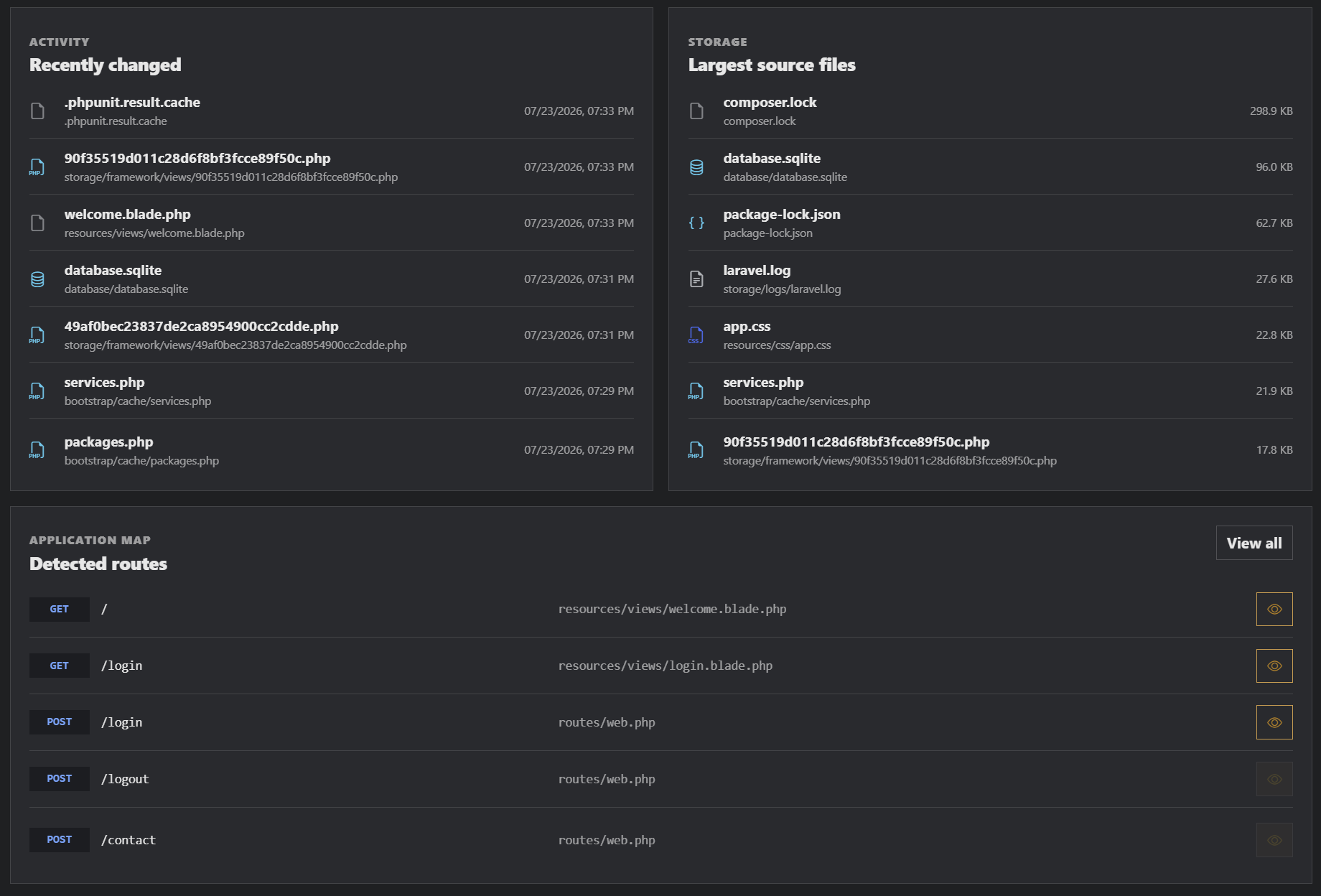
- Automatic preview URL and available-port selection.
- Framework-aware document roots and start commands.
- Improved Laravel startup with SQLite and required PHP extension support.
- Configurable default route, URL parameters, port and custom start command.
- Preview tools are hidden automatically for project types that cannot be rendered in a browser.
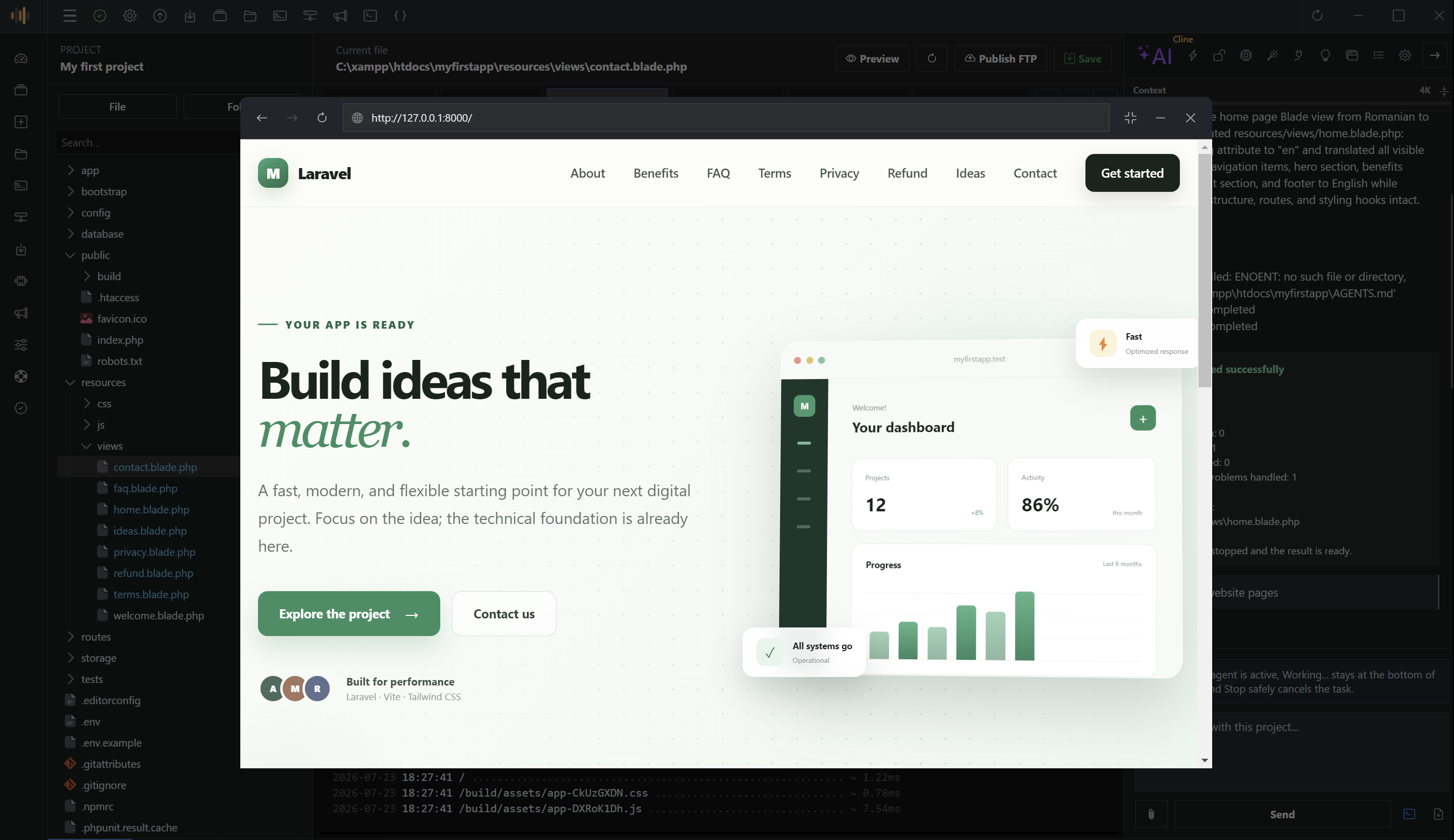
Preview supported projects without leaving the editor. Navigate, reload or open the current route, then minimize the preview into the workspace bar and restore it when needed.
Local Server and Managed Development Toolchain
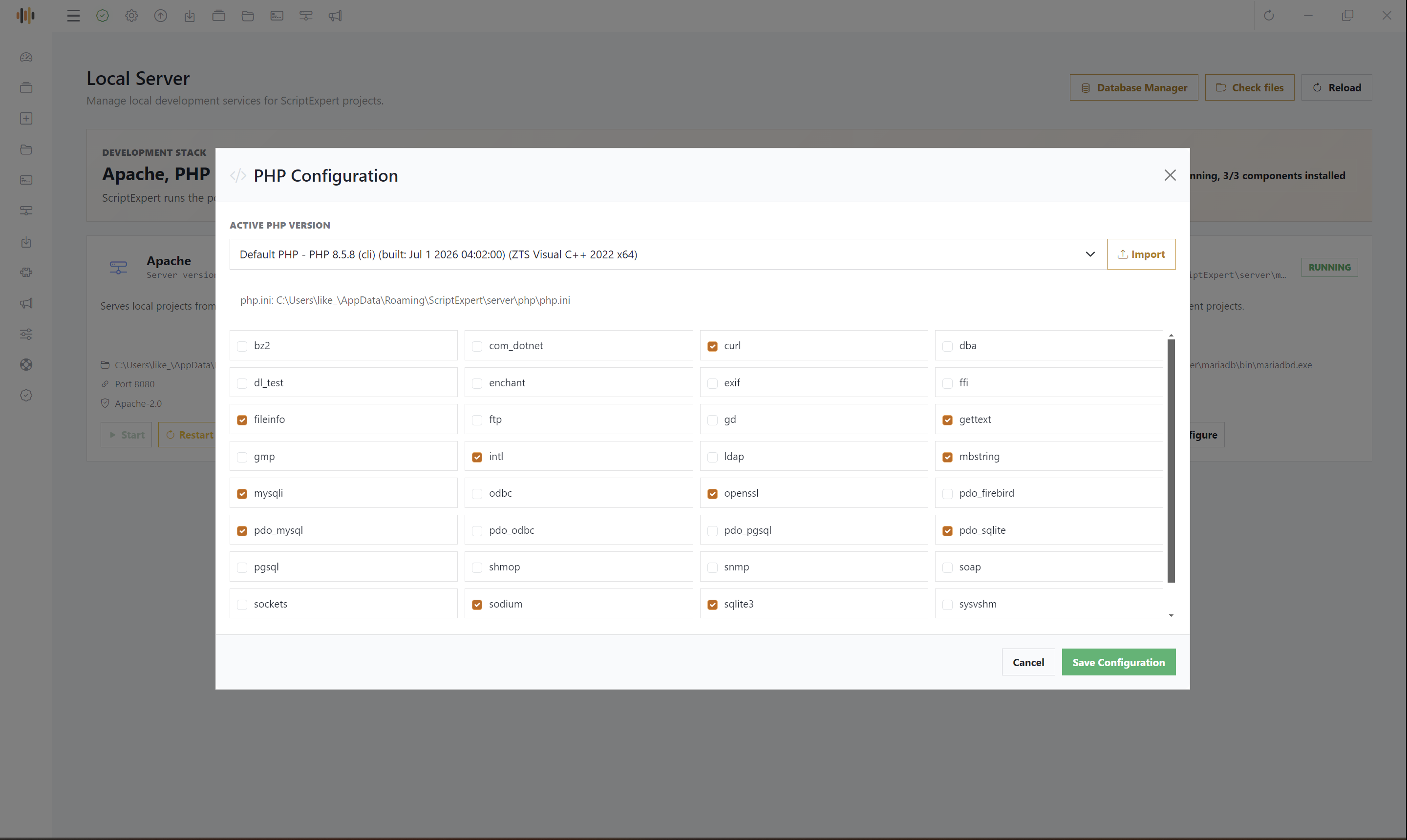
Start, stop, restart and configure Apache, PHP and MariaDB from a dedicated local development control center. ScriptExpert refreshes runtime information when the page opens and reports accurate Running and Ready states, executable paths, versions and ports.
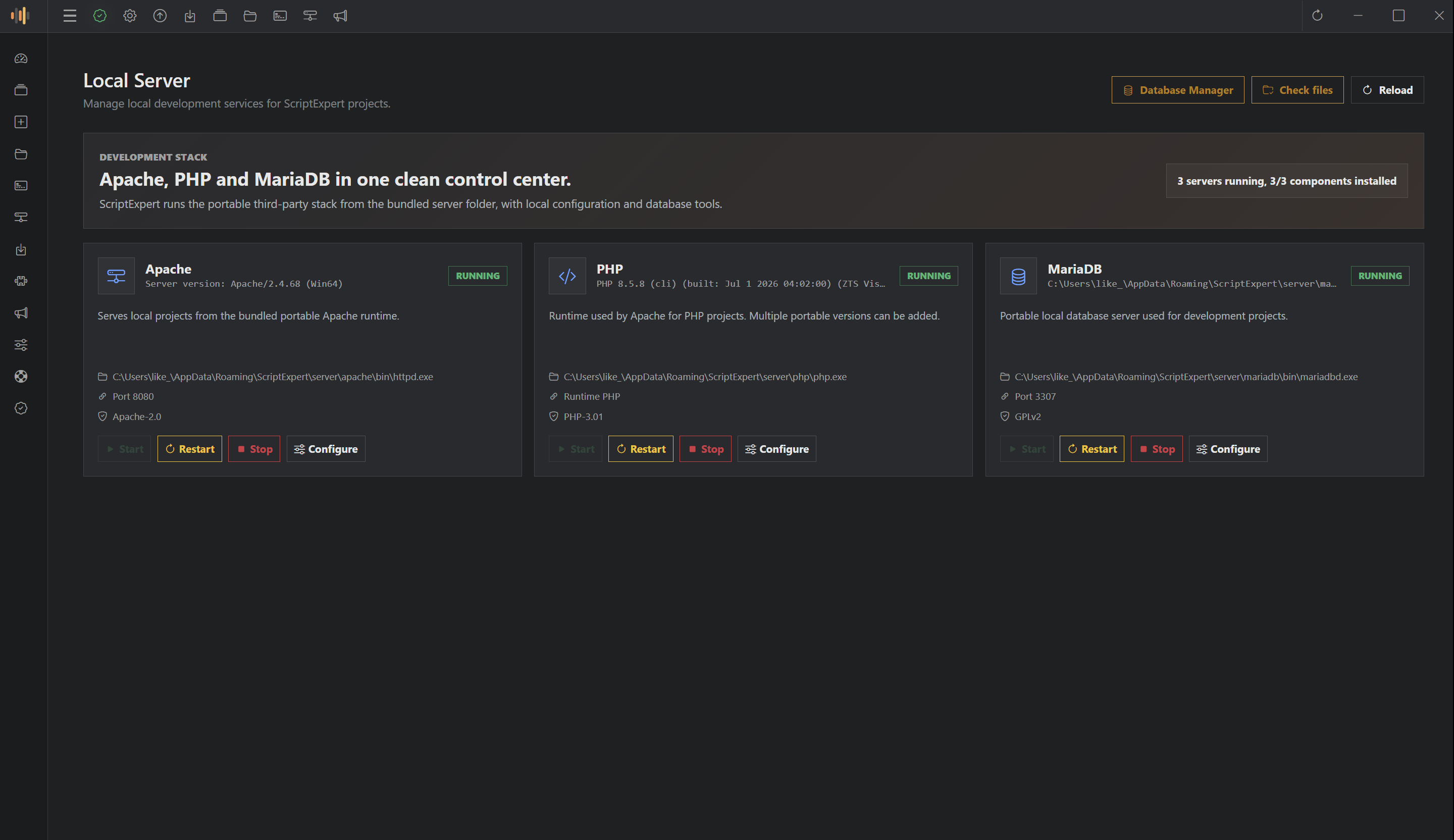
- Automatic discovery of Apache, PHP, MariaDB, Composer and Node.js.
- Framework-aware document roots, ports and startup commands.
- Visual Apache, PHP and database service controls.
- Support for multiple portable PHP runtimes.
- Improved PHP configuration for OpenSSL, SQLite, MySQL and other common requirements.
- Direct access to Database Manager and local service-file validation.
Install Development Components on Demand
The Extensions manager can download, install, update and repair PHP, Composer, Apache, MariaDB and Node.js only when they are required. Package versions are validated, installation progress is shown in real time and the tools can be registered in the user PATH.
The streamlined installer offers a simple Install required extensions option. A Full installation can configure the complete toolchain sequentially, while application updates preserve existing extension installations and their configuration.
Advanced File, Database and FTP Tools
Visual File Manager
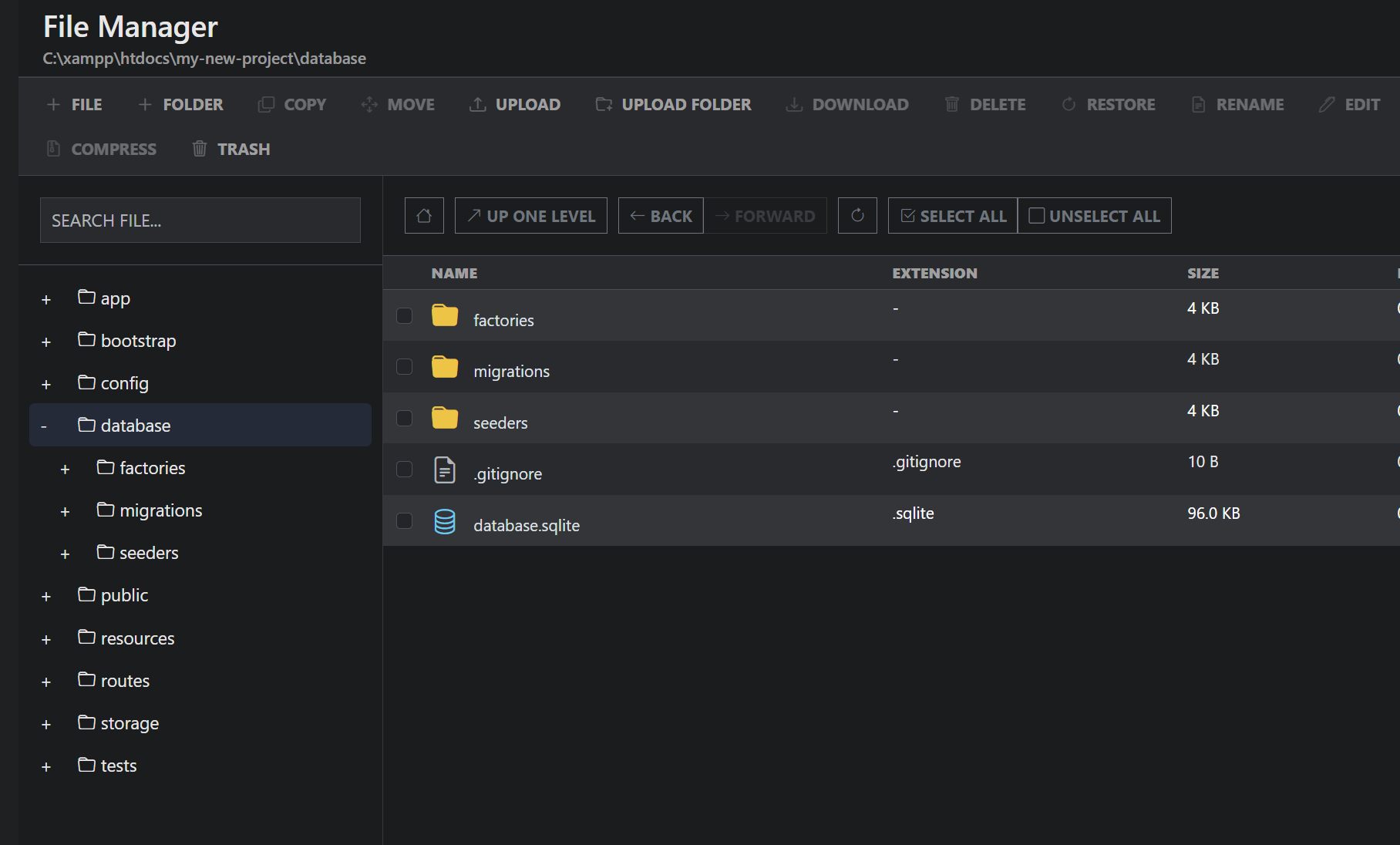
Manage the complete project tree without leaving the application. Create files and folders, copy, move, upload, download, rename, edit, search, inspect permissions, compress, extract, move items to the project trash and restore them later.
Database Manager
Configure project database connections, inspect schemas and tables, browse project data, import or export supported databases and run queries from the integrated database tools. Project backups can include a configured database together with the project files.
FTP Publishing
Store project-specific FTP settings, test the connection and publish from the project list, project dashboard or editor. Each project keeps its own destination and publishing configuration.
Complete Backup and Recovery
Protect individual projects and the ScriptExpert configuration with dedicated backup workflows designed for both manual and automatic recovery.
- Project backup: include project settings, AI conversations, project files and configured databases.
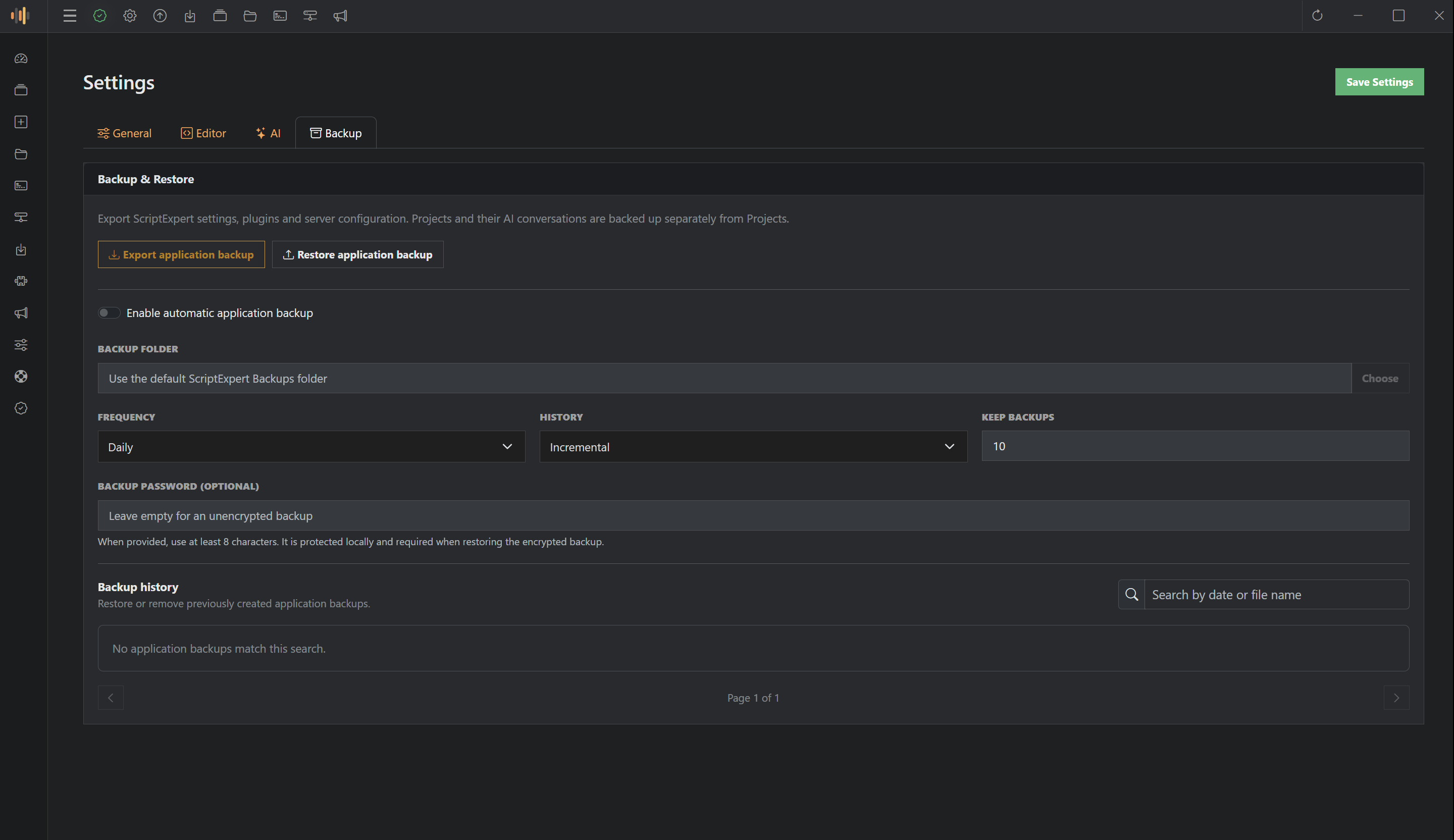
- Application backup: export settings, plugins and local server configuration.
- Optional password protection: create encrypted backups when additional protection is required.
- Manual or automatic schedules: choose the backup frequency and destination.
- Incremental or overwrite history: control how versions are stored and how many are retained.
- Visible progress: follow preparation, database export, compression and restoration in real time.
- Searchable history: paginate, restore or delete previous backups with clear confirmation dialogs.
Workspace Dashboard and Productivity Tools
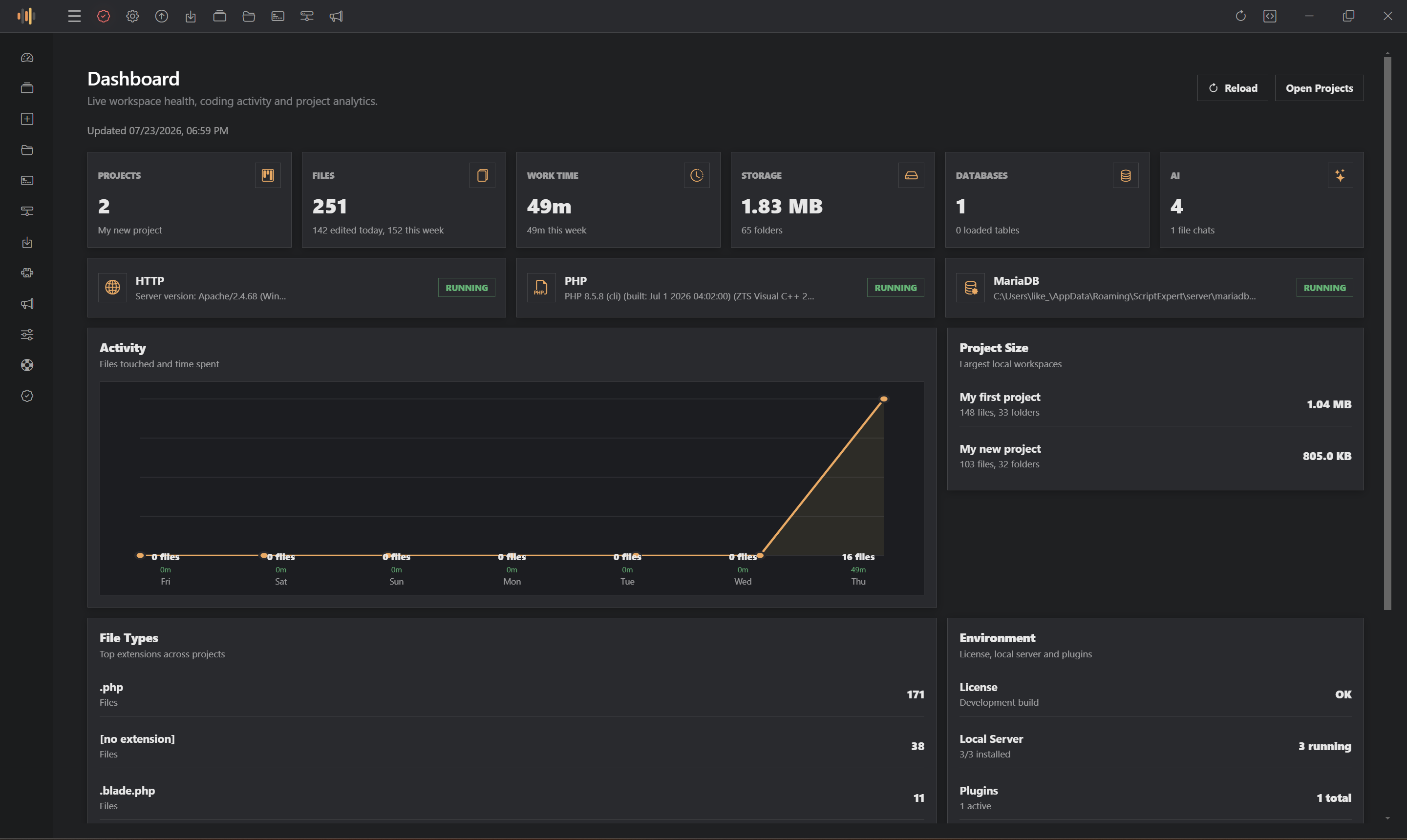
The main dashboard turns project activity into a clear overview of files, work time, storage, databases, AI tasks, project sizes and local service health.
- Snippets: save reusable code fragments with categories, call words and keyboard shortcuts.
- Plugins: install compatible local plugins and inspect their declared permissions and license information.
- Feedback: report bugs, request features or suggest improvements with optional screenshots and application details.
- Day and Night themes: choose the interface that fits your workspace.
- 13 interface languages: English, German, Spanish, French, Italian, Hungarian, Portuguese, Romanian, Turkish, Greek, Russian, Arabic and Hindi.
- Guided updates: review version status and install application updates while keeping project data and development components in place.
Who Is ScriptExpert For?
- PHP, Laravel and full-stack developers who want an integrated local workflow.
- Freelancers managing several client websites and publishing destinations.
- Agencies that need repeatable project setup, review and backup workflows.
- Developers who prefer private models through Ollama or LM Studio.
- Students and independent builders who want visual project tools beside the code.
What Is Included?
- ScriptExpert 64-bit Windows installer.
- Production application source code.
- Professional Cline and OpenHands integration.
- Extensions manager for on-demand PHP, Composer, Apache, MariaDB and Node.js setup.
- English installation and usage documentation.
- Day and Night interface themes.
- All 13 included interface languages.
- Built-in helper plugin and plugin management interface.
System Requirements
- 64-bit Windows 10 or Windows 11.
- Permission to run local development processes and register optional tools in the user PATH.
- Available local ports for browser preview and database services.
- Internet access for initial activation, cloud AI providers, extension downloads, feedback and application updates.
- A valid account and API key for the cloud AI provider you choose.
- Additional memory, storage or GPU resources may be required by locally hosted AI models.
- Node.js and npm are required only when building or running the included production source, or when a project requires them.
Important Notes
- AI subscriptions, API keys, usage credits and third-party service costs are not included.
- Ollama, LM Studio and their models must be installed separately when used.
- Provider plans, quotas, endpoints and model availability may change independently of ScriptExpert.
- Demo projects, websites, databases and code visible in screenshots are not included.
- Optional development components are downloaded when selected and remain subject to their respective licenses.
- Preview and route tools are available only for compatible project types.
- Cline and OpenHands are third-party technologies. ScriptExpert is an independent application and is not affiliated with AI model providers.
Support
Standard item support covers installation guidance and reproducible ScriptExpert issues. Custom development, hosting administration, third-party API charges and local-model installation are not included.
Changelog
Version 0.2.0 — Full Release
Added - Browse, purchase and install plugins from the integrated Plugin Marketplace, right inside ScriptExpert Code Editor. - The License Manager plugin is now available in the marketplace: a complete licensing control panel (products, license types, customers, orders and keys) with a built-in installer that deploys the License Server on your own hosting through FTP + MySQL. - Feedback page in the application: report a bug, send advice or request a feature from a clean dialog, attach up to 5 screenshots, and follow all of your submitted reports in the "My feedback" list with their current status. - Support tickets: when the support team converts your feedback into a support ticket, a "View ticket" button appears next to your report and opens the ticket directly on ScriptExpert.app, where you can follow the conversation and reply. (on next version you will be able to reply direct from app) Fixed - Feedback is now linked to your account through the license and machine identifiers — there is no email field anymore and no extra login step. - Update system bugs - Bugs on AI agents - License check bug fixed - Migrate extensions server to new server - no crash on installation any more - UI & Menus style improved
Version 0.1.99
- Bug fiexes - Fix the purchase code check - Update UI & Menus - AI agents bugs fixed
Version 0.1.98 — Full Release
- Added professional Cline and OpenHands integration with live Thinking and Working status. - Added real-time tool activity, command output, file operations and clear task completion states. - Added persistent task conversations, per-task editor state, task management and conversation export. - Added Read only, Ask for changes and Full access modes. - Added real-time split and stacked file differences with normal editing available at any time. - Added framework-aware project creation, automatic detection, optional installation and dependency validation. - Added the detailed Project Dashboard and categorized project settings. - Added automatic Laravel and PHP route detection, searchable route management and improved preview startup. - Added a fully interactive PowerShell-compatible terminal built on xterm and PTY. - Added the Extensions manager for on-demand PHP, Composer, Apache, MariaDB and Node.js setup. - Added complete project and application backup, optional password protection, automatic schedules and searchable history. - Improved the editor file tree, workspace persistence, minimized previews, local server detection and PHP configuration. - Added the new application logo, integrated window controls and refined project, route, backup and task interfaces. - Streamlined the installer with sequential extension setup, validation, PATH registration and configuration-preserving updates.
Version 0.1.97 — Maintenance Release
- Improved automatic update downloading and installation. - Fixed missing Windows runtime dependencies required by Apache. - Improved Apache configuration validation and application startup reliability.
Version 0.1.96 — Major AI Agent Release
- Introduced the integrated AI coding workspace and 13 provider options. - Added provider, model, context, skill and MCP controls. - Added the integrated terminal, preview browser and advanced project tools. - Added Day and Night themes and 13 interface languages.
ScriptExpert turns AI assistance, code editing and practical web development tools into one professional Windows workspace.
0 average based on 1 ratings.
.png)
| Last Update | 2026-07-28 |
| Created | 2026-07-17 |
| Sales | 3 |
| Discussion | Comments |
| Application Runtime | Native |
| High Resolution | No |
| Compatible OS Versions | Windows 11 Windows 10 |
| Video Preview Resolution |


