Academic AI | Intelligent Study Assistant Flutter App with Ads Support
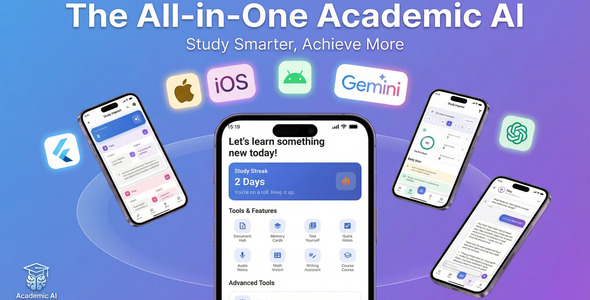

Academic AI – Intelligent Study Assistant (Flutter App With AdMob)
Flutter | Google Gemini | OpenAI
Academic AI is a premium Flutter mobile application designed to transform the educational experience. By integrating advanced Artificial Intelligence with essential productivity tools, it serves as the ultimate companion for students, researchers, and lifelong learners.
Built on the robust Flutter framework, this application offers a high-performance, cross-platform solution (Android & iOS) with a modern, clean, and intuitive user interface.
Note: This product is not affiliated with or endorsed by Google. It uses Google Gemini as a third-party AI service and does not indicate a partnership or sponsorship by Google.
AI Disclosure (Envato Policy Compliance)
This application integrates the following third-party AI services:
- Google Gemini API – Used for text generation, summarization, quiz creation, essay feedback, math problem solving, and intelligent tutoring features.
- OpenAI API (GPT models) – Used as an alternative AI provider for the same features listed above. Users can choose their preferred AI provider in Settings.
Important: Users must supply their own API keys (no keys are bundled). All API costs are borne by the end user. AI-generated content should be reviewed for accuracy before academic use.
Why Choose Academic AI?
Academic AI is not just another study app; it is a comprehensive ecosystem. It solves the core problems of modern learners: information overload, difficulty in organizing tasks, and the need for instant academic support. With modular architecture and industry-standard coding practices, it is also an excellent template for developers looking to build AI-powered applications.
Top Features
- Dual AI Core: Seamless integration with both Google Gemini and OpenAI (GPT), giving users flexibility in choosing their preferred AI engine.
- Smart Study Tools: Automatically generate flashcards and quizzes from any text or document.
- Academic Integrity: Built-in tools for plagiarism checking and originality analysis.
- Productivity Suite: Integrated Pomodoro timer, task management, and deep work modes.
- Multimedia Support: Advanced Optical Character Recognition (OCR) for scanning documents and Voice-to-Text for recording lectures.
- Advanced Document Conversion: Convert PDF, Word, image, audio, and video files with integrated workflows designed for academic and study use cases.
Visual Tour
Data-Driven Dashboard
A central hub for tracking learning streaks, weekly progress, and focus achievements.
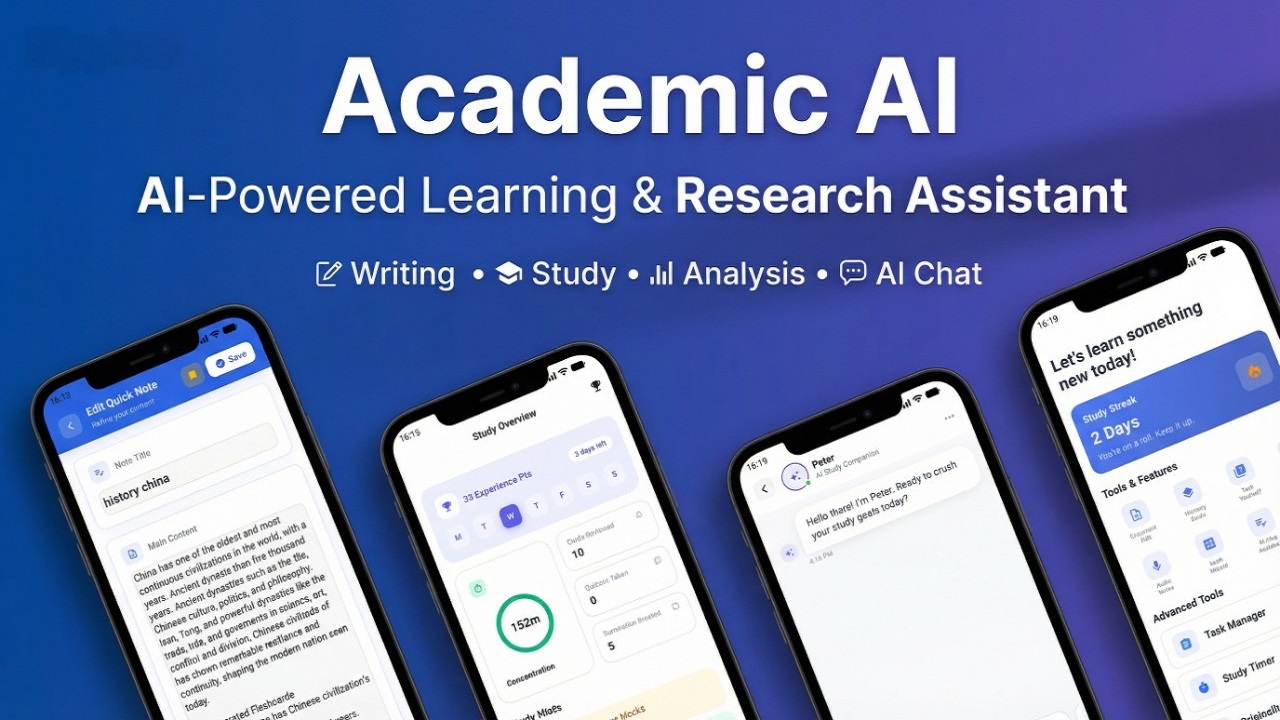
AI Research Companion
Draft essays, refine grammar, and chat with an AI Tutor in real-time.
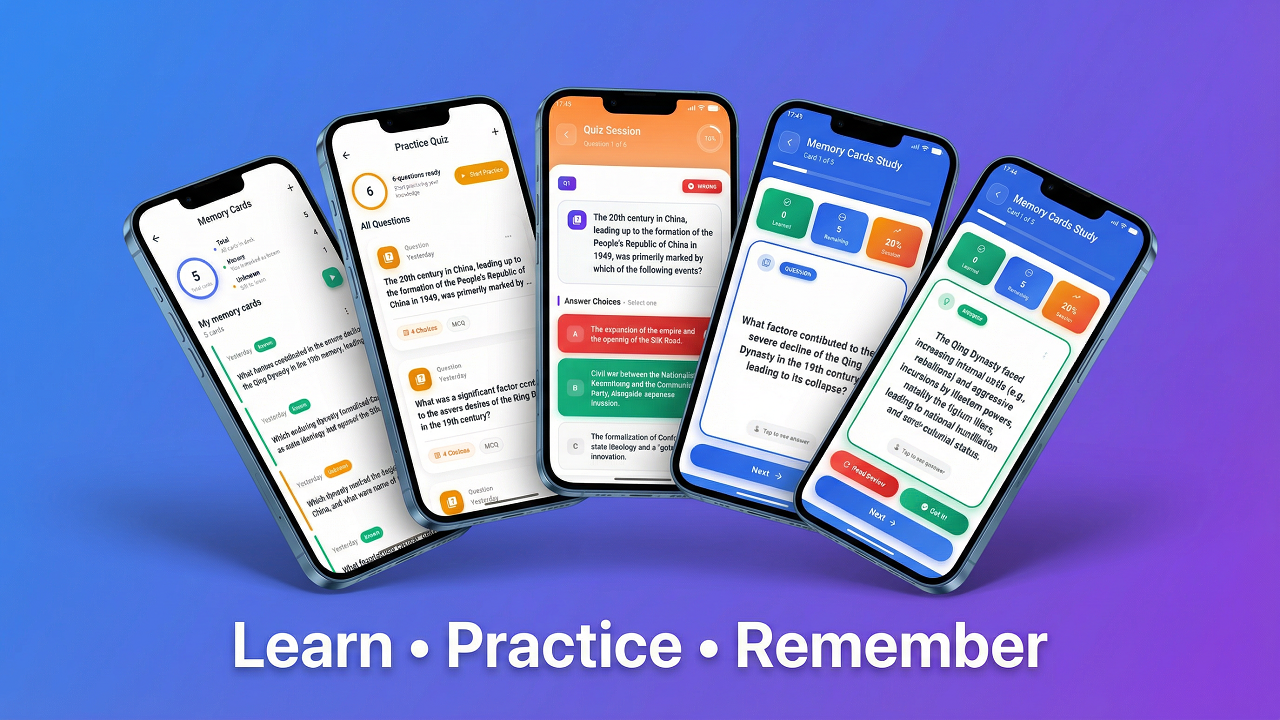
Immersive Learning Modules
Spaced repetition flashcards and adaptive quizzes to maximize retention.
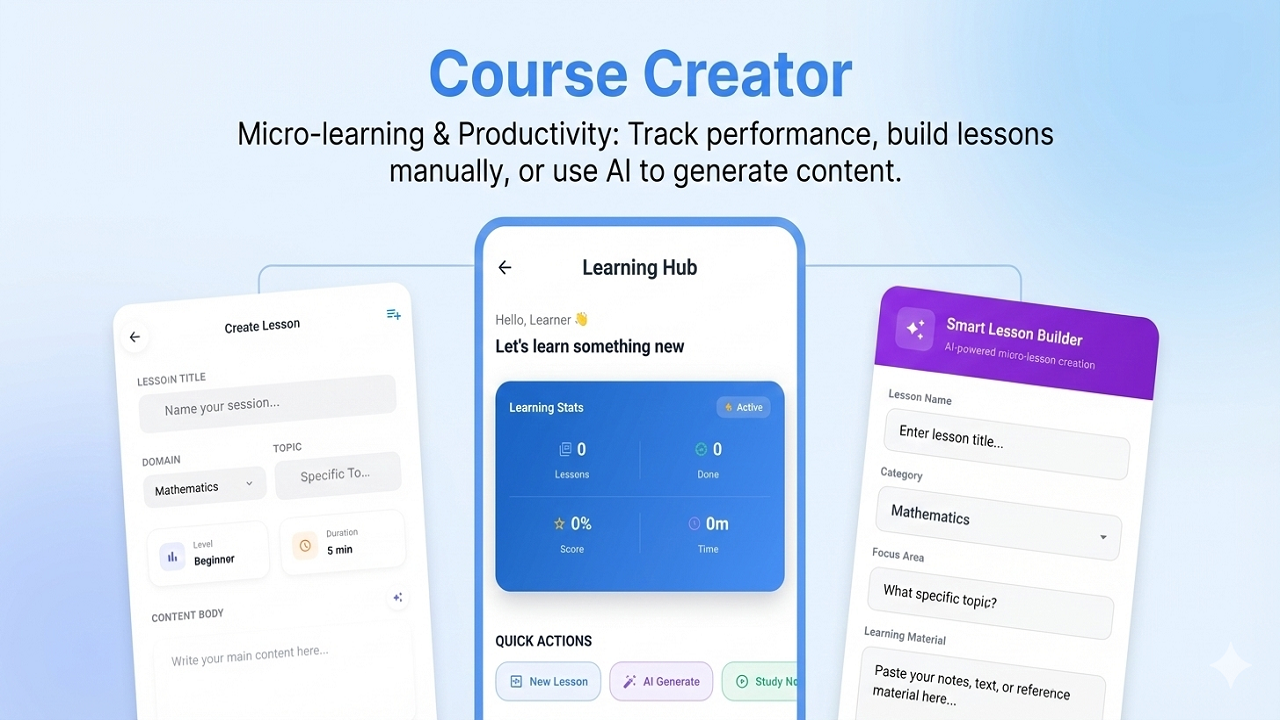
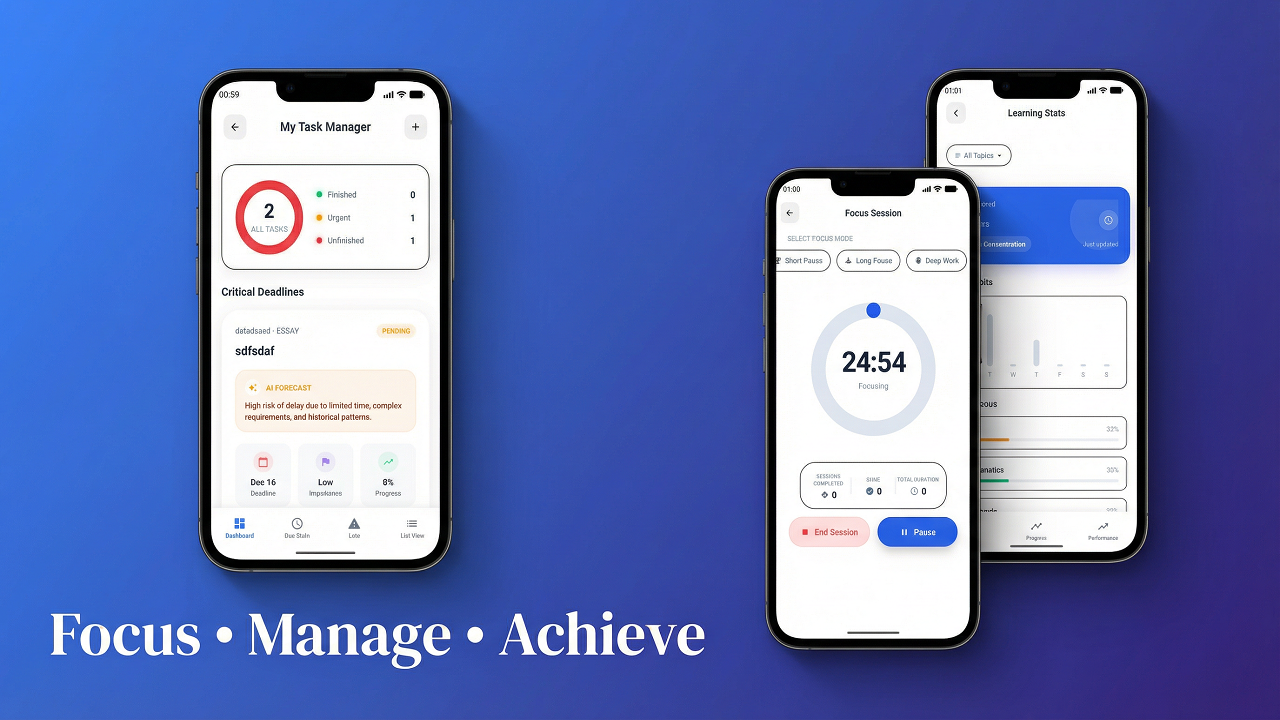
Focus & Productivity
Minimize distractions with specialized study timers and task lists.
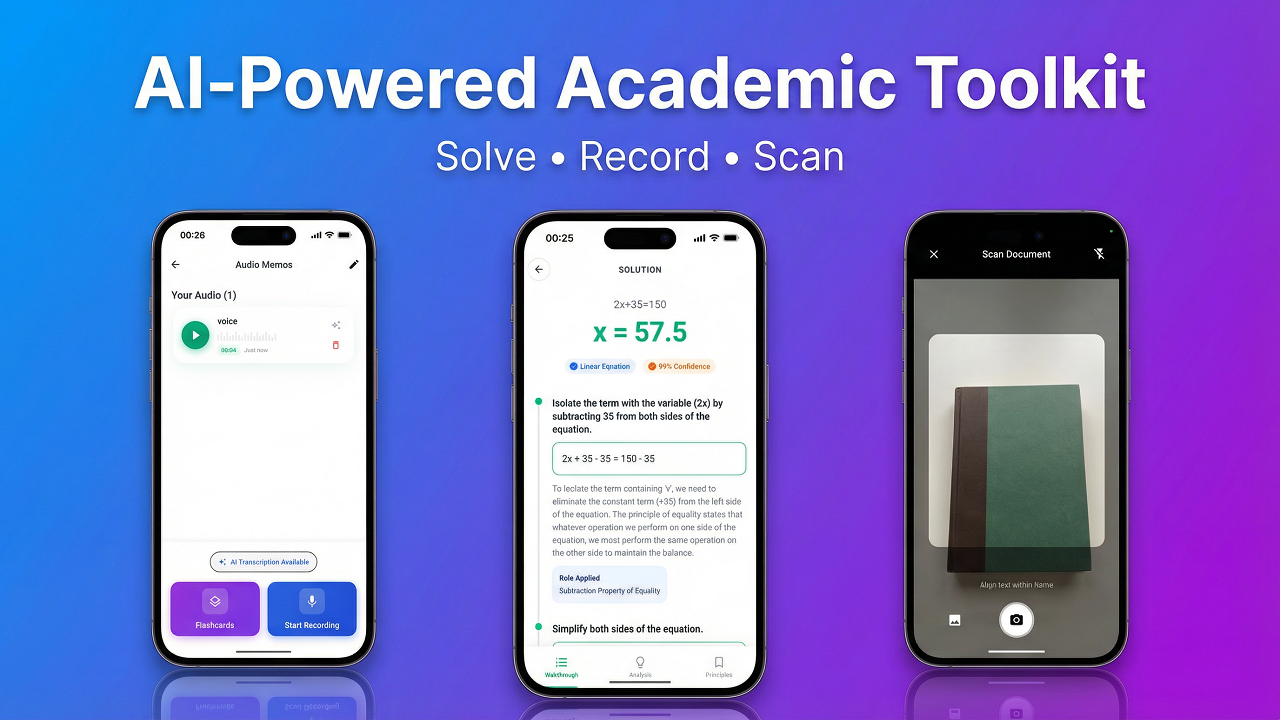
Comprehensive Academic Toolkit
From Math solving to Document scanning, every tool a student needs.
Detailed Functionality
1. AI Writing & Research
- Essay Assistance: Generate outlines, expand paragraphs, and polish writing style.
- Plagiarism Detection: Compare text against online sources to ensure originality.
- Citation Helper: format references correctly in various academic styles.
2. Smart Content Processing
- Document Hub: Upload PDF or images; the AI extracts text and summarizes key points.
- Math Wizard: Snap a photo of a math problem and get a step-by-step solution.
- Speech-to-Text: Record voice notes that are instantly transcribed and searchable.
3. Active Learning
- Flashcard Generator: Create study decks instantly from notes or documents.
- Quiz Mode: Test knowledge with AI-generated multiple-choice questions.
- Spaced Repetition: Optimized review schedules for long-term memory functions.
4. Smart Document & Media Conversion
- PDF & Word Workflow: Convert between PDF and Word documents to streamline assignments, reports, and study notes.
- Image & PDF Workflow: Combine images into a single PDF or convert scanned documents into image files for easier sharing and review.
- Video & Audio Processing: Handle multimedia formats such as MP4, AVI, MKV, MOV, FLV, and audio conversion with backend processing support.
Technical Specifications
- Framework: Flutter 3.24+ (Dart 3.x)
- Architecture: Clean & Scalable (Provider Pattern)
- Android Spec: Min SDK 21, Target SDK 34+
- iOS Spec: iOS 11.0+
- Database: Local SQLite (sqflite) for privacy and offline access.
- Design: Material 3 Design System with complete Dark Mode support.
- Backend: Python/FastAPI services with FFmpeg, LibreOffice, and OCR support for document and media conversion.
Requirements & API Configuration
To enable the AI features (Chat, Writing, Math Solver), the compiled application requires an active internet connection and valid API keys.
- Google Gemini API: Required for primary AI functions.
- OpenAI API: Optional alternative for enhanced capabilities.
- Flutter SDK: Required for building the project source code.
Disclaimer: This item includes the full source code of the application. It does NOT include API keys. You must generate your own keys from the respective providers (often available with free tiers).
Package Contents
- Full Flutter Source Code (Android & iOS)
- Detailed HTML Documentation
- Configuration Guide
- Assets and Fonts
Change Log
Version 2.2.2
- Documentation: Added backend setup instructions, Python, FFmpeg, LibreOffice, and OCR requirements, along with detailed guides for PDF to Word, Word to PDF, Image to PDF, PDF to Image, and video conversion workflows.
- Documentation: Improved the marketplace submission package with clearer structure, completion notes, and stronger tag recommendations.
Version 2.2.1
- Branding: Updated the marketplace title and product wording to highlight document and file conversion support alongside AdMob integration.
- Packaging: Cleaned the project package by removing generated build artifacts before submission.
Version 2.2.0
- Added: Image to PDF conversion – select gallery images and export them into a single PDF document with one-tap viewing support.
- Documentation: Documented the new Image to PDF feature in README and site documentation.
Version 2.1.0
- Security: Migrated API key storage to
flutter_secure_storage– keys are now kept in the Android Keystore and iOS Keychain. Plain SharedPreferences are no longer used for secrets. - Security: Added
network_security_config.xmlto enforce HTTPS-only connections on Android (cleartextTrafficPermitted="false"). - Security: Activated release signing in
build.gradle.kts– credentials are read fromgradle.properties; the debug-signing fallback has been removed. - Security: Sensitive debug logs (API keys, prompts, responses) are now guarded by
kDebugModeand will not appear in release builds. - Security: Added a 30-second HTTP timeout to all OpenAI API calls.
- Code Quality: Application ID updated from
com.example.academic_ai_apptoio.academicai.app. - Code Quality: Resolved all TODO stubs –
learningPreferencesandbehaviorPatternsin the AI Chat model now correctly serialize/deserialize via JSON. - Code Quality: Added input validation in AI Engine – empty prompts are rejected and prompts exceeding 4,000 characters are truncated, with user-facing SnackBar feedback.
- Documentation: Updated README to reflect secure storage, release signing, and package rename instructions. Added CHANGELOG.md.
Version 2.0.0
- Integrated Google AdMob
0 average based on 0 ratings.
| Last Update | 2026-07-17 |
| Created | 2026-01-23 |
| Sales | 2 |
| Discussion | Comments |
| Software Version | Flutter 3.x |
| Files Included | Dart YAML |
| Video Preview Resolution |


