MiroTalk WEB: SaaS and Easy Room Scheduler for Meetings & Video Conferencing


MiroTalk WEB – Self-Hosted Video Meeting Scheduler & Dashboard
Self-hosted WebRTC room scheduler with user accounts, dashboards, and multi-app integration. Manage all your video conferences from one place.
► Buy MiroTalk WEB – One-Time Purchase
A Central Dashboard for Your Video Meetings
MiroTalk WEB gives your users a personal dashboard where they can schedule, manage, and join video meetings – all from a single interface. It connects to all MiroTalk apps (P2P, SFU, C2C, BRO, CME) so you can offer the right video experience for every use case.
- ✘ No per-user pricing
- ✘ No monthly subscriptions
- ✘ No recurring MiroTalk platform subscription
- ✔ One-time license with full source code
MiroTalk WEB Platform Overview
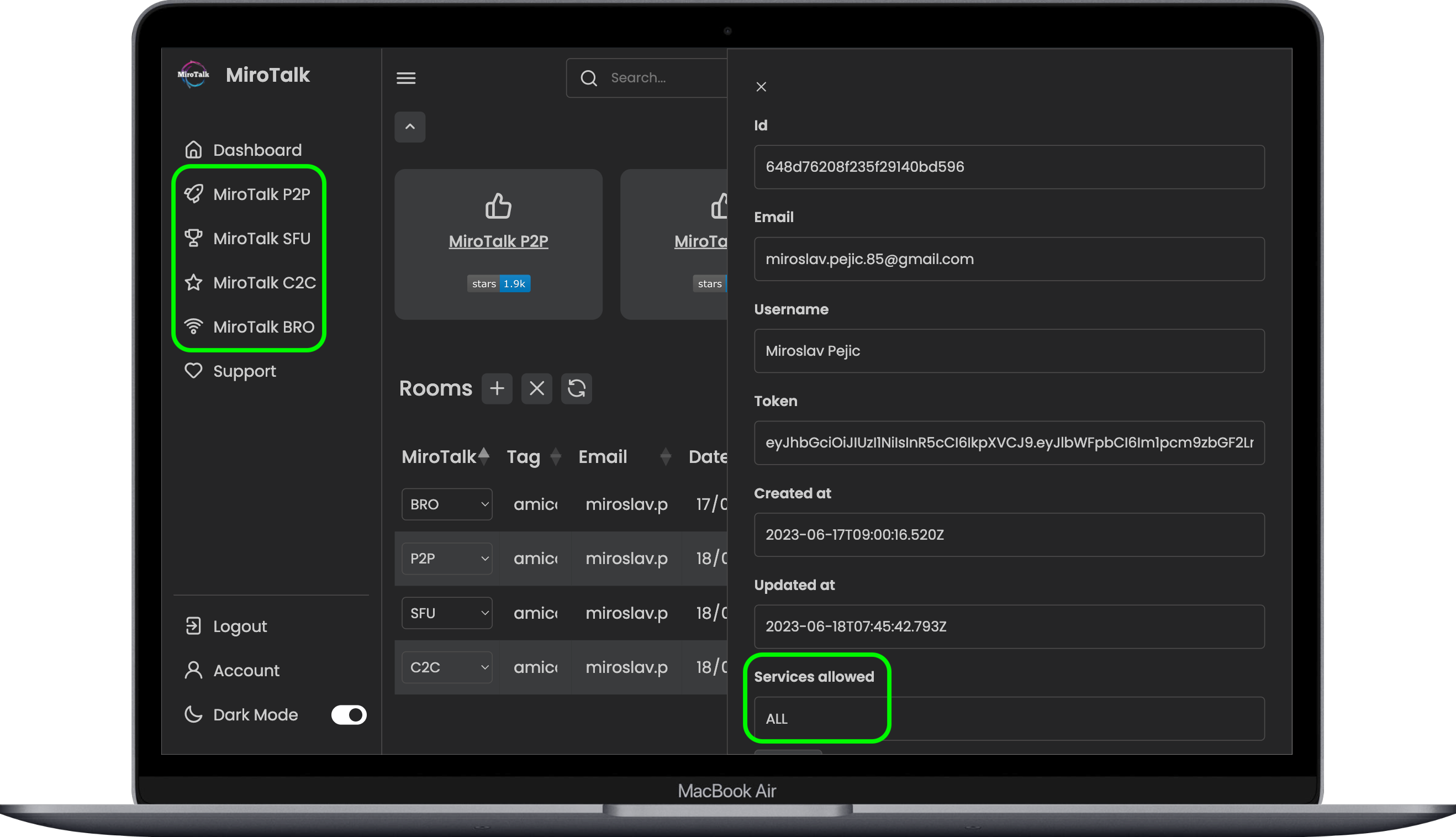
Schedule, manage, and join all your video conferences from one dashboard.

Build a Video Conferencing SaaS Platform
Use MiroTalk WEB as the foundation for a branded video conferencing SaaS platform with user accounts, subscription plans, customer management, and self-hosted deployment. Monetized services require the appropriate CodeCanyon license and payment-provider configuration.
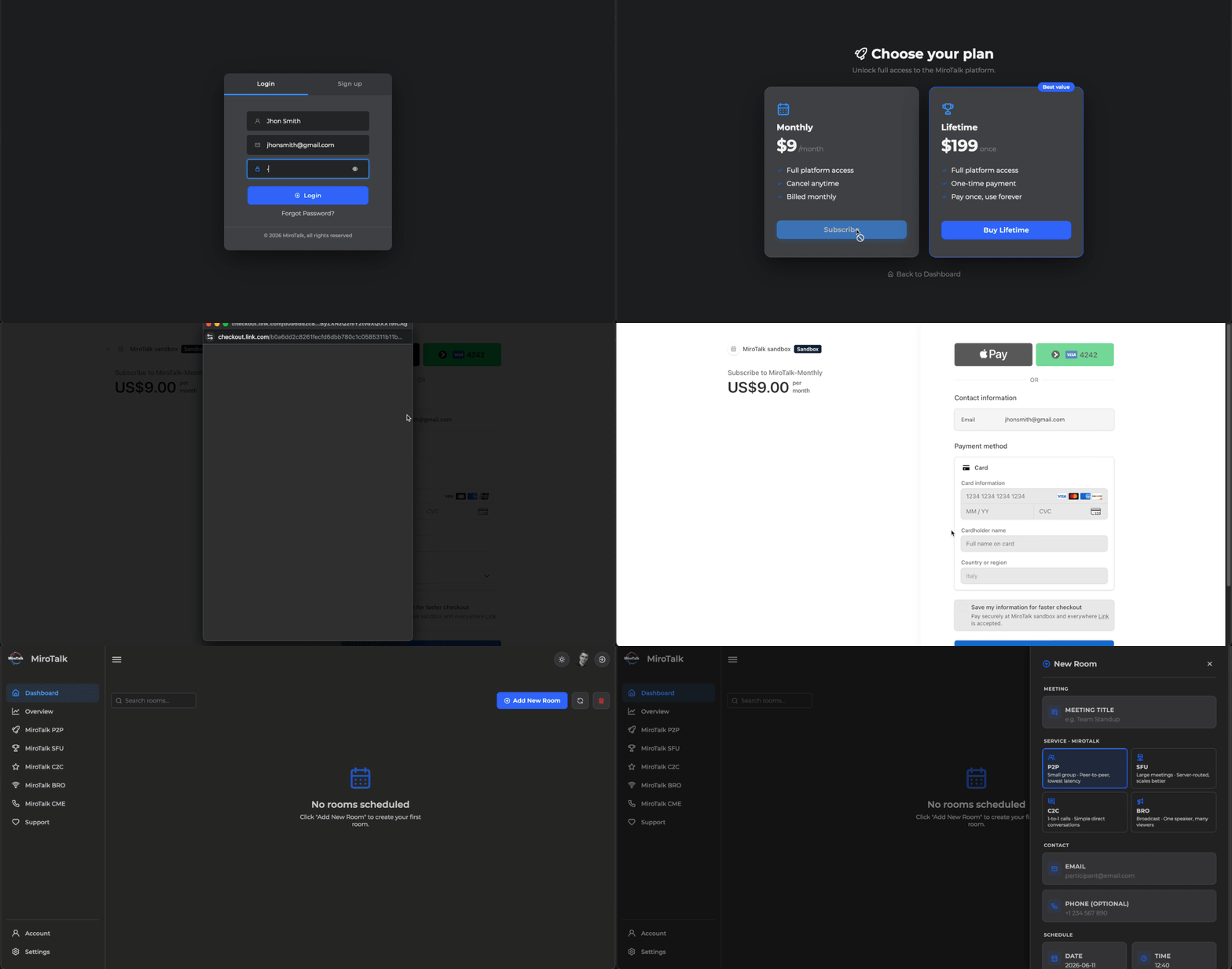
What Is Included with MiroTalk WEB
- ✔ Full source code – customize anything, white-label ready
- ✔ REST API with documentation
- ✔ Docker support – deploy in minutes
- ✔ Iframe integration – embed in any website or app
- ✔ Step-by-step documentation
- ✔ Free lifetime updates
- ✔ Product support via CodeCanyon and Discord
Why Choose MiroTalk WEB
- ✔ User authentication – registration, login, email verification
- ✔ Personal dashboards – each user manages their own rooms
- ✔ Multi-app integration – connect P2P, SFU, C2C, BRO, and CME
- ✔ Role-based access control – admin and user roles
- ✔ MongoDB backend – persistent storage for users, rooms, and settings
- ✔ Self-hosted – your server, your data
- ✔ Cross-platform – desktop, tablet, and mobile
- ✔ One-time license – no recurring MiroTalk platform subscription
MiroTalk WEB User and Scheduling Features
User Management
- ✔ Registration and login with email verification
- ✔ Personal dashboard per user
- ✔ Schedule, modify, and delete rooms
- ✔ Role-based access control (admin / user)
Room Scheduling
- ✔ No per-room licensing fees; capacity depends on your infrastructure
- ✔ Choose which MiroTalk app to use per room
- ✔ Share room links with participants
- ✔ Organize and track all meetings
Connect MiroTalk Video Applications
Connect any combination of MiroTalk apps to offer the right video experience:
- ✔ MiroTalk P2P – small group video conferences
- ✔ MiroTalk SFU – scalable group video conferences
- ✔ MiroTalk C2C – one-to-one cam-to-cam calls
- ✔ MiroTalk BRO – live broadcasting to viewers
- ✔ MiroTalk CME (Call-Me) – one-to-one click-to-call video calls
Important: MiroTalk P2P, SFU, C2C, BRO, and CME are separate CodeCanyon products and are not included with MiroTalk WEB. Connect only the applications your workflow requires.
Video Meeting Scheduling Use Cases
- SaaS Platforms – give users their own meeting dashboard
- Telehealth – schedule patient consultations
- Education – manage virtual classrooms and office hours
- Remote Teams – organize recurring standups and meetings
- Customer Support – book and manage support calls
- Events – schedule and track webinars
Embed MiroTalk WEB in Your Website or App
Drop this into any HTML page, CMS, or web app:
<iframe allow="camera; microphone; speaker-selection; display-capture; fullscreen; clipboard-read; clipboard-write; web-share; autoplay; picture-in-picture" src="https://your-domain.com" style="height:100vh;width:100%;border:0;"> </iframe>
MiroTalk WEB Server Requirements
Runs on any modern Linux VPS. Deploy with Node.js or Docker.
- ✔ VPS or Dedicated server (2 vCPU, 2 GB RAM minimum)
- ✔ Ubuntu 22.04 LTS
- ✔ Node.js v22+ or Docker
- ✔ MongoDB instance
- ✔ Email account for verification (SMTP)
- ✔ Domain with DNS + SSL
Script-Assisted MiroTalk Deployment
Each MiroTalk instance you choose to connect with the WEB room scheduler (P2P, SFU, C2C, BRO, CME) comes with its own automation script – just insert your domain name and run a single command to deploy it.
- ✔ Each instance has its own script – deploy P2P, SFU, C2C, BRO, or CME independently
- ✔ Subdomain support – run WEB and connected instances on one adequately sized server or distribute them across servers
- ✔ SSL certificates – auto-provisioned via Let’s Encrypt
- ✔ Nginx reverse proxy – configured and optimized
- ✔ Dependencies – installed and configured
- ✔ Repeatable setup – automate the main production deployment steps
The guided scripts simplify installation. Server sizing and deployment time depend on the number of connected applications, expected traffic, and infrastructure.
MiroTalk WEB REST API
- Live API Explorer – try the REST API for user and room management
MiroTalk WEB Support & Community
- ✔ CodeCanyon support with fast response
- ✔ Discord community – get help and share ideas
- ✔ Comprehensive setup and developer documentation included with purchase
MiroTalk WEB Buyer FAQ
Is MiroTalk WEB subscription-based?
No. It is a one-time CodeCanyon purchase under the selected license. You remain responsible for your hosting and any third-party service costs.
Can I white-label and customize MiroTalk WEB?
Yes. Full source code is included for branding and custom development.
Are the video applications included with MiroTalk WEB?
No. MiroTalk P2P, SFU, C2C, BRO, and CME are sold separately. WEB connects the applications you purchase and configure.
Can multiple MiroTalk apps run on one server?
Yes. Subdomain deployment is supported, subject to available server resources and expected traffic.
Can I charge end users for my final product?
CodeCanyon licensing depends on how the end product is distributed and monetized. Review the current Regular and Extended License terms before purchase.
Ready to Build Your Video Meeting Platform?
One-time purchase. Full source code. Lifetime updates. Deploy today.
5 average based on 4 ratings.


