Modern CSS 3D Animation Library 2025 – 66+ GPU-Accelerated Effects | No JavaScript, Lightweight & Re
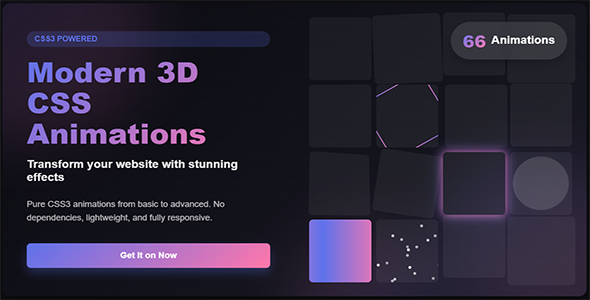


66 Modern 3D CSS Animations – Pure CSS 3D Animation Library
Pure CSS3 3D Transforms | No JavaScript Dependency | 66+ Effects | Responsive Web Animations
 |
What is 66 Modern 3D CSS Animations?
66 Modern 3D CSS Animations is a collection of CSS3 3D animation effects designed to add depth, perspective, rotation, movement, and dimensional interaction to modern websites and web interfaces.
The library uses CSS3 transforms and animation techniques to create three-dimensional visual effects without requiring a JavaScript animation framework or WebGL. It provides reusable animation styles for cards, buttons, text, galleries, loaders, menus, and other interface elements.
Instead of creating each 3D effect from scratch, developers can select an existing animation, add the required HTML structure and CSS classes, and customize the styling to match their project.
Key Features
- 66+ 3D CSS Animations – A collection of reusable three-dimensional animation effects for modern web interfaces.
- Pure CSS3 – The animation library is implemented using HTML and CSS without requiring a JavaScript animation framework.
- CSS 3D Transforms – Uses CSS transform capabilities such as perspective, rotation, translation, scaling, and 3D transforms.
- No WebGL Required – The library does not depend on WebGL for its animation effects.
- Responsive Design – The included effects can be integrated into responsive web layouts and customized for different screen sizes.
- CSS Customization – Adjust animation timing, transforms, perspective, easing, colors, and other CSS properties according to your project.
- Easy Integration – Include the stylesheet and use the provided classes and HTML structures in your project.
66 Included 3D Animation Effects
The collection is organized into seven categories so you can quickly find effects for different interface elements.
- 3D Hover Effects – 12 Effects
Perspective hover movements, depth effects, tilts, reveals, and zoom-style interactions. - CSS 3D Card Flips – 10 Effects
Horizontal and vertical card flips, rotations, folds, and multi-angle card transitions. - 3D Interactive Buttons – 10 Effects
Depth presses, rotating borders, perspective transitions, and dimensional button effects. - CSS 3D Text Effects – 8 Effects
Dimensional text, extrusion-style effects, perspective transformations, and axis rotations. - 3D Galleries & Carousels – 8 Effects
Rotating cubes, cylindrical layouts, card stacks, and other 3D gallery-style effects. - 3D Loaders & Spinners – 10 Effects
3D-inspired loading indicators, rotating shapes, orbital effects, and continuous loading animations. - 3D Page & Menu Transitions – 8 Effects
Page flips, unfolding transitions, perspective menus, and dimensional reveal effects.
Where Can You Use These Animations?
- E-Commerce Websites – Product cards, promotional sections, feature blocks, and interactive product presentations.
- SaaS & Business Websites – Feature sections, pricing cards, hero areas, testimonials, and interface components.
- Creative Portfolios – Project cards, galleries, profile sections, and interactive portfolio elements.
- Dashboards & Web Applications – Cards, panels, status elements, menus, loaders, and interface transitions.
- Landing Pages – Hero sections, feature cards, buttons, promotional blocks, and visual content.
- Interactive UI Components – Add dimensional movement and visual feedback to individual interface elements.
Easy Integration
No npm package or JavaScript animation framework is required for the basic CSS integration. Include the stylesheet and use the provided classes and HTML structure.
<!-- Step 1: Include the stylesheet --> <link rel="stylesheet" href="css/3d-animations.min.css"> <!-- Step 2: Add the required HTML structure --> <div class="css-3d-perspective-container"> <div class="card-3d-flip-right"> <div class="card-front"> Front Content </div> <div class="card-back"> Back Content </div> </div> </div>
The included documentation provides the available classes and implementation examples.
Customize the Effects
The CSS source can be customized to match your existing design system. Developers can modify animation duration, timing functions, perspective, transforms, colors, dimensions, and other CSS properties as required.
- Adjust animation duration
- Change easing and timing
- Modify perspective depth
- Change colors and visual styling
- Adjust transform values
- Adapt effects to your existing UI components
Clean Source Package
- 3d-animations.css – Unminified CSS source for inspection and customization.
- 3d-animations.min.css – Minified CSS version for production use.
- demo-playground.html – Interactive demo for previewing the included effects.
- documentation.html – Documentation covering installation, customization, and available effects.
Technical Specifications
- Technology: HTML5 + CSS3
- Animation Type: CSS 3D Animations
- JavaScript Dependency: None for the animation library
- WebGL Dependency: None
- Software Version: CSS3
- Files Included: HTML, CSS
- Customization: CSS source included
- Integration: Direct HTML/CSS integration
Browser Compatibility
The current CodeCanyon item metadata lists compatibility with IE11, Firefox, Safari, Opera, Chrome, and Edge.
Rendering of individual 3D CSS effects can vary depending on the browser version, device, operating system, GPU, and CSS properties involved. Always test the effects on the browsers and devices that matter to your project.
Framework & Platform Integration
Since the animation effects are delivered through HTML and CSS, they can be incorporated into projects that use existing frontend frameworks or platforms, provided the required HTML structure and CSS classes are preserved.
The current item description lists use cases involving WordPress, Elementor, Tailwind CSS, Bootstrap, React, Vue, and vanilla HTML.
Framework-specific implementation may require adapting the supplied HTML structure to the conventions of your project.
Documentation & Demo
The package includes documentation and demo material to help you understand and integrate the available animation effects.
You can also use the online live preview to inspect the animations before purchasing.
Important Information
This item provides a reusable CSS 3D animation library. It is not a JavaScript animation framework, WebGL engine, complete website template, or page builder.
Performance and visual behavior can vary depending on the animation, browser, device hardware, page structure, and other CSS running on the page. Test the selected effects within your own project before production deployment.
Support & Updates
The current CodeCanyon listing includes future updates and 6 months of author support. Please refer to the CodeCanyon item page for the current support terms and update policy.

66+ 3D CSS Effects • Pure CSS3 • No JavaScript Dependency • No WebGL • Easy Integration
0 average based on 0 ratings.
%20(1).png)


