EventoZilla - Event Calendar - Elementor Widget Addon



Elementor Widget / AddOn – A powerful and elegant Event Calendar, with extended version, compact version, sidebar version, search option, almost any combination of colors and a complete tile calendar navigation system.

IF YOU NEED THE STANDARD WORDPRESS PLUGIN FOR THIS PRODUCT, YOU CAN DOWNLOAD IT FROM HERE : https://codecanyon.net/item/eventzilla-event-calendar-wordpress-plugin/26416421

How to install plugin – https://www.youtube.com/watch?v=PddtvYNChIg
How to create a calendar and the events for it – https://www.youtube.com/watch?v=yPKzZGOkWNg
FEATURES:
 >>> NEW <<< Book Now/Register To Event
You can define the url to the page where the ‘registration to the event’ is done. If the url is present a ‘BOOK NOW’ button will appear. You have the option to translate or change ‘BOOK NOW’ text.
Responsive Design
The event calendar will adapt to the width of any device, screen and orientation. It has full width or centered option.
Mobile Compatible
It is compatible with IOS and Android operating systems.
Two Versions
You have an EXTENDED version with full tile calendar navigation system & search and a COMPACT version with months navigation & search.
Event Details
For each event you can define the title, start date & end date, address, event details, dress code and organizer information.
Multi-day Event
For each event you can set a time interval for its duration, in case it is not just a 1 day event.
Share
You can share each event on Facebook, Twitter or Pinterest.
Search Option
You have the option to search an event in the events list.
Sidebar Version
You can set the calendar so that it will fit in the sidebar area.
Cancel Event Option
If an event has been canceled, there’s no need to delete it. You can just activate ‘Event Canceled’ option and it will be displayed as canceled in the events list.
Multicolor Option
You can configure almost any combination of colors.
Full Calendar
For the extended version you can have a complex tile calendar where the events are highlighted and you can quickly navigate the months and years.
Multiple Instances
You can insert multiple calendars (each calendar with different events) on your website or on the same page.
ELEMENTOR WIDGETS


Keywords: calendar, event, event calendar, Event List, events, events calendar, elementor, elementor addon, elementor plugin, elementor widget, paid events, plugin, responsive, search events, tile calendar, wordpress, mobile, ios
If you need additional information don’t hesitate to contact us at HERE. We’ll try to answer you as quickly as possible.
Enjoy!
UPDATES / RELEASE LOG
***Version 2.1 Release Date: July 18, 2025 - updates for 2025 ***Version 1.9.1 Release Date: October 03, 2024 - updates for 2024 ***Version 1.9.0 Release Date: February 26, 2023 - added jQuery dependency for wp_register_script() ***Version 1.8.0 Release Date: April 27, 2022 - added the option to not show the months without events - it will not show the years without events and the events navigation will be faster ***Version 1.7.0 Release Date: January 19, 2022 - updates for 2022 ***Version 1.6.0 Release Date: September 01, 2021 - replaced '_content_template()' with 'content_template()' - replaced '_register_controls()' with 'register_controls()' - replaced font awesome widget icon with eicons ***Version 1.5.0 Release Date: June 30, 2021 - replaced '\Elementor\Scheme_Color' with '\Elementor\Core\Schemes\Color' ***Version 1.4.2 Release Date: February 20, 2021 - updates for 2021 ***Version 1.4.1 Release Date: January 06, 2021 - 'Show End Date' parameter was added which will allow you to display or not the end date - 'Show The Month First In The Date' parameter was added which will allow you to display the date like Nov 05, 2020 or like 05 Nov 2020 ***Version 1.4.0 Release Date: December 10, 2020 - code improvements ***Version 1.3.1 Release Date: November 12, 2020 - Monday will be listed first in the extended version ***Version 1.3 Release Date: October 16, 2020 - code improvements ***Version 1.2 Release Date: September 07, 2020 - code improvements ***Version 1.1 Release Date: August 20, 2020 - AM & PM error fix ***Version 1.0 Release Date: August 08, 2020
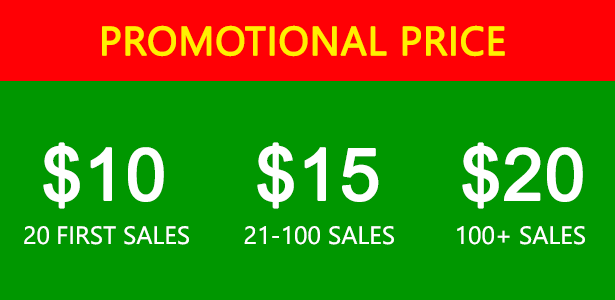
$15 |
Download |
0 average based on 2 ratings.

| Last Update | 2025-07-18 |
| Created | 2020-08-08 |
| Sales | 84 |
| Discussion | Comments |
| Compatible Browsers | IE9 IE10 IE11 Firefox Safari Opera Chrome Edge |
| Software Version | WordPress 6.8.x WordPress 6.7.x WordPress 6.6.x WordPress 6.5.x WordPress 6.4.x WordPress 6.3.x WordPress 6.2.x WordPress 6.1.x WordPress 6.0.x WordPress 5.9.x WordPress 5.0.x WordPress 4.9.x |
| Compatible With | Elementor Elementor Pro |
| Gutenberg Optimized | No |
| High Resolution | No |
| Files Included | JavaScript JS HTML CSS PHP |
| Video Preview Resolution |


